2.
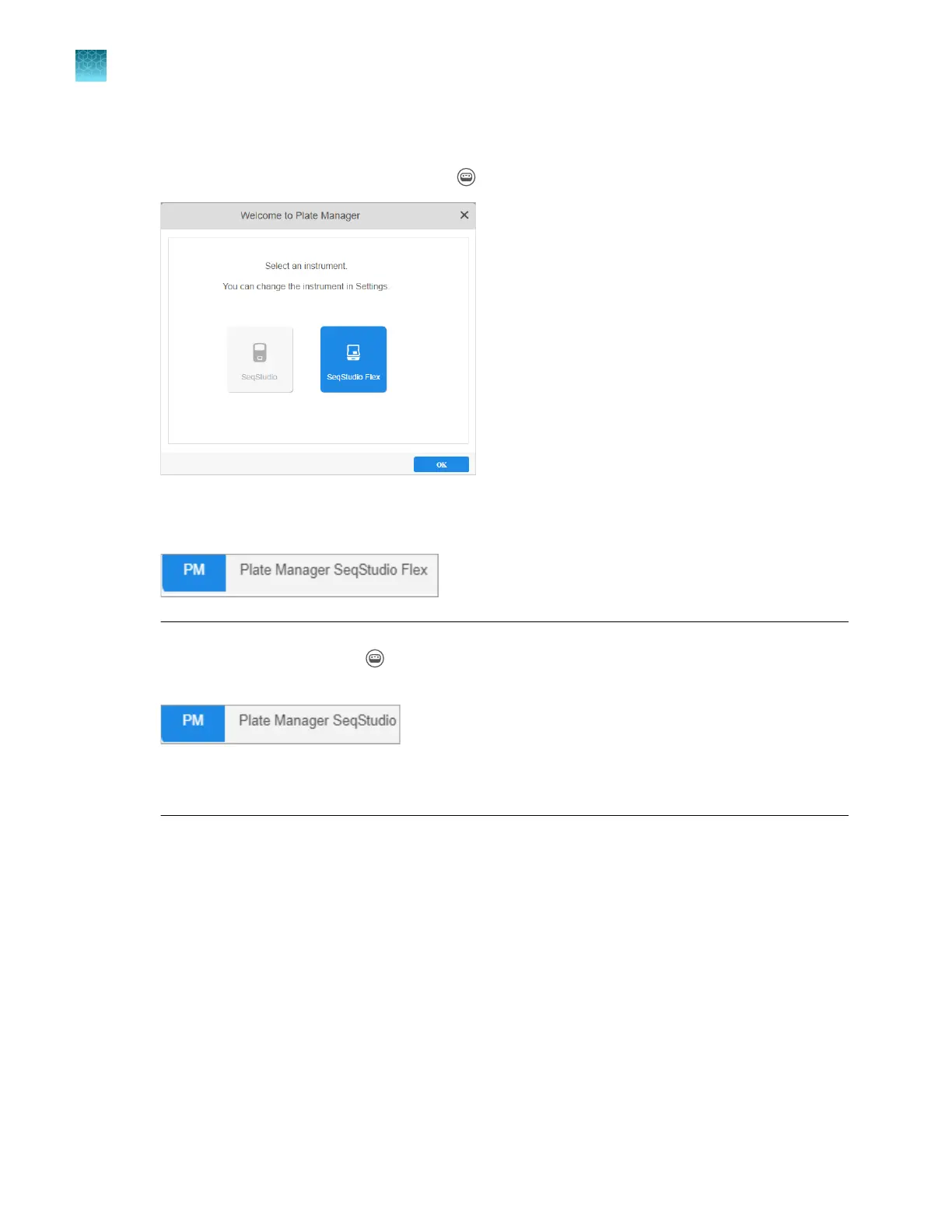
(First use only) In the Select an instrument screen, select SeqStudio Flex.
The instrument type determines the plate type that is created. You can change the instrument type
at any time in the home screen by clicking (Switch instrument) at the top right of the screen.
The selected instrument type is displayed at the top left of the Plate Manager software home
screen.
Note: Y
ou can also use the Plate Manager software with a SeqStudio
™
instrument. To change the
default instrument type, click
(Switch instrument) at the t
op right of the screen, then select
SeqStudio.
For information, see SeqS
tudio
™
Genetic Analyzer Instrument and Software User Guide (Pub. No.
MAN0018646 for v1.2 software or MAN0016138 for v1.1 software).
Chapter 5 Create a plate file in the Plate Manager software
Get started with the Plate Manager software (desktop)
5
100
SeqStudio
™
Flex Series Genetic Analyzer with Instrument Software v1.0 User Guide













 To Next Page