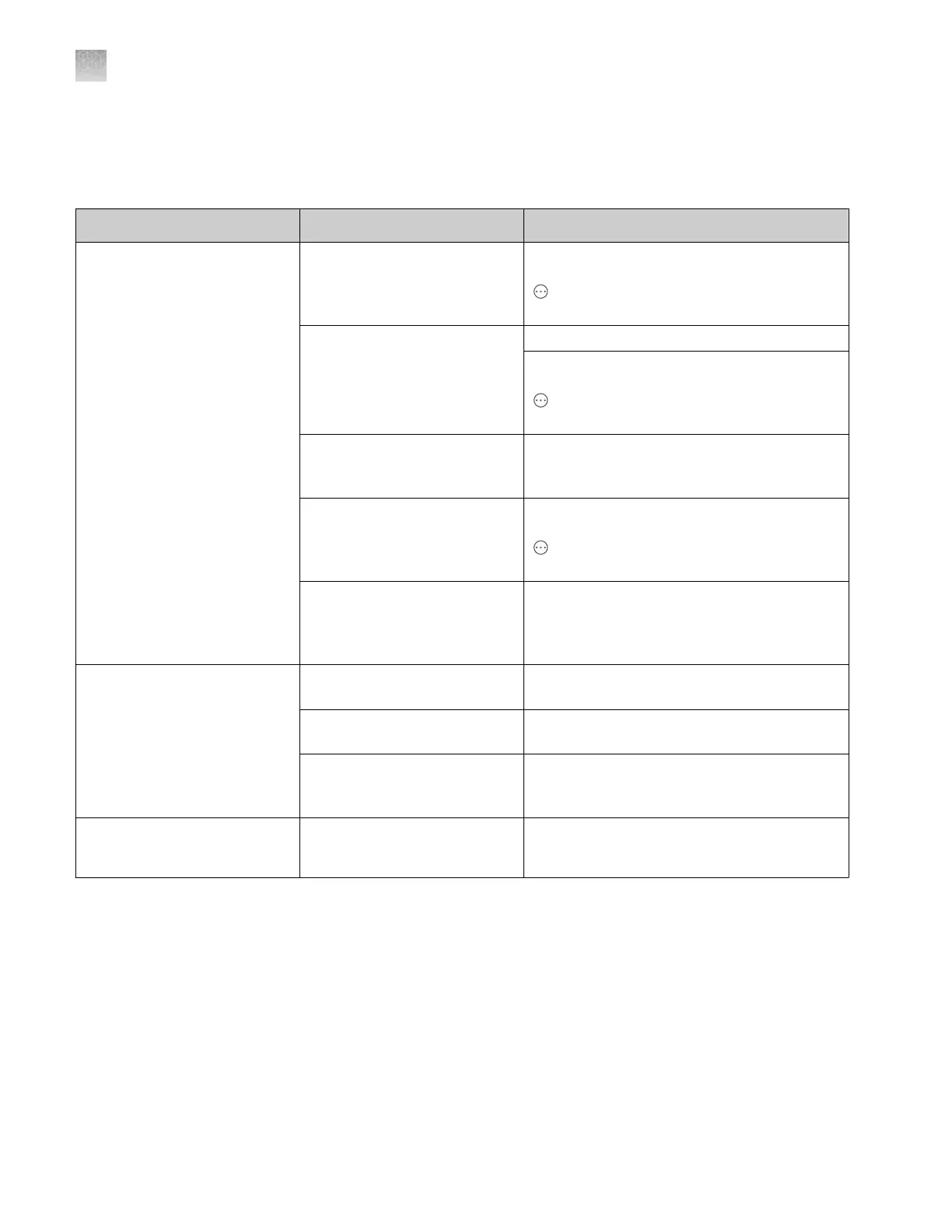
Install run troubleshooting
See also “QC errors—Sequencing or fragment analysis install run” on page 494.
Observation Possible cause Recommended action
Install run fails (sequencing or
fragment)
A capillary is blocked. Run the Fill array with polymer maintenance
wizard. (In the home screen, tap
Actions4Maintenance4Maintenance
wizards4Fill array with polymer.)
Insucient filling of capillary
array.
Check for broken capillaries.
Run the Fill array with polymer maintenance
wizard. (In the home screen, tap
Actions4Maintenance4Maintenance
wizards4Fill array with polymer.)
The install run standards
and reagents are expired or
degraded.
Use fresh standards and reagents. Use fresh
Hi‑Di
™
Formamide. See “Hi‑Di
™
Formamide
storage and usage” on page 28.
Bubbles are present in the
pump channels.
Run the Remove bubbles maintenance
wizard. (In the home screen, tap
Actions4Maintenance4Maintenance
wizards4Remove bubbles.)
Crystal deposits are present
in the polymer because the
polymer was not at room
temperature during the run.
Allow the polymer to reach room temperature.
Do not heat it.
Install run—no signal is
observed
Incorrect preparation of
reagents and standards.
Prepare fresh reagents and standards. Use
fresh Hi‑Di
™
Formamide.
Bubbles are present in the
sample wells.
Centrifuge the plate before running.
Capillary tips are not touching
the sample or are hitting the
bottom of the wells.
Contact Technical Support.
Fragment install run fails
because all expected peaks
are not detected
Polymer has been installed on
the instrument for >3 days.
Install fresh polymer, then repeat the install
run.
Appendix A Troubleshooting
Install run troubleshooting
A
498
SeqStudio
™
Flex Series Genetic Analyzer with Instrument Software v1.0 User Guide













 To Next Page