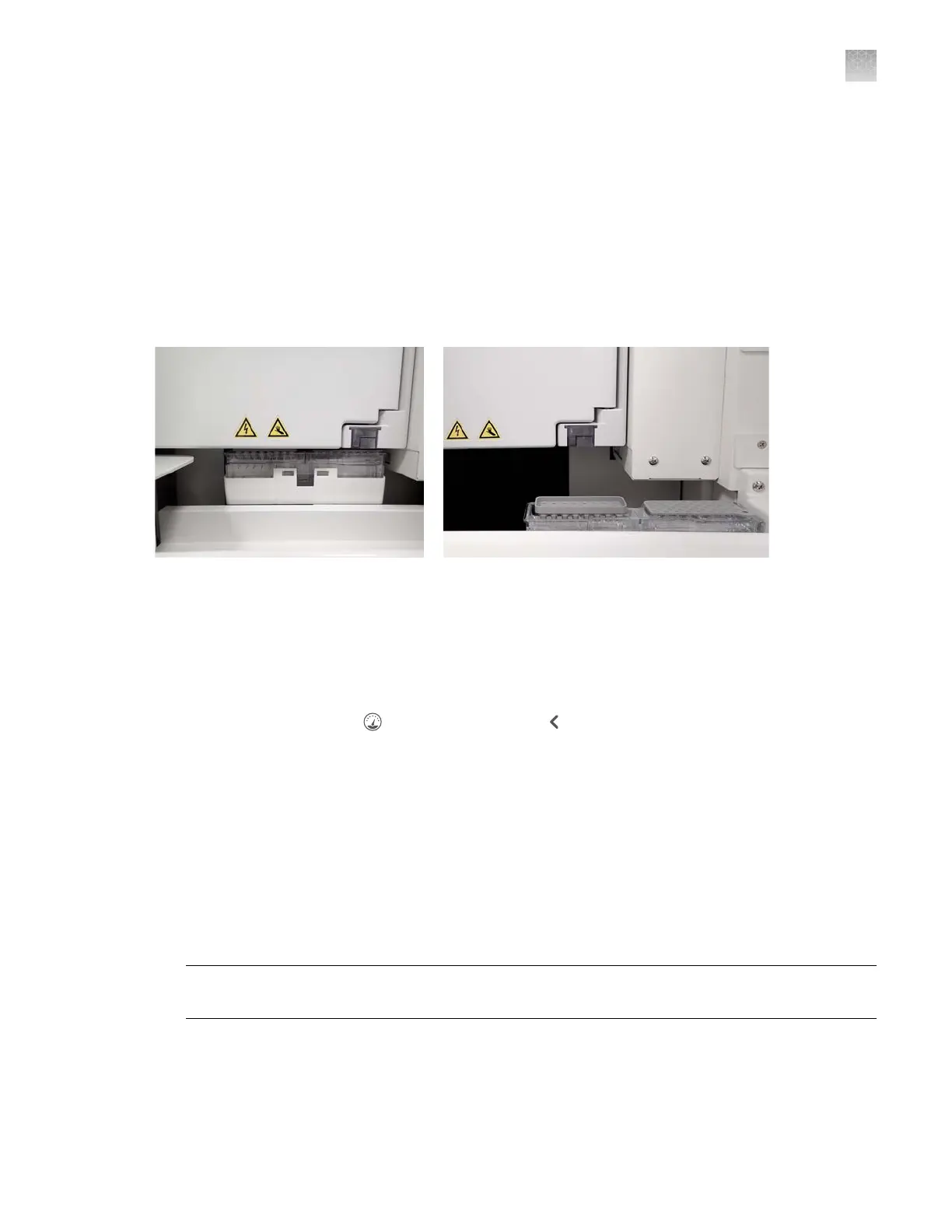
Check the position of the cathode buer container (CBC)
When the instrument makes an injection, it moves the CBC to the load position. The load position
places the CBC under the oven and in position for the capillary array tips to aspirate from the CBC.
When you run a maintenance wizard that accesses the CBC or the capillary array, the CBC is
automatically placed in the home position when needed. Under normal conditions, the CBC is in the
correct home position when you need to access the CBC or capillary array. However, if you close the
instrument doors before the wizard instructs you to, or if power save mode starts, the CBC moves
to the load position. (For more information on power save mode, see “Set the power save duration
(administrator only)” on page 459.)
Figure 91 CBC load position (left) and home position (right)
If the CBC is not in the home position when you need to access the CBC or capillary array, perform the
following procedure.
1.
Close the instrument doors, then wait until the instrument initializes the CBC position and the
initializing message is no longer displayed.
2.
In the wizard screen, tap (Dashboard), then tap to display the Instrument S
tatus screen.
3.
Tap Manual commands, tap Move buer container, then tap Send command.
4.
When the CBC is in the home position, close the Manual Commands screen.
5.
Open the instrument doors, then continue with the wizard procedure.
Use the Manual commands function to move instrument components
The Manual commands functions per
form control the following functions:
•
Move the CBC to the home position
Note: No command is needed to move the CBC to the load position. When the instrument doors
are closed, the CBC automatically moves to the load position.
•
Open and close the buer valve
Appendix A Troubleshooting
Additional troubleshooting procedures
A
SeqStudio
™
Flex Series Genetic Analyzer with Instrument Software v1.0 User Guide
483













 To Next Page