•
Direct connection IP address (not displayed if the instrument is not connected to the
computer)
•
Firmware versions
2.
(Optional) Tap EULA to display the end-user license agreement or tap Details to display additional
instrument information.
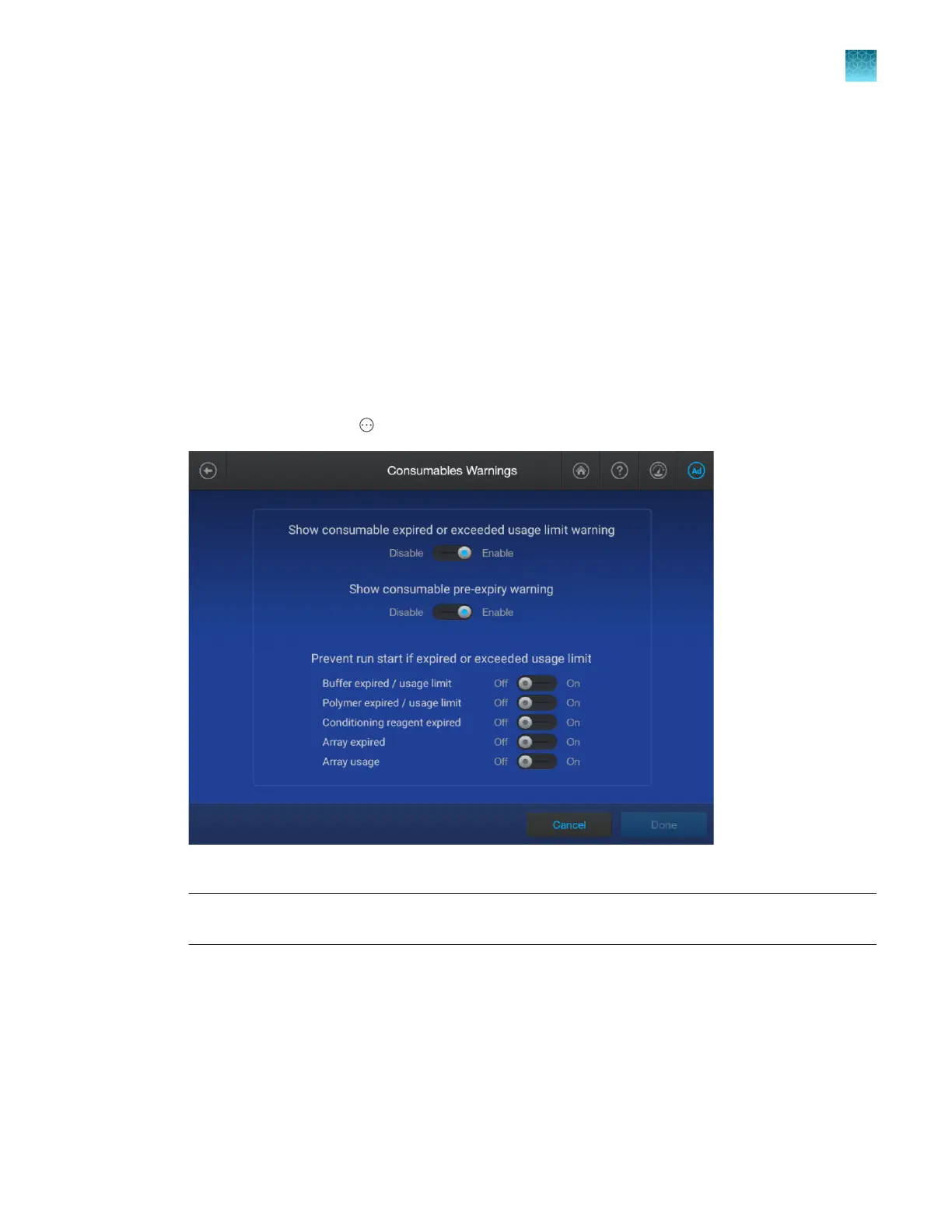
Configure consumables usage and warnings (administr
ator only)
The settings on the screen determine the following:
•
Whether a warning message is displayed in the bottom right of the home screen when a
consumable is about to expire. See “Instrument conditions in the home screen” on page 40.
•
Whether a run can start if consumables are expired or have exceeded the on-instrument life.
1.
In the home screen, tap
4Actions4Settings4Consumables warnings.
2.
Configur
e the settings as needed, then tap Done.
IMPORTANT! Befor
e allowing runs with expired consumables, see “Important notice regarding
use of consumables that exceed supported limits” on page 25.
For more information, see:
•
“Check consumables status” on page 66
•
“Instrument consumables handling, usage limits, and e
xpiration” on page 25
Chapter 14 Manage the softwar
e (instrument)
Manage settings
14
SeqStudio
™
Flex Series Genetic Analyzer with Instrument Software v1.0 User Guide
453













 To Next Page