4.
To perform administrator tasks:
Task Action
Assign the Admin
role to an
additional user
Click Manage users, select the Admin checkbox for the user that you want to
change to administrator, then click Close.
Remove a user Click Manage users, click next to a user name, then click Confirm.
Disconnect the
instrument
Click Disconnect, then click Confirm.
Disconnecting unlinks all cloud profiles and removes the instrument from
InstrumentConnect. It also disables the voice command function for all cloud
profiles. For more information, see “Use voice commands” on page 231.
Users must relink to the instrument. See “Re-link the instrument to your cloud
profile” on page 223.
Note: The first user who links the instrument to their cloud profile is automatically
assigned the cloud administrator role for the instrument (even if the user's local
profile does not have the administrator role).
Note: To disconnect selected users, use the Remove option.
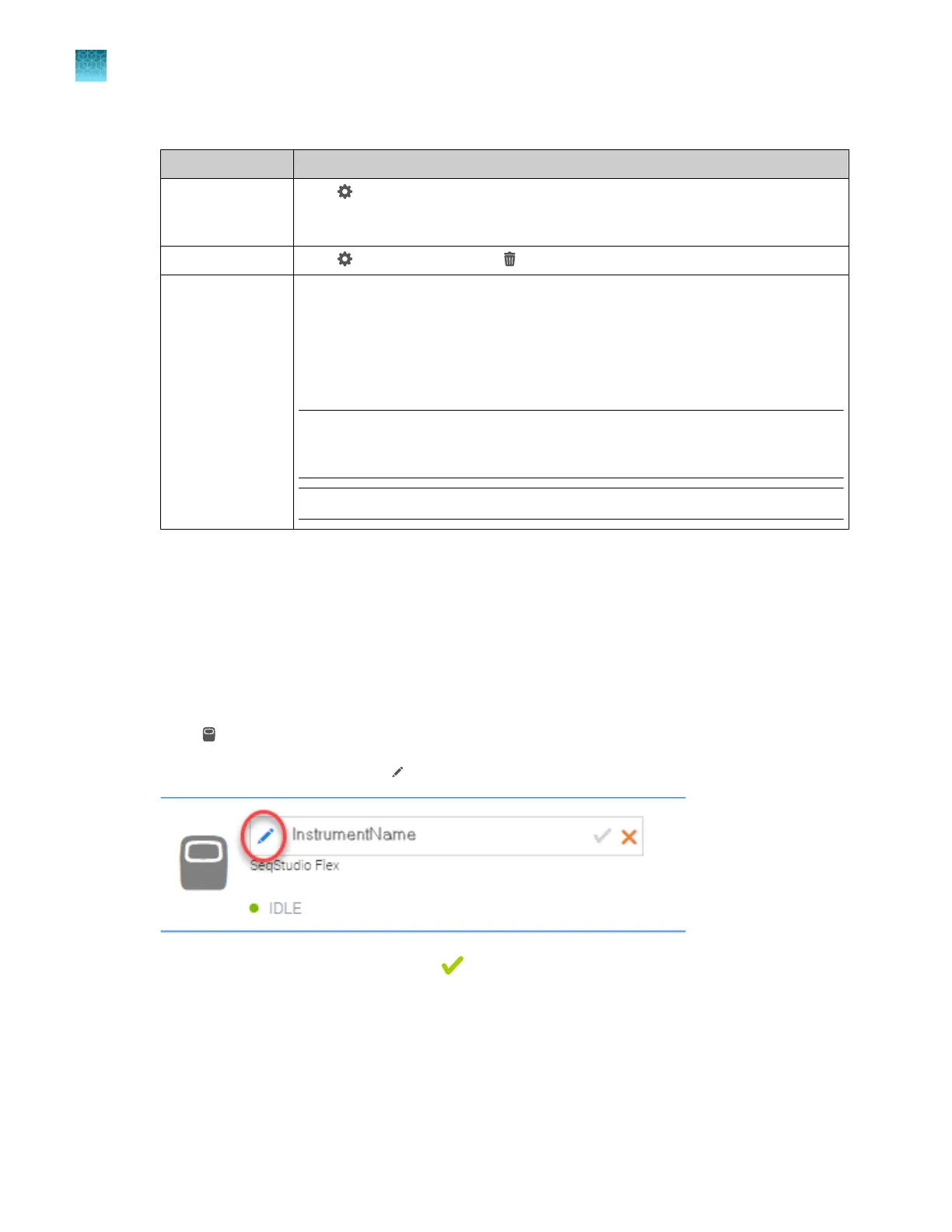
Change the instrument name in the InstrumentConnect software (cloud
administrator only)
The instrument name can be changed in the InstrumentConnect software by a cloud administrator. The
instrument name can also be changed on the instrument by a local administrator. See “Change the
instrument name (administrator only)” on page 461.
1.
Sign in to apps.thermofisher.com.
2.
Click
to access the InstrumentConnect software.
3.
Select the instrument, then click
(edit).
4.
Change the instrument name, then click .
Chapter 9 Use the instrument with Thermo Fisher
™
Connect
Tasks for the cloud administrator of an instrument
9
230
SeqStudio
™
Flex Series Genetic Analyzer with Instrument Software v1.0 User Guide













 To Next Page