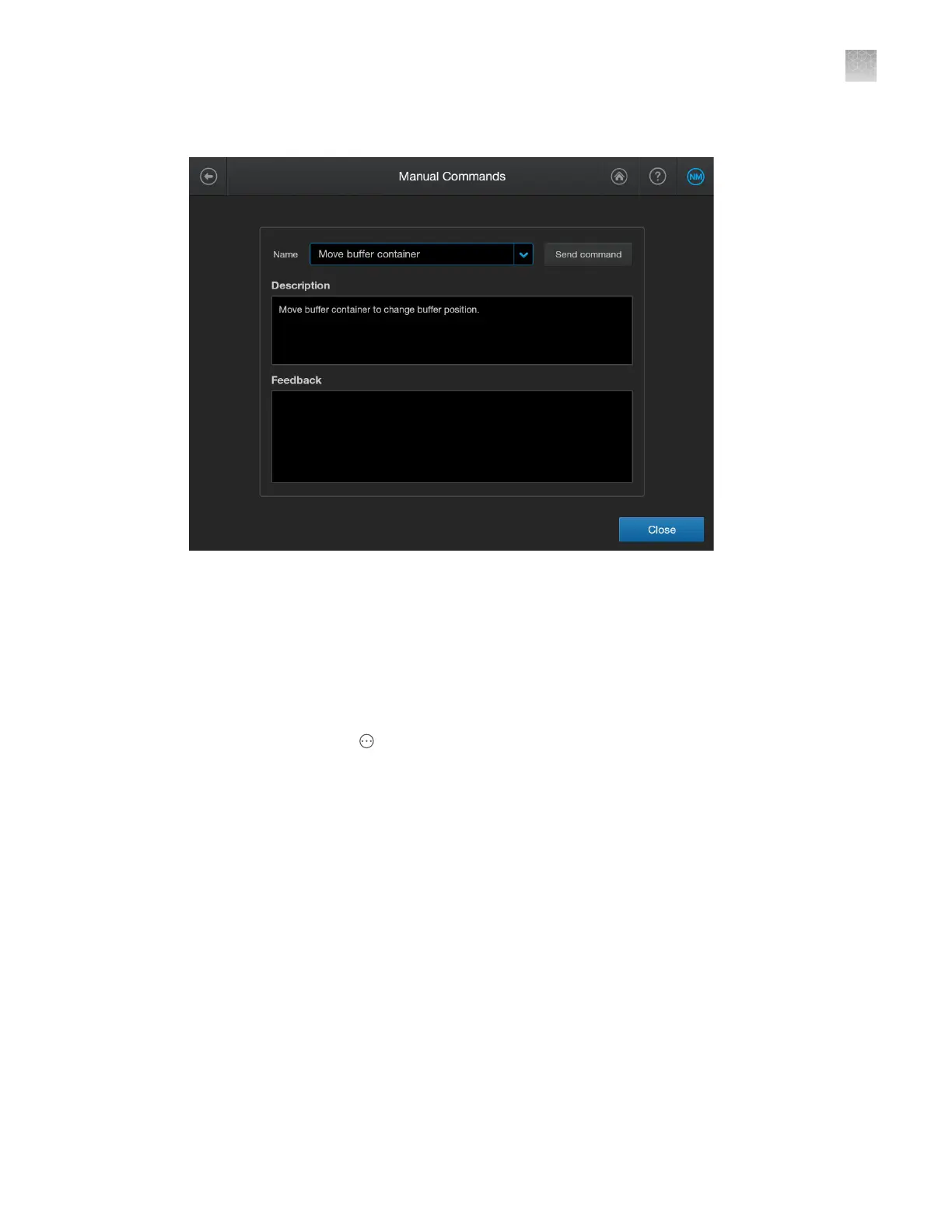
2.
Tap Manual commands.
3.
Select a command as needed, then tap Send command.
Run self tests to check touchscreen, speakers, microphone, and proximity
sensor
You can run these tests if you suspect that the touch screen is not responsive or if you cannot hear
r
esponses from Alexa when you are using voice commands.
1.
In the home screen, tap
Actions4Suppor
t4Self test.
2.
Tap Start, then follow the instructions on the screens to complete the tests.
If any tests fail, contact Technical Support.
Power o or power on the instrument
Under normal circumstances, there is no need to power o the instrument. P
ower o only if instructed
to do so by a service representative or a procedure in this guide. For more information, see “Shut down,
move, and reactivate the instrument” on page 381.
The power switch is located on the front panel.
1.
Move the power switch to the o position.
2.
Wait a few minutes, then move the power switch to the on position.
Appendix A T
roubleshooting
Additional troubleshooting procedures
A
SeqStudio
™
Flex Series Genetic Analyzer with Instrument Software v1.0 User Guide
485













 To Next Page