For more information, see the following sections:
•
“Configure consumables usage and warnings (administrator only)” on page 453 for information on
consumables warnings and preventing runs with consumables that exceed limits.
•
“Install buers (wizard)” on page 363
•
“Replenish, change, flush, and store polymer (wizards)” on page 370
•
“Change and store a capillary array (wizards)” on page 371
Check instrument status
Note: The home screen displays an alert if any temperature is out of range.
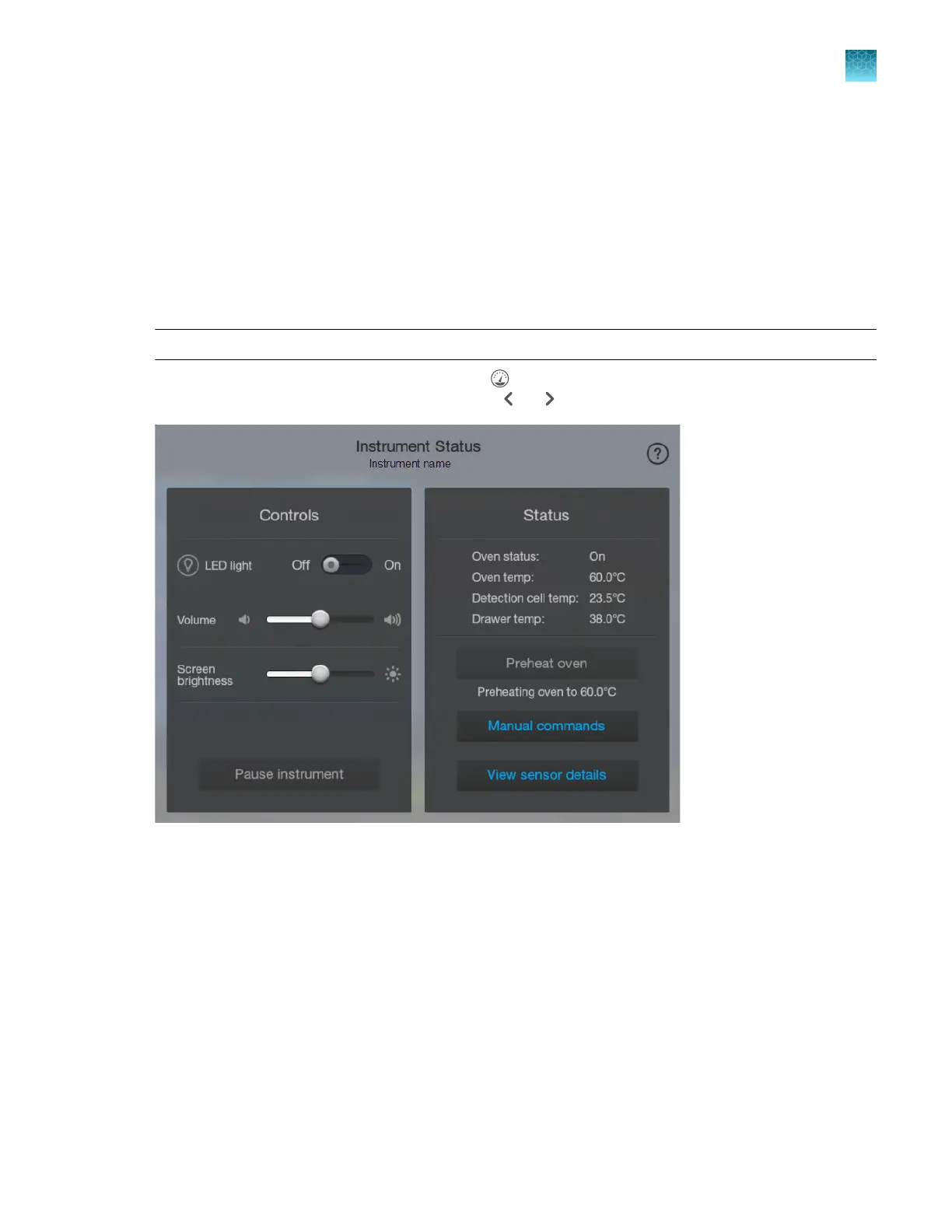
Display the instrument status screen by tapping (Dashboard) at the top right of the home screen. If
the instrument status screen is not displayed, tap or .
The screen displays controls and status for the instrument.
The dr
awer temperature is displayed only if the temperature is ≥37°C.
Chapter 2 Get star
ted
Prepare the instrument
2
SeqStudio
™
Flex Series Genetic Analyzer with Instrument Software v1.0 User Guide
67













 To Next Page