Observation Possible cause Recommended action
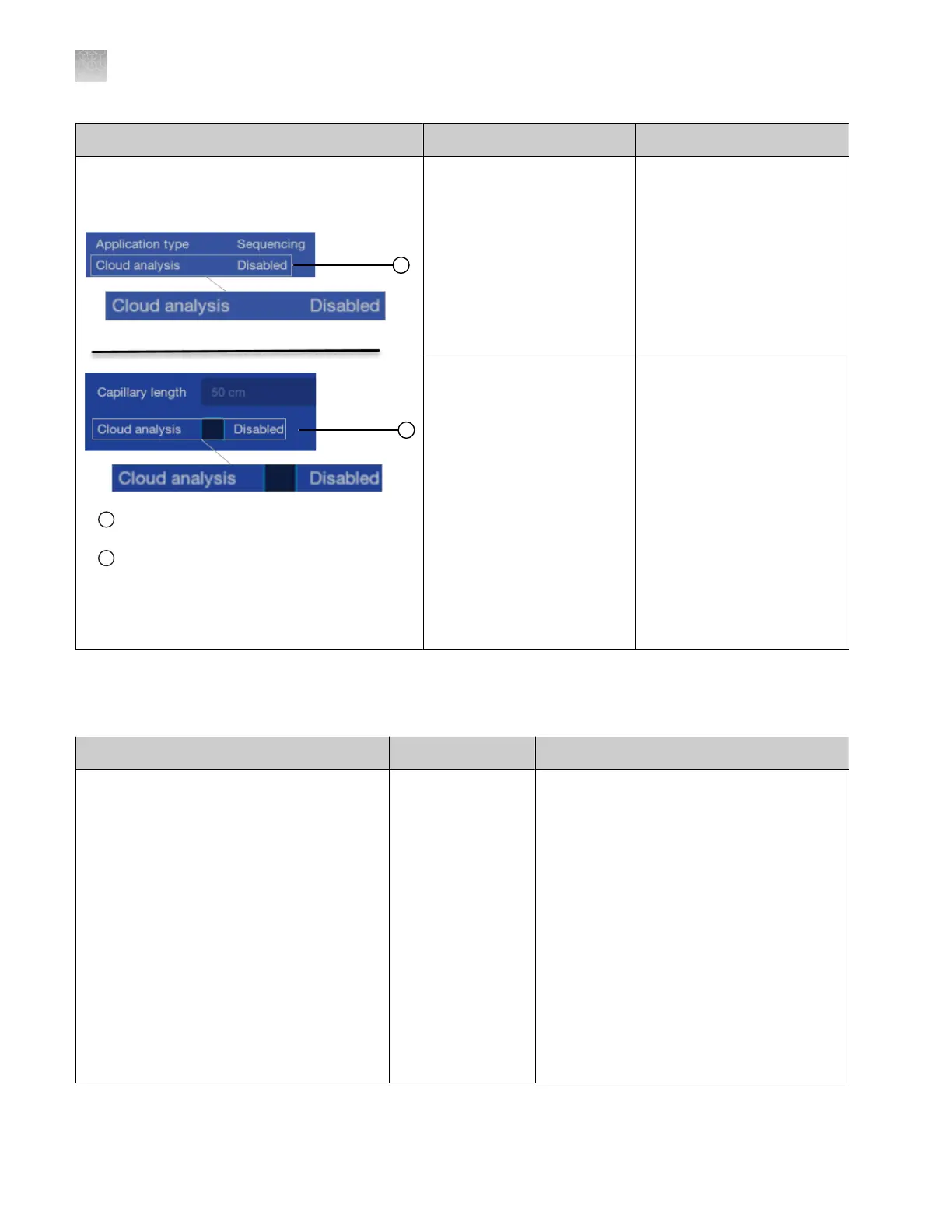
The Cloud analysis field in the Properties tab is
listed as Disabled. The Cloud analysis checkbox
in the Edit Properties screen is active.
1
The Cloud analysis field in the P
roperties tab is
listed as Disabled
2
The Cloud analysis checkbo
x in the Edit
Properties screen is active
The plate file was cr
eated
in the Plate Manager
software (cloud) and the
Cloud analysis feature was
set to On. The plate
file was opened on the
instrument, and the Cloud
analysis checkbox in the
Edit Properties screen was
deselected.
Enable the Cloud analysis
checkbox as needed. For
more information, see “Set
up cloud analysis in the Plate
Manager software (cloud)” on
page 124.
The plate file was created in
the Plate Manager software
(cloud) and the Cloud
analysis feature was set
to On. The Cloud analysis
checkbox was automatically
deselected in the plate
file because the injection
properties were edited. The
injection properties were
edited when the plate file
linked or the plate file was
opened in the Plate files
library and the injection
properties were edited.
Enable the Cloud analysis
checkbox as needed. For
more information, see “Set
up cloud analysis in the Plate
Manager software (cloud)” on
page 124.
Plate Manager software troubleshooting
Observation Possible cause Recommended action
Import failed message when you select a
CSV plat
e setup on the instrument
Details:
The message also indicates that a valid
injection protocol, run module, dye set,
analysis settings and/or size standard is not
present.
The CSV file
specifies the name
of a run module,
dye set, and/or size
standard that does
not exist on the
instrument.
IMPORTANT! A
CSV file contains
only the name of
the run module,
dye set, and/or siz
e
standard, it does
not contain the
settings.
Add the run module, dye set, and/or size
standar
d to the instrument by selecting a
PSM file that contains the items, or by
creating the items manually.
Appendix A Troubleshooting
Plate Manager software troubleshooting
A
502
SeqStudio
™
Flex Series Genetic Analyzer with Instrument Software v1.0 User Guide













 To Next Page