3.
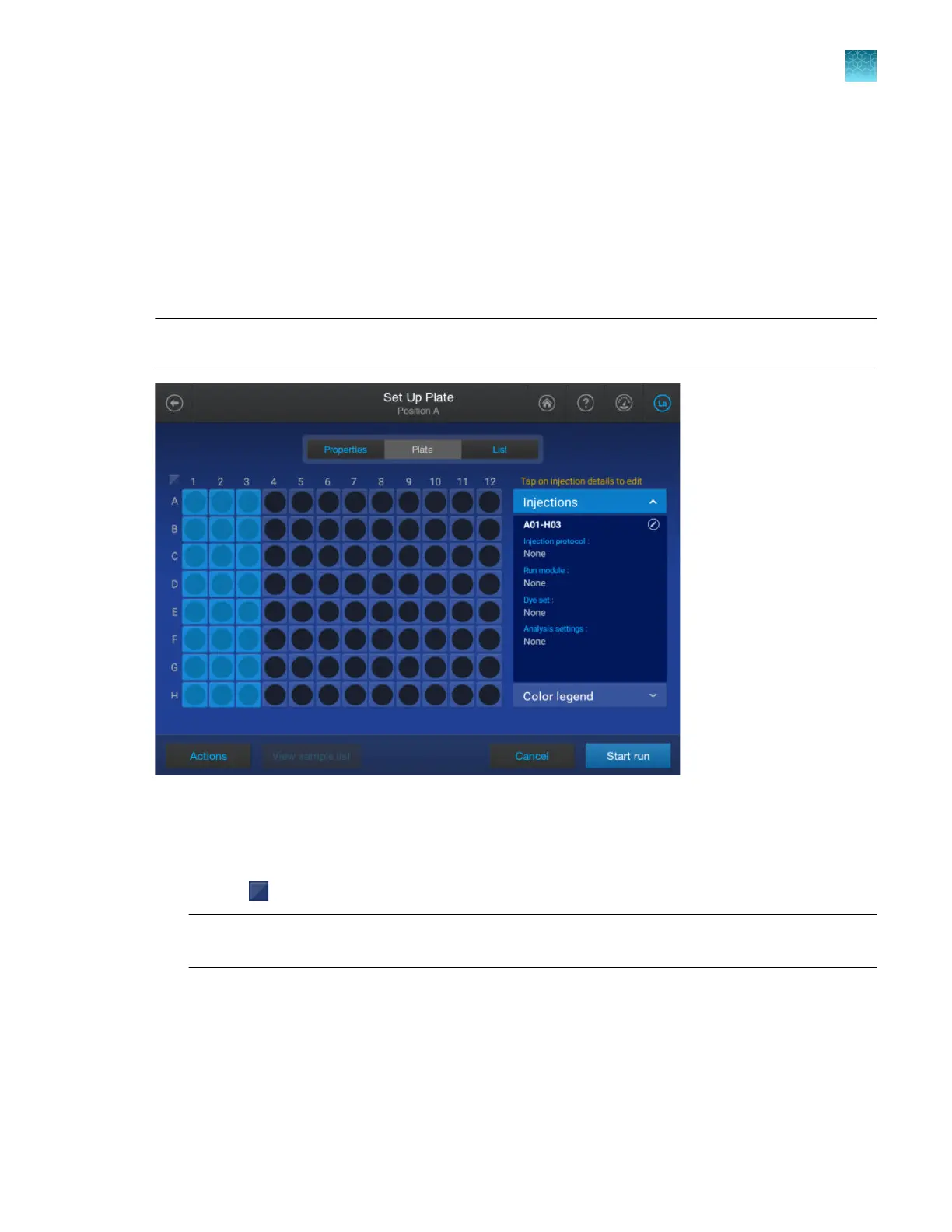
Tap the Plate tab at the top of the screen.
4.
Proceed to “Enter injection properties” on page 89.
Enter injection properties
After you tap the Plate tab in the create or view screen, the plate view is displayed with the first
injection group selected.
Note: Injection group refers to each set of 8 or 24 wells on the plate, based on instrument
configuration.
1.
Select additional injection gr
oups as needed.
•
Tap a well to select a single injection group.
•
Press-drag to select multiple injection groups or the entire plate.
•
Tap
(Select/deselect) at the t
op left of the plate to select or deselect all wells on the plate.
Note: All settings in the remaining steps will be assigned to all selected injection groups. If
dierent injection groups require dierent settings, repeat these steps for each injection group.
Chapter 4 Create a plate file on the instrument
Enter injection properties
4
SeqStudio
™
Flex Series Genetic Analyzer with Instrument Software v1.0 User Guide
89













 To Next Page