2.
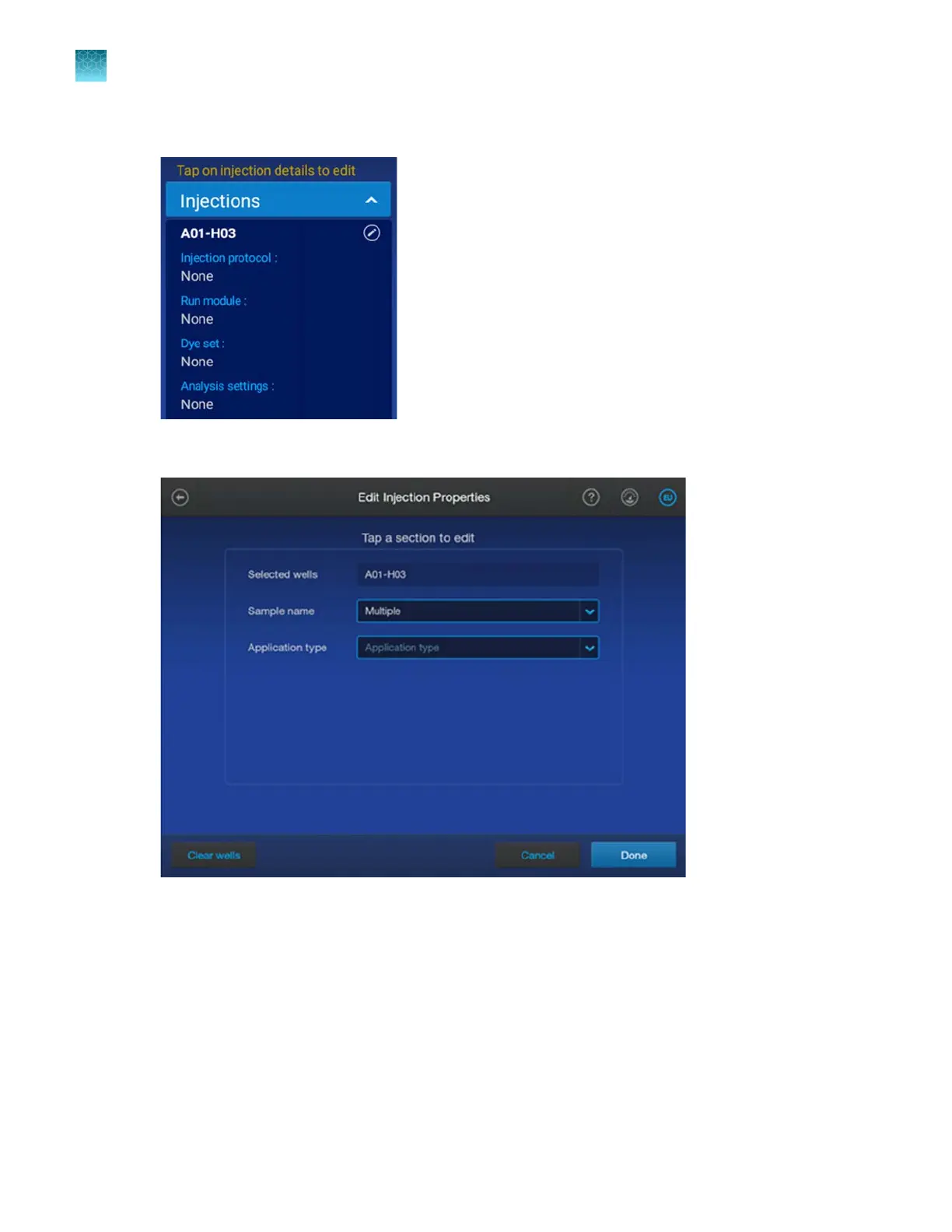
Tap the injection pane to display the Edit Injection Properties screen.
If you are creating a mixed plate, the first Edit Injection Properties screen is displayed.
3.
Tap the Application type field, select the application for the wells, then tap Done.
Chapter 4 Create a plate file on the instrument
Enter injection properties
4
90
SeqStudio
™
Flex Series Genetic Analyzer with Instrument Software v1.0 User Guide













 To Next Page