Use the Remote Monitoring software
to monitor runs, view results, and
use cloud analysis
■
Monitor a run from the Remote Monitoring software ..................................... 182
■
Monitor a run from a mobile device .................................................... 193
■
View results in the Remote Monitoring software ......................................... 198
■
Use cloud analysis in the Remote Monitoring software ................................... 202
The SeqStudio
™
Flex Remote Monitoring software requires connection to Thermo Fisher
™
Connect.
Monitor a run from the Remote Monitoring software
To use the Remote Monitoring software, you must be signed in to Thermofisher.com with a cloud
profile, and your cloud profile must be linked to the instrument. For more information, see Chapter 9,
“Use the instrument with Thermo Fisher
™
Connect”.
Open the Remote Monitoring software from the Plate Manager software
(cloud)
1.
Open the Plate Manager software (cloud). See “Access the Plate Manager software (cloud)” on
page 111.
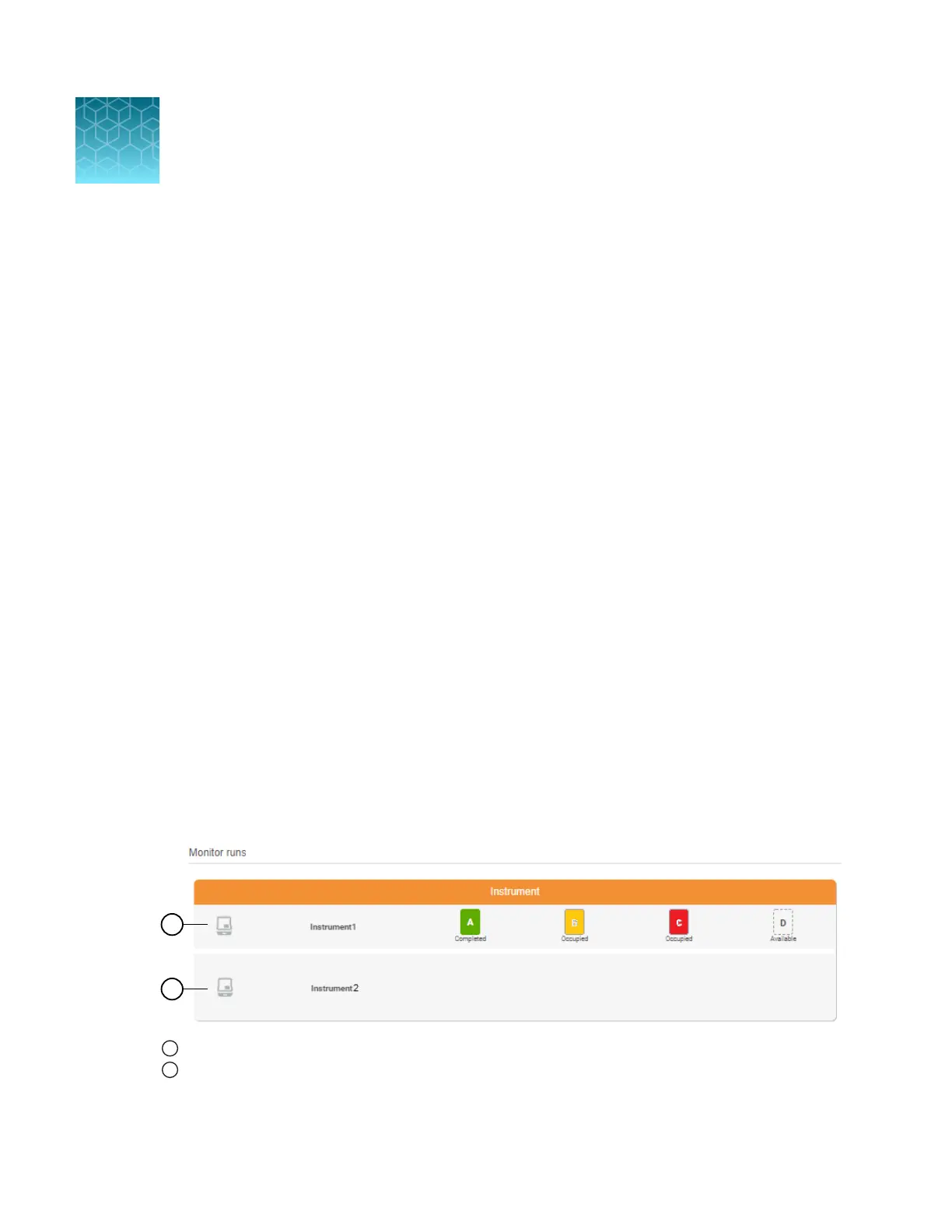
The Monitor runs pane lists the SeqStudio
™
Flex and SeqStudio
™
instruments that are linked to
your Thermofisher.com account.
1
SeqStudio
™
Flex instrument with 4 plate positions
2
SeqStudio
™
instrument with 1 plate position
Plate positions are color-coded to reflect Sample QC. See “Sample QC and quality alerts” on
page 172.
8
182
SeqStudio
™
Flex Series Genetic Analyzer with Instrument Software v1.0 User Guide













 To Next Page