Connect the software to a network drive (software settings)
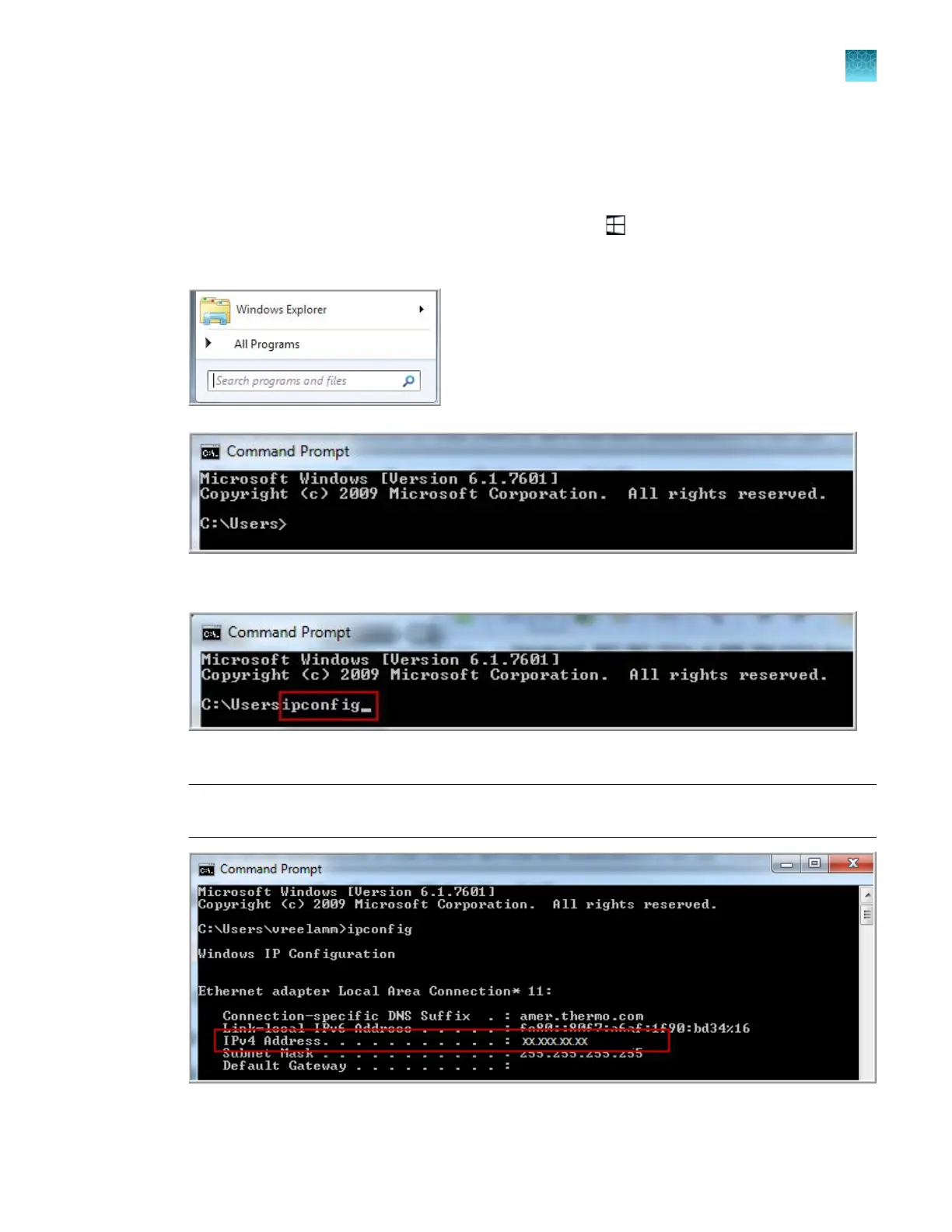
Determine the IP address for a computer on a network
1.
In the Windows
™
desktop of the destination computer, click .
2.
In the search field at the bottom of the pane, type command prompt, then press Enter.
3.
At the command pr
ompt, type ipconfig, then press Enter.
4.
Not
e the IP address listed.
Note: The location and number of digits in your IP address may dier from the IPv4 Address
example shown below.
Chapter 14 Manage the software (instrument)
Connect the software to a network drive (software settings)
14
SeqStudio
™
Flex Series Genetic Analyzer with Instrument Software v1.0 User Guide
443













 To Next Page