Perform a spatial calibration
A spatial calibration is automatically performed when you use maintenance wizards to install a capillary
array (described in “Maintenance wizard overview” on page 359).
This section describes how to manually perform a spatial calibration if you interact with the capillary
array without using a wizard (for example, if you move the instrument or open the detection cell heater
door). You can alternatively run the spatial calibration maintenance wizard (see “Maintenance wizard
overview” on page 359).
1.
From the home screen, tap Actions4Maintenance4Calibration4Spatial calibration.
2.
Use the default Fill setting to fill the capillary array with polymer before starting the calibration.
Filling the capillary array ensures that no residual fragments are present in the capillary array that
can interfere with the spatial calibration and signal optimization.
Note: If you have previously run a spatial calibration and know that the capillary array is filled with
fresh polymer, you can select No Fill.
3.
T
ap Recalibrate.
Note: If a spatial calibration has not previously been performed for the installed capillary array, the
button displays Start calibration.
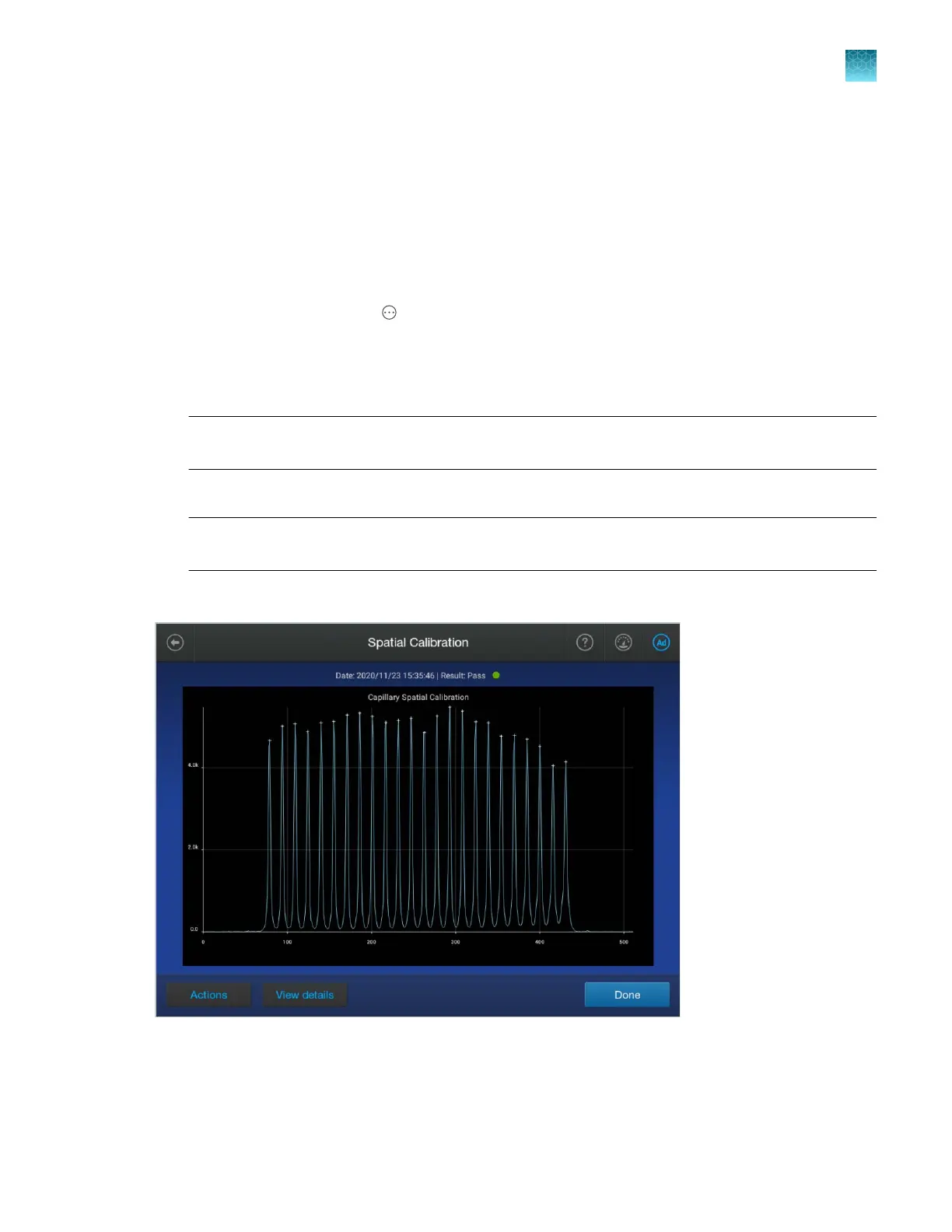
When the spatial calibration is complete, the Spatial C
alibration screen is displayed.
Chapter 12 Run calibrations and install checks
Run a spatial calibration
12
SeqStudio
™
Flex Series Genetic Analyzer with Instrument Software v1.0 User Guide
305













 To Next Page