Get started with the Plate Manager software (desktop)
About the SeqStudio
™
Plate Manager 2.0 software (desktop)
The SeqStudio
™
Plate Manager 2.0 software (desktop) is used to create plate files in PSM format or
CSV format. For a definition of formats and suggestions for when to use each format, see “PSM and
CSV plate files for import into the instrument” on page 86.
The Plate Manager software (desktop) provides the same basic functions as the SeqStudio
™
Plate
Manager 2.0 software (Thermo Fisher
™
Connect), but does not have access to the SeqStudio
™
Flex
Remote Monitoring software or automated cloud analysis.
Plate files can be run on the SeqStudio
™
Flex Series Genetic Analyzer or the SeqStudio
™
Genetic
Analyzer.
Note: The Plate Managersoftware does not include SAE functionality. If SAE mode is enabled for the
instrument, auditing for a plate file begins when it is linked or when it is imported into the Plate files
library.
For more information
This guide provides information on using the SeqStudio
™
Plate Manager 2.0 software with the
SeqStudio
™
Flex Series Genetic Analyzer.
For information on using the SeqStudio
™
Plate Manager 2.0 software with the SeqStudio
™
Genetic Analyzer, see SeqStudio
™
Genetic Analyzer Instrument and Software User Guide
(Pub. No. MAN0018646 for v1.2 software or MAN0016138 for v1.1 software).
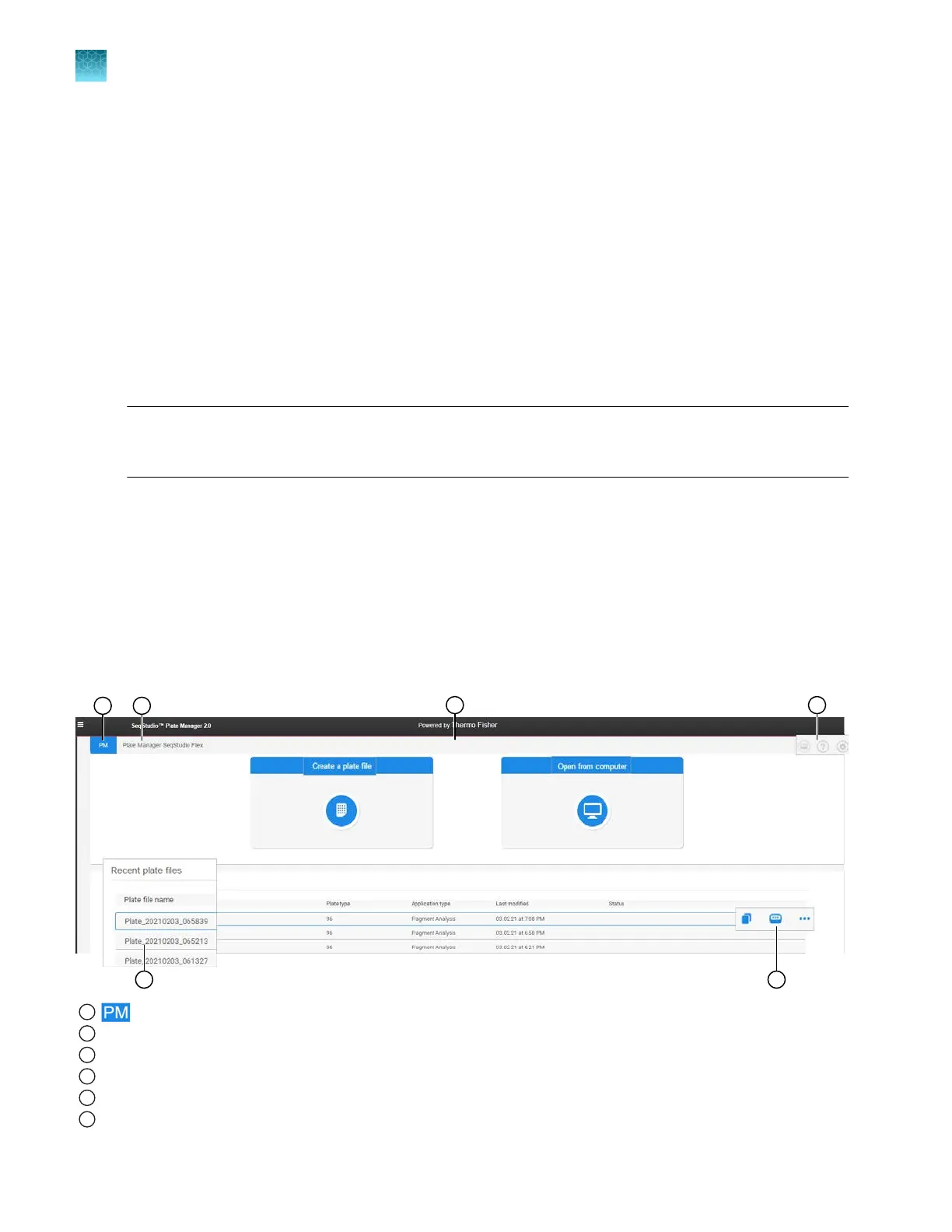
Parts of the Plate Manager software (desktop) home screen
1
icon
2
Instrument type
3
Create or open a plate file
4
Switch instrument, help, and settings
5
Recent plate files list
6
Copy, send to instrument, and actions
Chapter 5 Create a plate file in the Plate Manager software
Get started with the Plate Manager software (desktop)
5
96
SeqStudio
™
Flex Series Genetic Analyzer with Instrument Software v1.0 User Guide













 To Next Page