(continued)
Step User command Instrument action and Alexa reply
4 A (or the position of interest). You can also say Drawer A,
Position A, or Plate A.
The Link Plate File screen is
displayed.
From which plate source
do you want to select the
plate?
5 Inbox (or Cloud (Thermo Fisher
™
Connect), USB, network drive,
or .Instrument).
The Select Plate File screen is
displayed.
Select plate file. You can
say page up or page down.
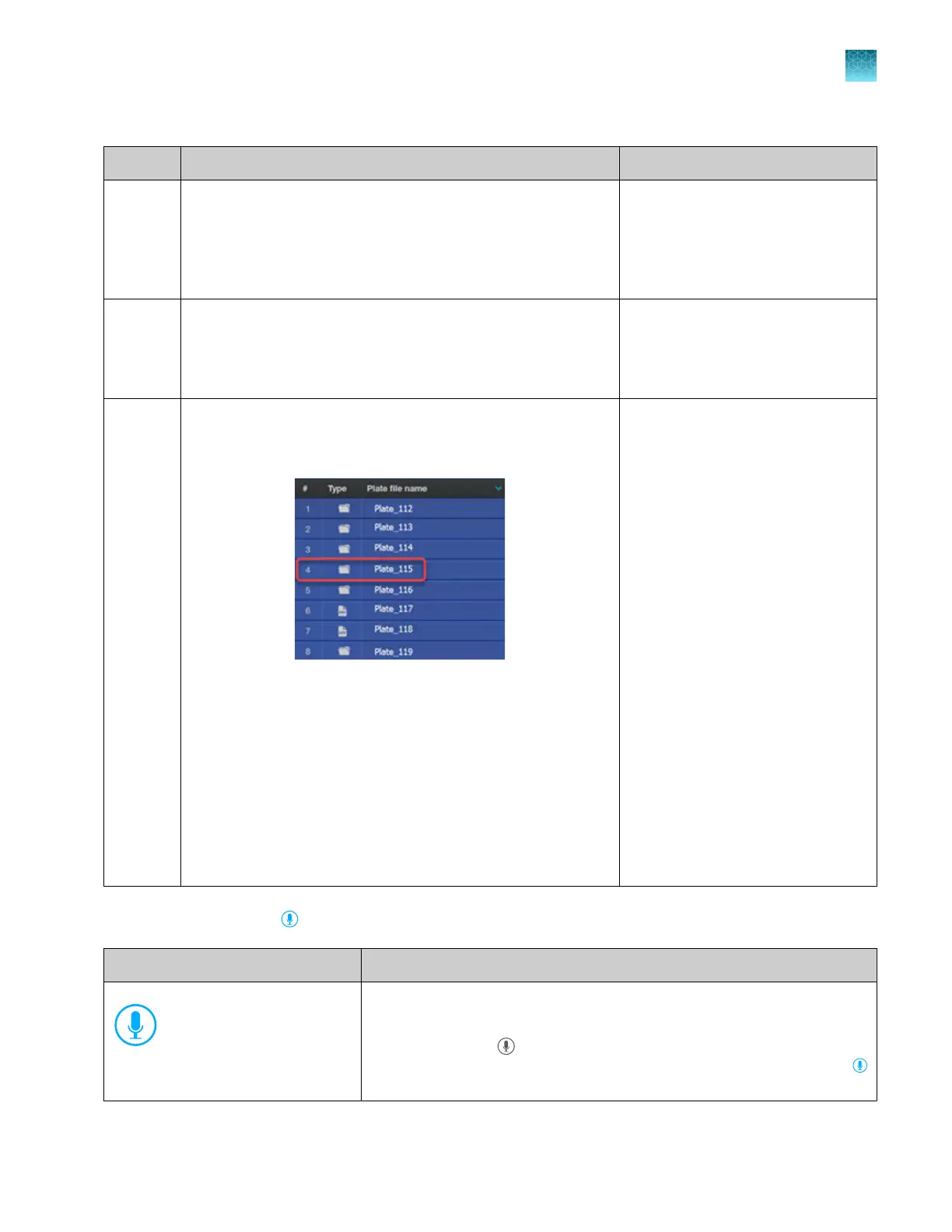
6 Say the file number of the plate file to link, then say Start run.
In the example below, you could say 4 to select Plate_115, then
say Start run.
You can also use the following voice commands to navigate
thr
ough the list before specifying the file number:
Page up, Page down, Scroll up, Scroll down, Go back.
Note: If you do not want to start the run, you can do any of the
following:
·
Say the file number of the plate file to link, then say No.
·
After the plate file is linked but before the run starts, say
Cancel run, Cancel plate, or Unlink.
·
Say Alexa, stop.
Run is being initiated
now.
P
re-run checks are performed, then
the run starts.
Microphone icon indicators for voice commands
Microphone icon states Status of voice commands
(Blue)
The microphone is ready to accept commands. Tap the icon to mute the
micr
ophone.
The icon turns gray
if the proximity sensor does not detect a person or if
Thermo Fisher
™
Connect access is int
errupted. The icon turns blue again
when a person is detected or Thermo Fisher
™
Connect access is r
estored.
Chapter 9 Use the instrument with Thermo Fisher
™
Connect
Use voice commands
9
SeqStudio
™
Flex Series Genetic Analyzer with Instrument Software v1.0 User Guide
235













 To Next Page