Check buer fill levels
1.
Open the front doors.
2.
(Optional) Turn on the interior light: tap (Dashboard) , tap , then tap On for the LED light.
3.
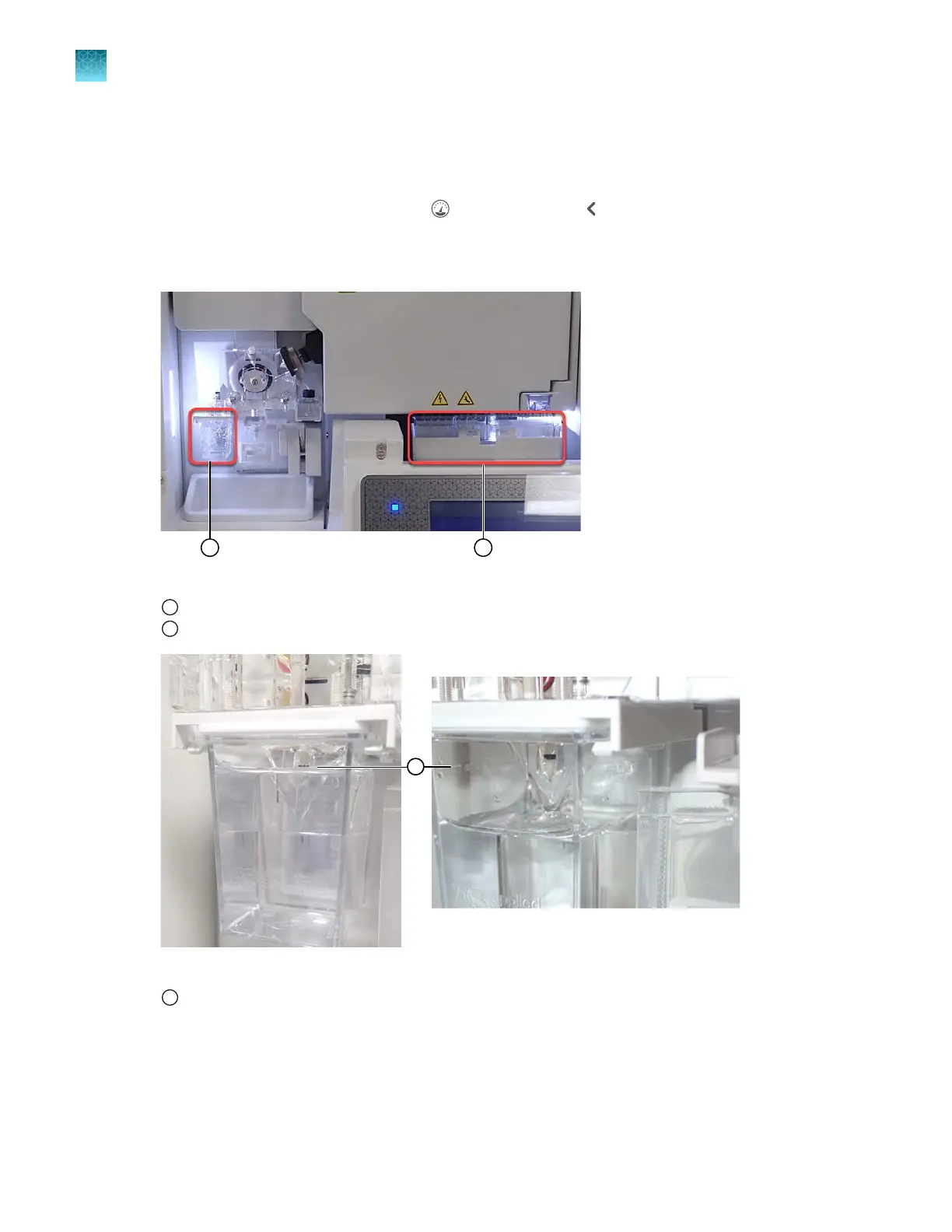
Check the buer fill levels. V
erify that the buer level is at the top of the fill line. The meniscus must
align with the fill line. Ensure that the septa on the CBC are properly seated.
Figure 6 Location of ABC and CBC
1
ABC
2
CBC
Figure 7 ABC fill line (the figur
e on the right shows the buer level below the fill line)
1
ABC fill line
Chapter 2 Get started
Prepare the instrument
2
70
SeqStudio
™
Flex Series Genetic Analyzer with Instrument Software v1.0 User Guide













 To Next Page