1.
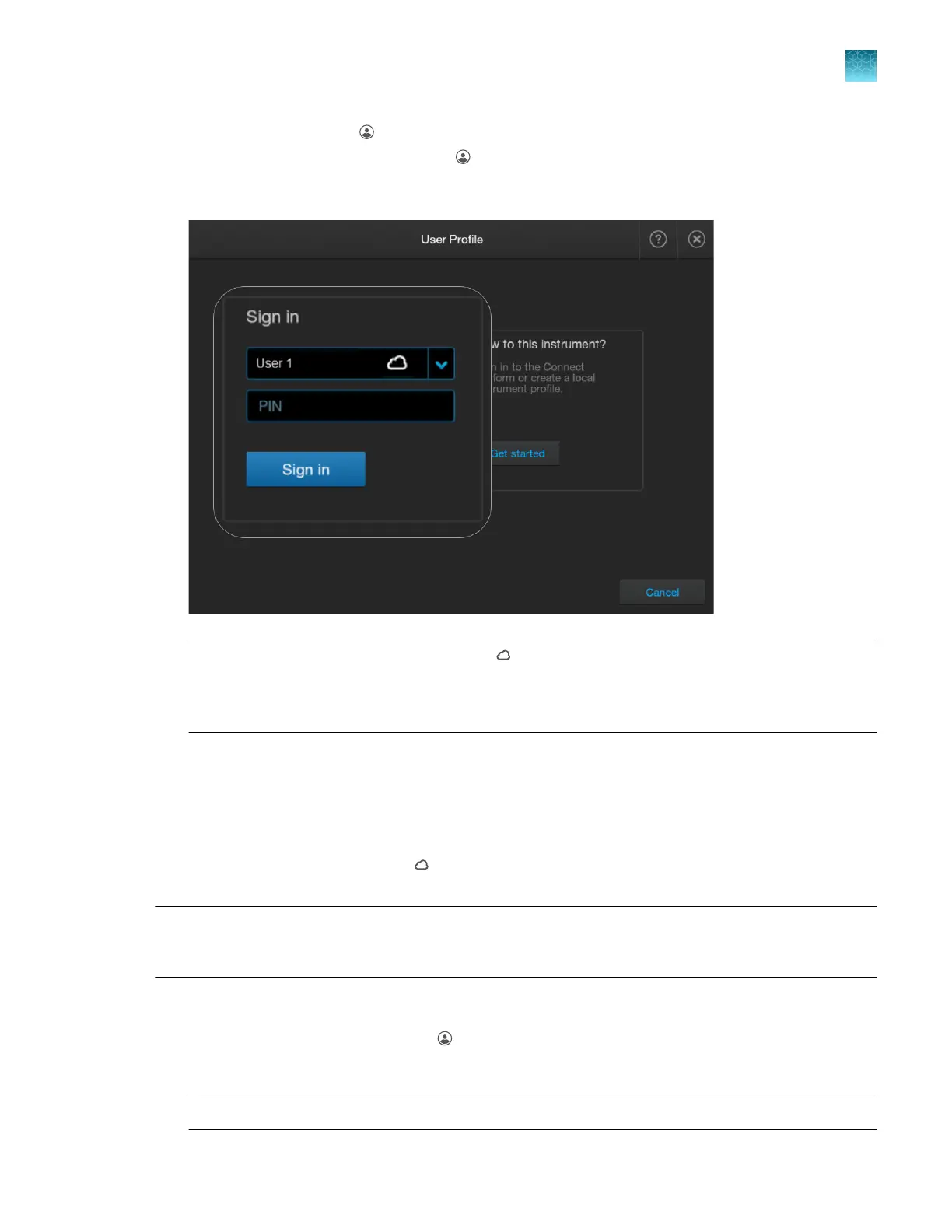
In the home screen, tap (Profile).
If user initials are displayed instead of , see “Sign in (if another user is signed in)” on page 34.
2.
In the User Profile screen, tap the down arrow under Sign in, select your profile, then tap Sign in.
Note: If your cloud pr
ofile does not display
(cloud), it means that your cloud pr
ofile was
unlinked from the instrument. A cloud administrator has removed you or disconnected the
instrument in InstrumentConnect, or you disconnected yourself. See “Re-link the instrument to
your cloud profile” on page 223.
The home screen is displayed.
Re-link the instrument to your cloud profile
If your cloud profile does not display (cloud) in the User Profile screen, it means that your cloud
profile was unlinked from the instrument. Edit your local profile to re-link to the instrument.
Note: The first user who links the instrument to their cloud profile is automatically assigned the cloud
administrator role for the instrument (even if the user's local profile does not have the administrator
role).
1.
Go t
o www.thermofisher.com, then sign in to with your Thermofisher.com account.
2.
In the instrument home screen, tap
(P
rofile).
3.
Select your profile from the Sign in list, then enter your PIN.
Note: Your profile name is listed as FirstName LastName (LocalProfleName).
Chapter 9 Use the instrument with Thermo Fisher
™
Connect
Re-link the instrument to your cloud profile
9
SeqStudio
™
Flex Series Genetic Analyzer with Instrument Software v1.0 User Guide
223













 To Next Page