7.
Select capillary information sharing settings as needed:
• Allow borrowing—Determines whether the software can use spectral calibration data from
an adjacent capillary if the spectral calibration from a capillary does not meet the quality
thresholds. If Auto Retry is also enabled, spectral calibration information can also be borrowed
from the additional runs that can be performed. For information, see “Spectral calibration
sharing between capillaries” on page 321.
• Auto Retry—Determines whether up to 3 calibration runs are performed if the first calibration
run fails.
8.
Tap the plate position that corresponds to the location of the spectral calibration plate in the
instrument.
9.
Tap Start calibration.
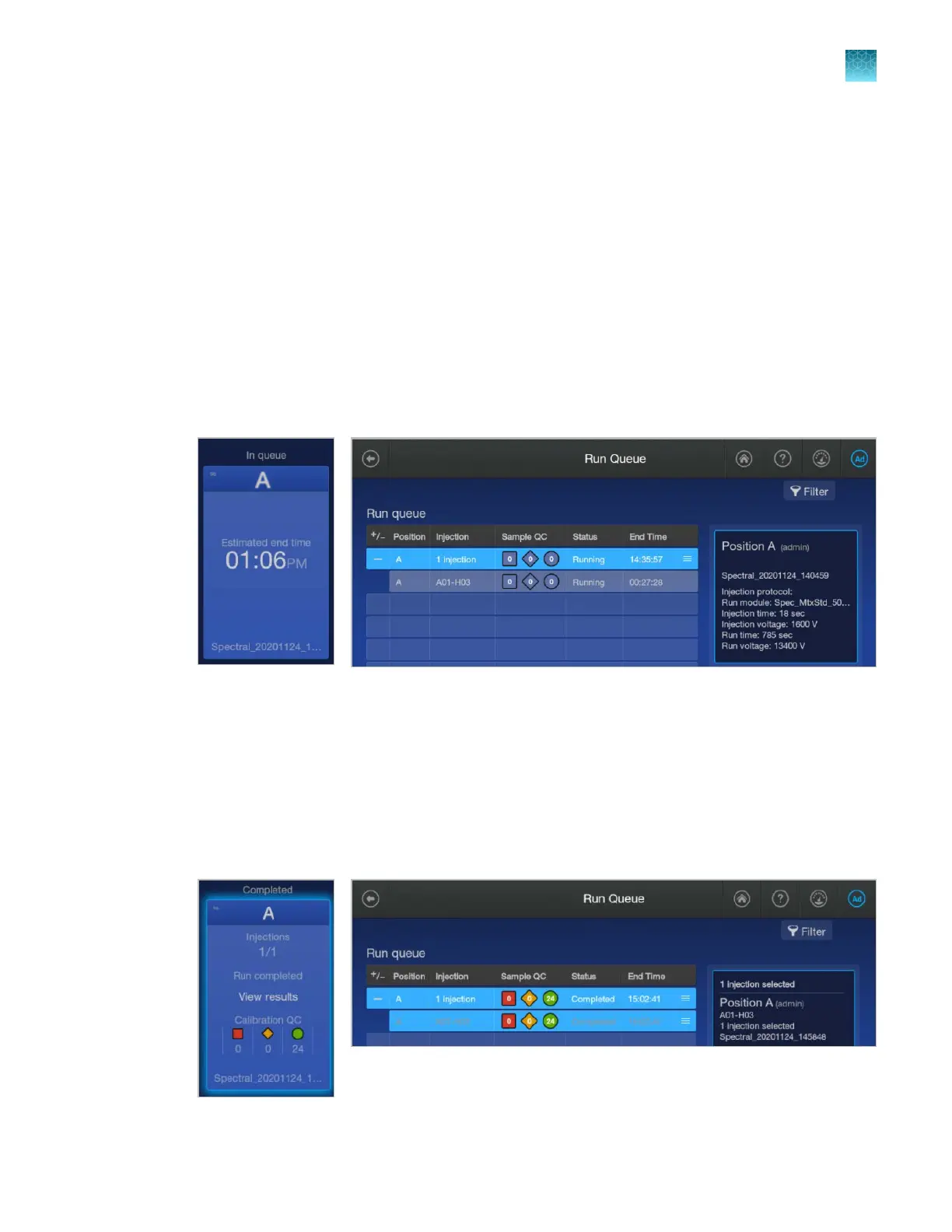
The home screen is displayed. The status of the spectral calibration is shown in the appropriate
plate position. The spectral calibration run is also listed in the Run queue.
When the spectral calibration finishes, the status changes t
o Completed in the home screen and the
Run queue.
View spectral calibration results
See also “QC errors—Fragment analysis” on page 490 and “QC errors—Sequencing” on page 490.
1.
When the spectral calibration is complete, tap the plate position in the home screen or in the Run
Queue screen.
Chapter 12 Run calibrations and install checks
Run a spectral calibration
12
SeqStudio
™
Flex Series Genetic Analyzer with Instrument Software v1.0 User Guide
317













 To Next Page