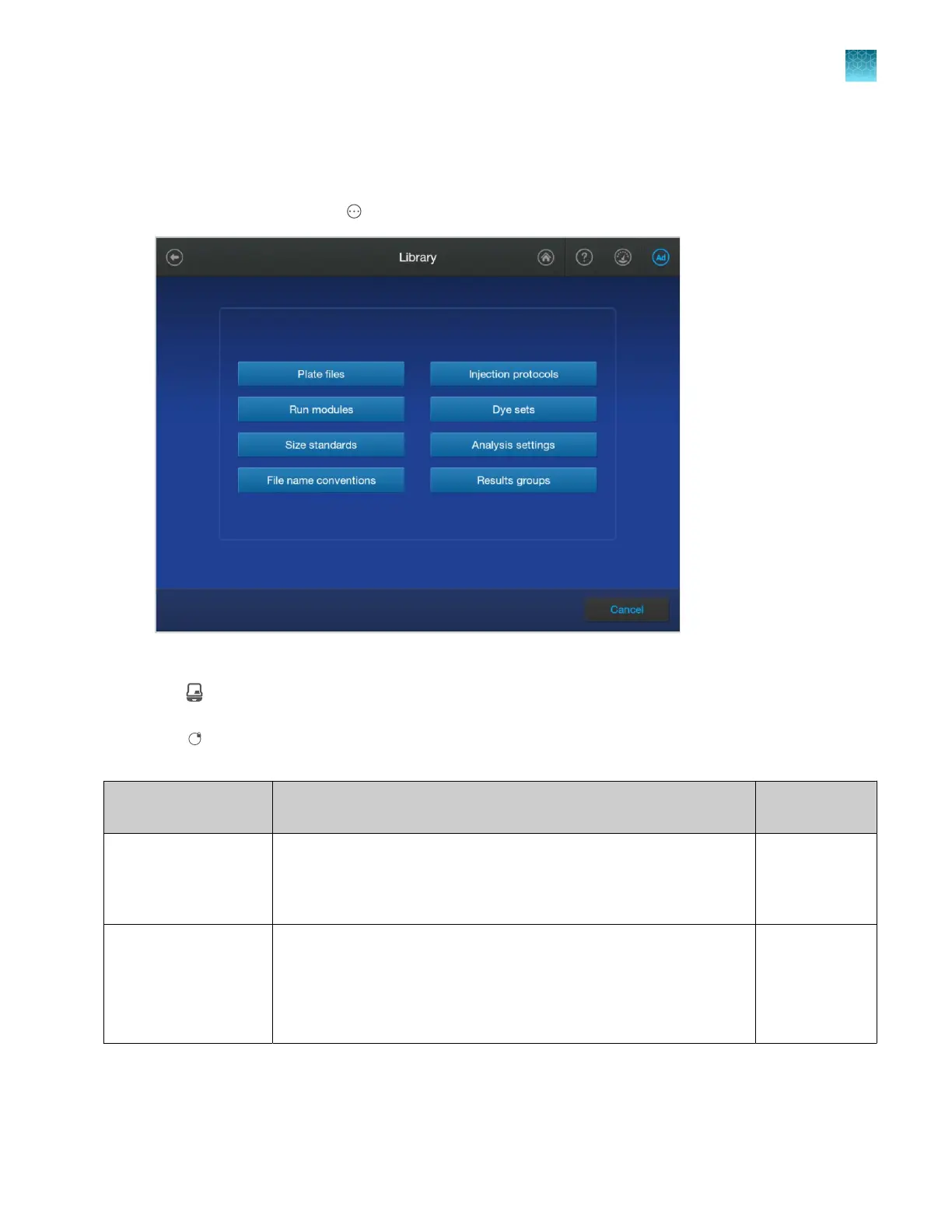
Overview of libraries
The following libraries are available in the software.
To access the libraries, tap Actions4Library in the home screen.
Entries in the library may be flagged with the following symbols:
•
(Factory-provided) (instrument icon) A fact
ory-provided item cannot be edited, exported, or
deleted. Can be copied, then edited.
•
(Locked) (user initials with a lock icon) A lock
ed item can be unlocked and modified by the user
who created it.
Library Description
For information,
see
Plate files A plate file associat
es sample attributes (sample information and
analysis information) with a well position. A plate file also includes
settings for data collection, analysis, sample file naming, and results file
storage location.
page 258
Injection protocols An injection protocol contains a run module, dye set, size standard
(fragment analysis only), and analysis settings.
An injection protocol is an optional item in a plate file. You can
alternatively select the individual items that are contained in an injection
protocol.
page 283
Chapter 11 Manage library resources on the instrument
Overview of libraries
11
SeqStudio
™
Flex Series Genetic Analyzer with Instrument Software v1.0 User Guide
253













 To Next Page