3.
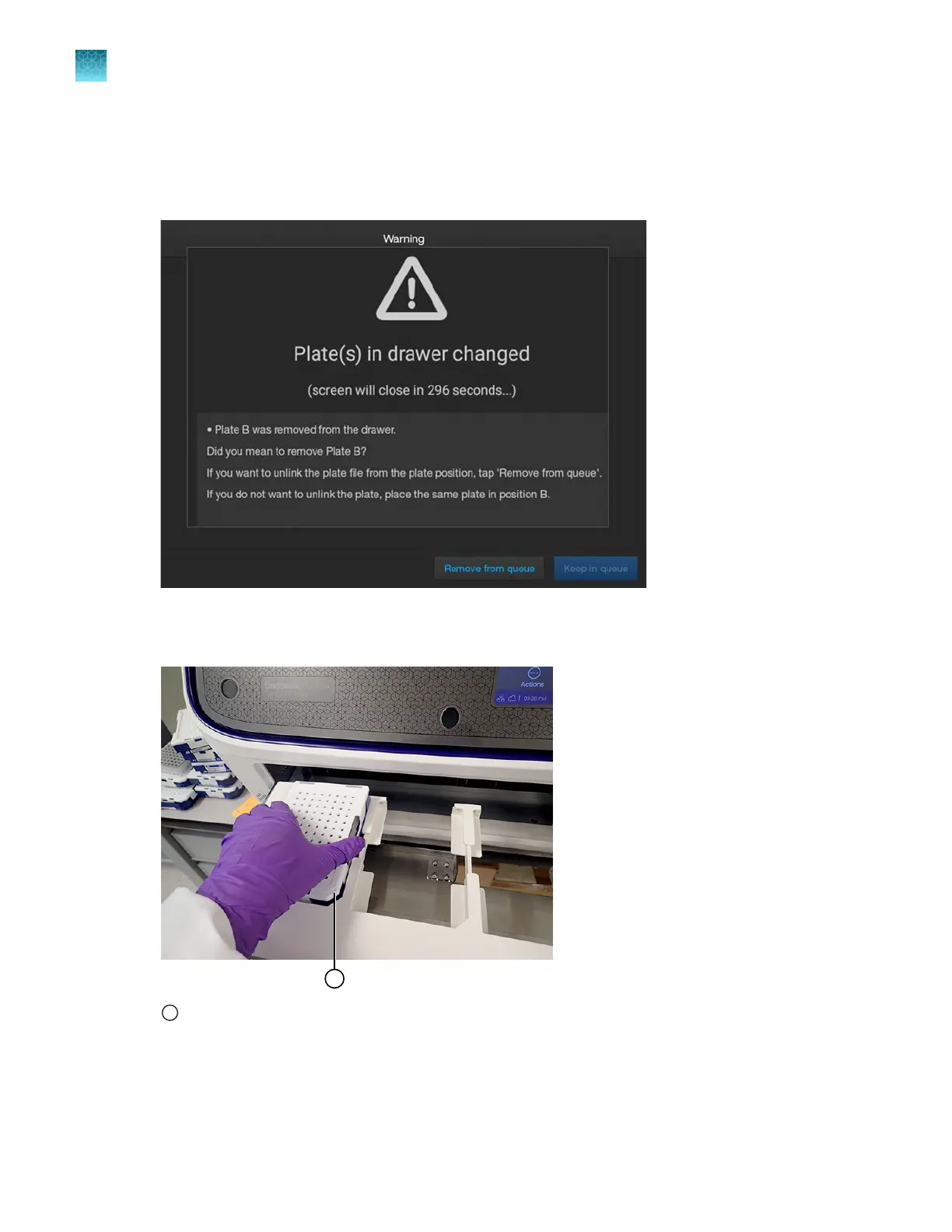
If no empty positions are available, remove a plate from the drawer.
If you remove a plate from the drawer, a warning message is displayed asking if you intentionally
removed the plate (see the following figure). Tap Remove from queue. The position status in the
home screen changes to Available.
4.
Place the new plat
e into an empty position. Align the notched corner of the plate with the notched
corner of the plate holder.
1
Notched corner of plate and plate holder in instrument
The position status in the home screen changes to Link plat
e file.
Chapter 6 S
tart and monitor a run
Load and unload a plate
6
138
SeqStudio
™
Flex Series Genetic Analyzer with Instrument Software v1.0 User Guide













 To Next Page