Maintenance wizard troubleshooting
Observation Possible cause Recommended action
Error! Unable to move the
autosampler to the home
position message is displayed
in a maintenance wizard screen
The autosampler for the CBC is
not in the correct position for
the next step in the wizard.
Move the CBC. See “Check the position of the
cathode buer container (CBC)” on page 483.
Plate troubleshooting
See “Run troubleshooting” on page 507.
Plate file troubleshooting
Observation Possible cause Recommended action
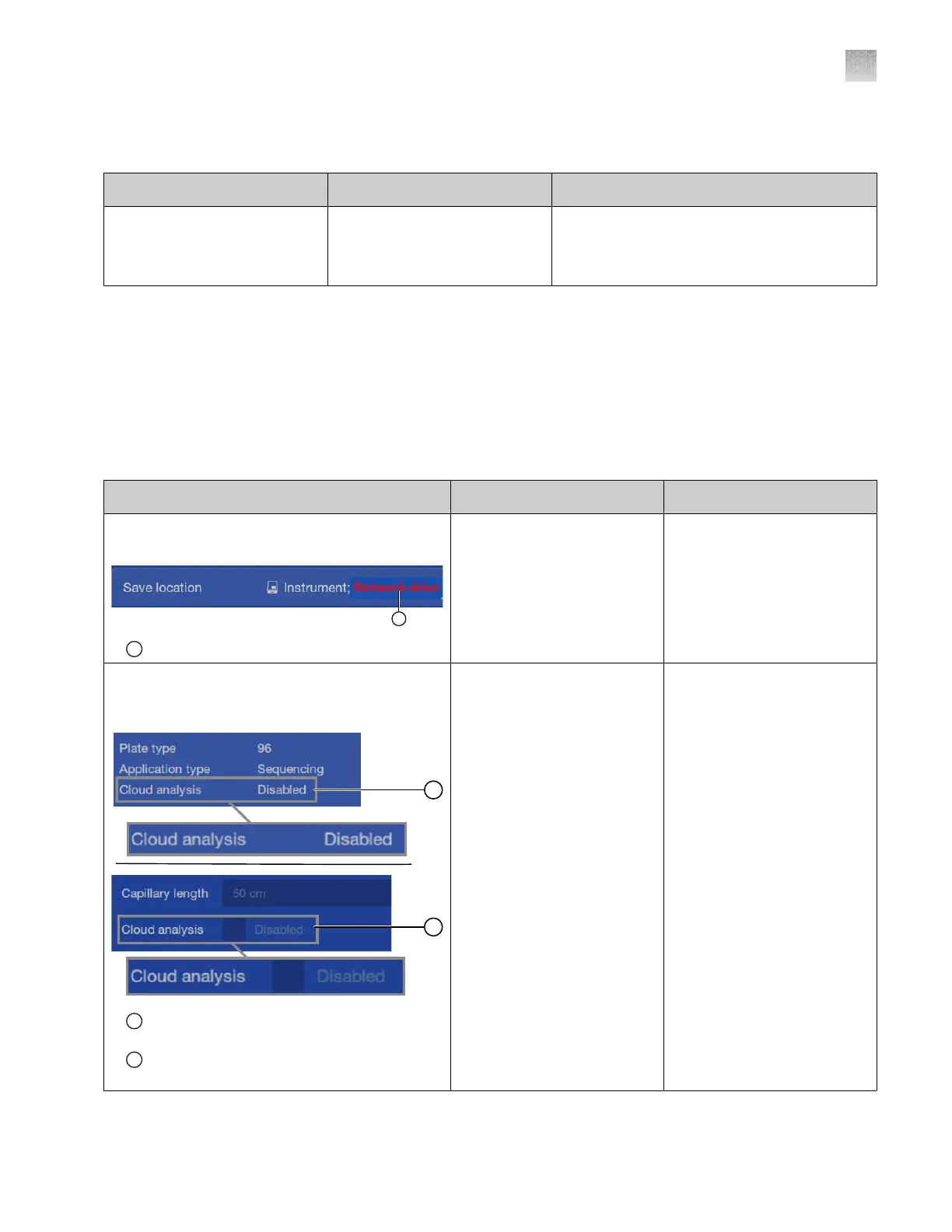
Strikethrough text is displayed in the Save
location field in the Plate properties screen
1
Strikethrough text
The save location for results
(that was specified when the
plate file was created) is
no longer accessible by the
instrument.
No action.
The Cloud analysis field in the P
roperties tab is
listed as Disabled. The Cloud analysis checkbox
in the Edit Properties screen is inactive.
1
The Cloud analysis field in the P
roperties tab is
listed as Disabled
2
The Cloud analysis checkbo
x in the Edit
Properties screen is inactive
The Cloud analysis featur
e
can be enabled only in plate
files that are created in
the Plate Manager software
(cloud).
Set up cloud analysis in a
plate file that you create in
the Plate Manager software
(cloud) . See “Set up
cloud analysis in the Plate
Manager software (cloud)” on
page 124.
Appendix A Troubleshooting
Maintenance wizard troubleshooting
A
SeqStudio
™
Flex Series Genetic Analyzer with Instrument Software v1.0 User Guide
501













 To Next Page