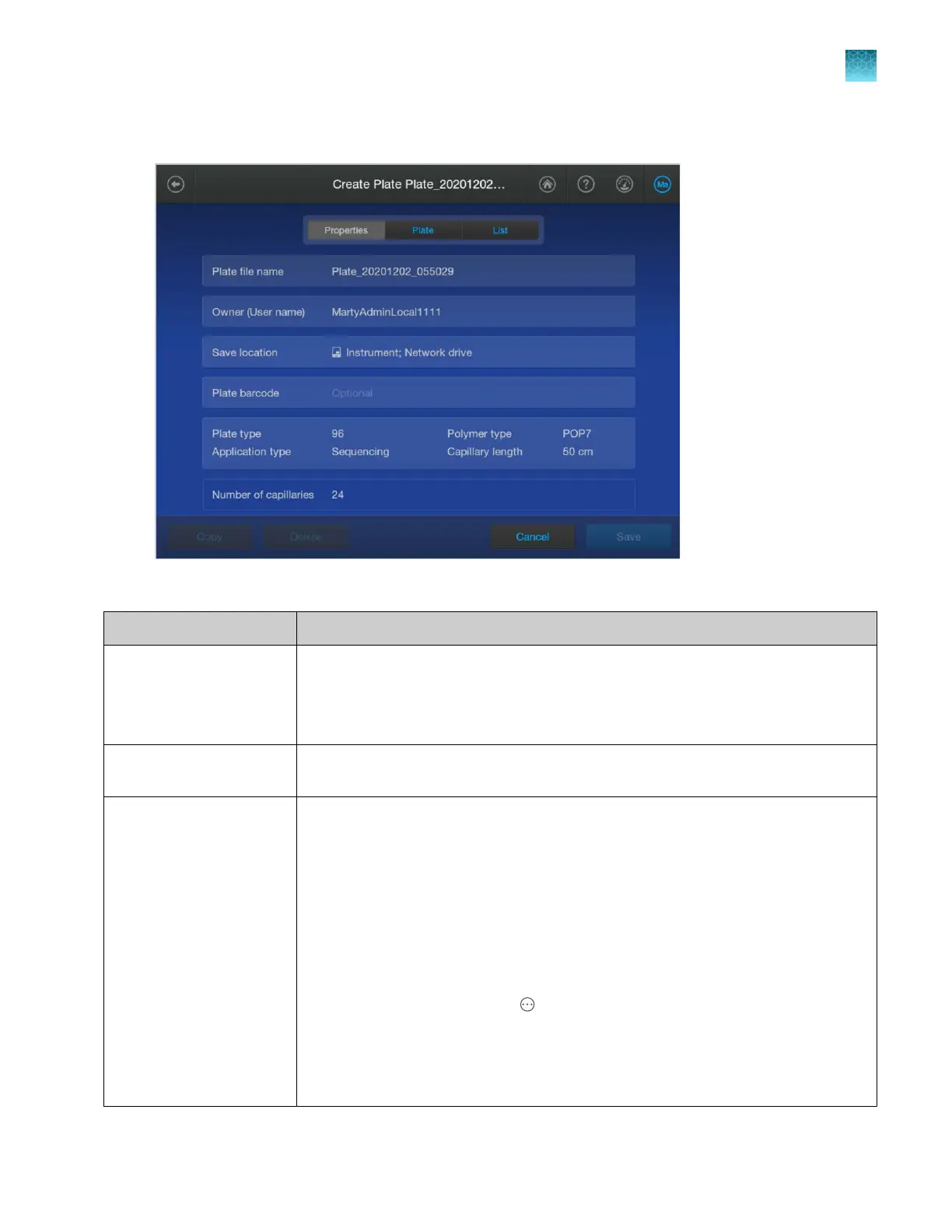
Plate file Properties tab
Tap any section to edit the settings.
Setting Description
Plate file name Plate file name. Names must be unique. The default name assigned t
o a plate is
Plate_YYYMMDD_Timestamp. You can change the name.
(Timestamp is the date and time on which the item was created or generated, unless
otherwise specified. It is also applied to exported results, reports, logs, and so on.)
Owner The user name of the signed in user is displayed by default. You can change the
name. This is a text-only entry and is not used by the software.
Save location The plate file and the results are always saved to the instrument.
In addition, you can save the results to a network drive, a USB drive, or the Connect
platform. The save location for results can be changed when the plate file is linked
before a run.
Note: If you open a previously saved plate file and the Save location field displays
strikethrough text, it means that the instrument is no longer connected to the originally
specified save location.
You cannot run the plate file until the instrument is connected to the save location
again. Alternatively, make a copy of the plate file without the disconnected save
location. To make a copy, select
Actions4Libr
ary4Plate files, select the plate file,
then tap Open4Copy.
For more information, see “Set the default save location for results” on page 468,
Chapter 9, “Use the instrument with Thermo Fisher
™
Connect”, and/or “Connect the
instrument to a network drive (software)” on page 445.
Chapter 11 Manage library resources on the instrument
Plate files library
11
SeqStudio
™
Flex Series Genetic Analyzer with Instrument Software v1.0 User Guide
265













 To Next Page