Connect the Plate Manager software (desktop) to an instrument
When the Plate Manager software is connected to an instrument, you can send a plate file to the Inbox
on the instrument.
To use this feature, the following is required:
•
The instrument and the computer must be connected to a network or directly connected to
each other. For information, see “Connect the instrument to a computer or network (hardware
connections)” on page 439.
•
You need the IP address of the instrument to connect to the Plate Manager software. See “Display
instrument hardware and software information” on page 452.
1.
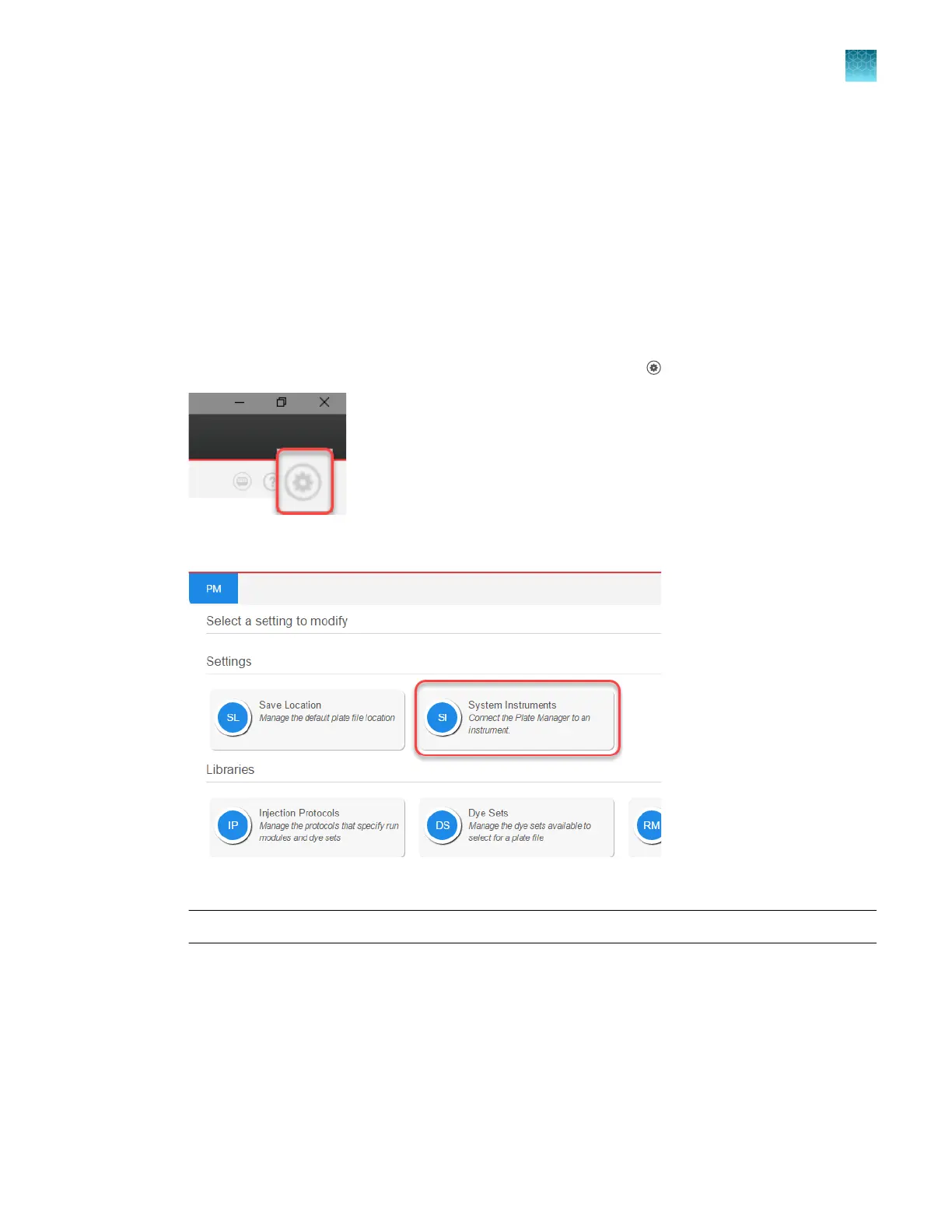
At the top right of the Plate Manager software home screen, click (Settings).
2.
Click S
ystem Instruments.
3.
Ent
er the IP address of the instrument in the IP address field, then click Test connection.
Note: To determine if the instrument is already connected, click Added instruments.
Chapter 5 Create a plate file in the Plate Manager software
Get started with the Plate Manager software (desktop)
5
SeqStudio
™
Flex Series Genetic Analyzer with Instrument Software v1.0 User Guide
103













 To Next Page