Enable or disable Thermo Fisher
™
Connect access on the instrument
(administrator only)
Note: The Connect platform button is inactive if you are not an administrator or if the SAE function is
enabled.
1.
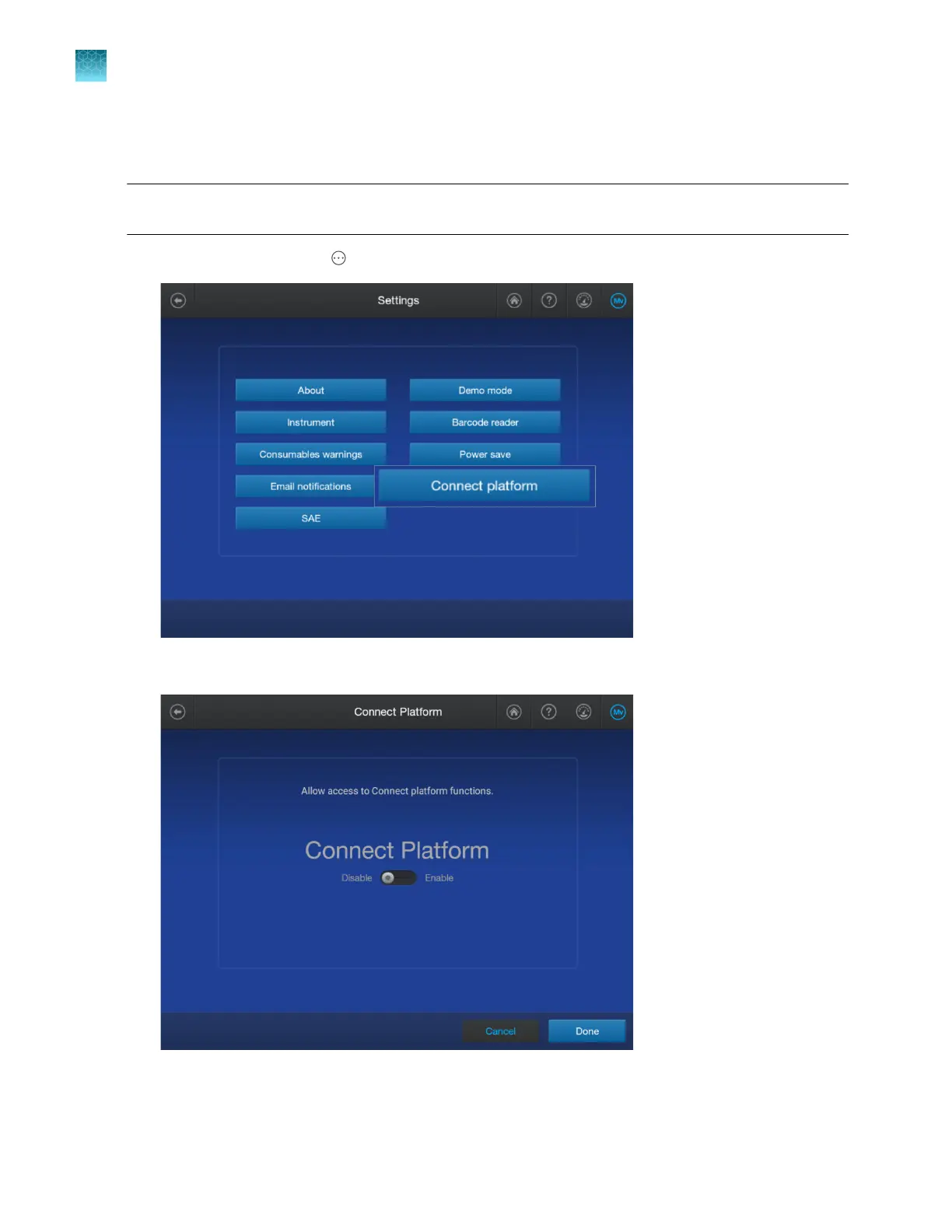
In the home screen, tap Actions4Settings4Connect platform.
2.
T
ap Enable or Disable, then tap Done.
The home screen is displayed with a cloud icon in the lower left corner if Thermo Fisher
™
Connect
access is enabled on the instrument.
Chapter 14 Manage the software (instrument)
Manage settings
14
460
SeqStudio
™
Flex Series Genetic Analyzer with Instrument Software v1.0 User Guide













 To Next Page