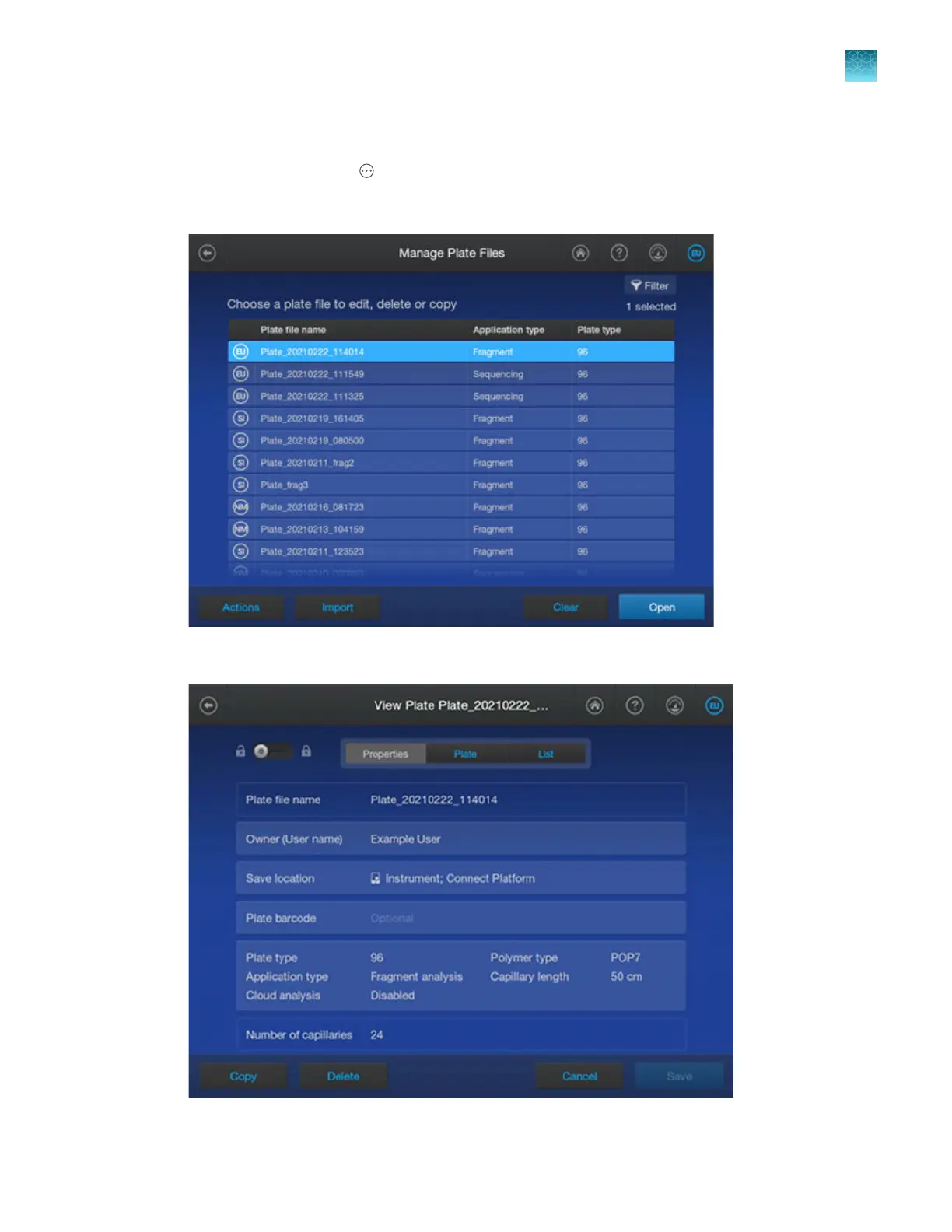
Copy a plate file
1.
In the home screen, tap Actions4Library4Plate files.
2.
In the Manage Plate Files screen, select the plate file to copy, then tap Open.
3.
In the View Plate screen, tap Copy.
Chapter 4 Create a plate file on the instrument
Create, copy, or import a plate file
4
SeqStudio
™
Flex Series Genetic Analyzer with Instrument Software v1.0 User Guide
85













 To Next Page