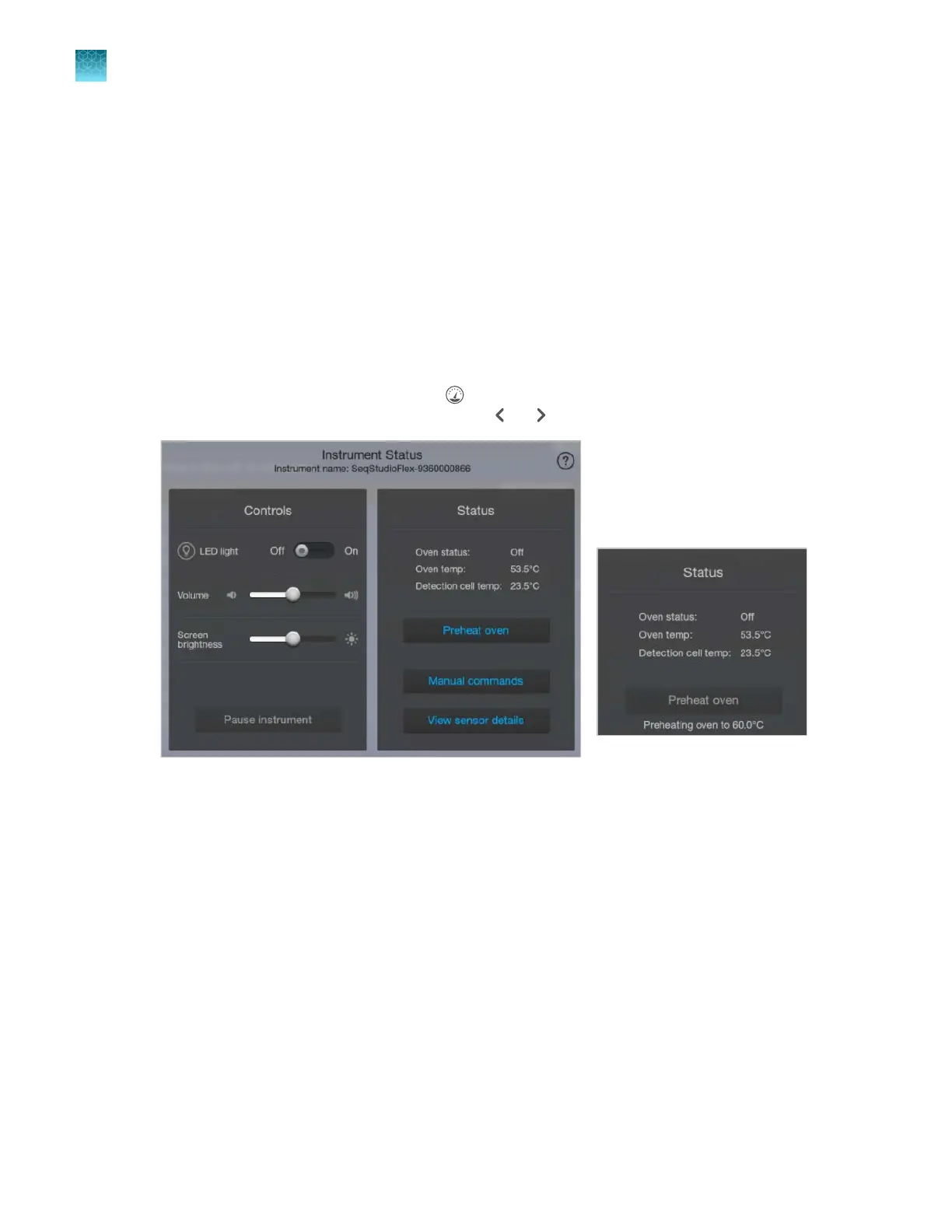
Preheat the instrument oven and the detection cell
Preheat the instrument oven and the detection cell while you prepare for a run. The detection cell
temperature is set by the software. If the oven is not at the set temperature when you start a run, the
first injection cannot begin until the oven reaches the set temperature. This wait time aects the time at
which the run finishes.
The preheat function automatically turns o after the time specified for the power save duration (see
“Set the power save duration (administrator only)” on page 459).
We recommend that you preheat the oven for at least 30 minutes before you start a run if the instrument
is cold.
As temperatures stabilize, they may fluctuate slightly when they reach the set-point.
1.
Display the instrument status by tapping (Dashboard) at the top right of the home screen (if the
Instrument Status screen is not displayed, tap or ).
2.
T
ap Preheat oven.
Check for leaks and spills
1.
Open the front doors.
2.
Inspect the instrument interior.
3.
Wipe any spills.
Chapter 2 Get star
ted
Prepare the instrument
2
68
SeqStudio
™
Flex Series Genetic Analyzer with Instrument Software v1.0 User Guide













 To Next Page