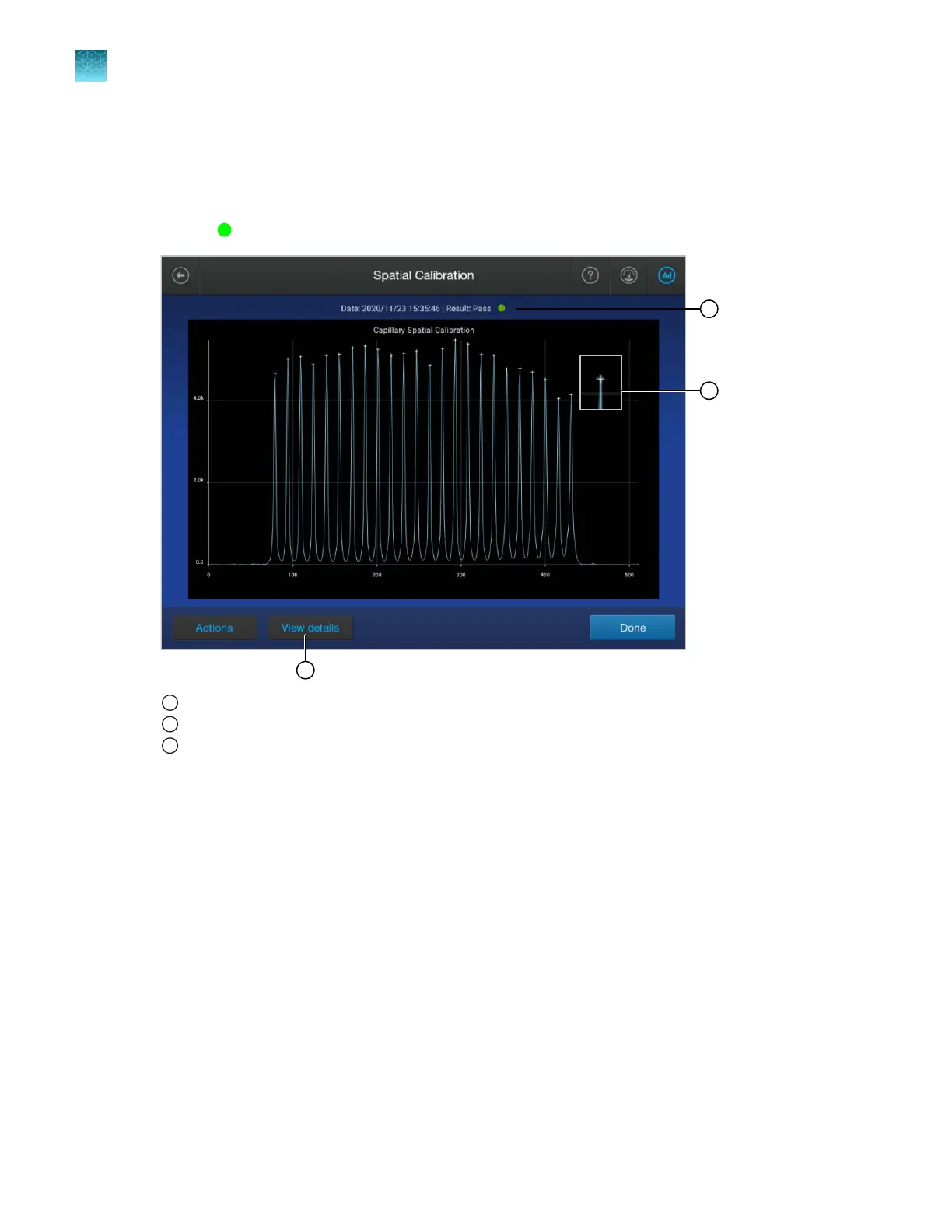
Evaluate the spatial calibration results
See also “Spatial calibration troubleshooting” on page 522.
1.
Note the pass/fail status of the calibration at the top of the screen.
A Pass
status is required before you can run a spectral calibration.
1
Pass/fail result
2
Capillary CCD pixel marker
3
Tap for more results
2.
E
valuate the spatial calibration profile. Ensure you see the following:
•
One sharp peak for each capillary. Small shoulders are acceptable.
•
One marker (+) at the apex of every peak. No o-apex markers.
•
An even peak profile (all peaks about the same height).
Chapter 12 Run calibr
ations and install checks
Run a spatial calibration
12
306
SeqStudio
™
Flex Series Genetic Analyzer with Instrument Software v1.0 User Guide













 To Next Page