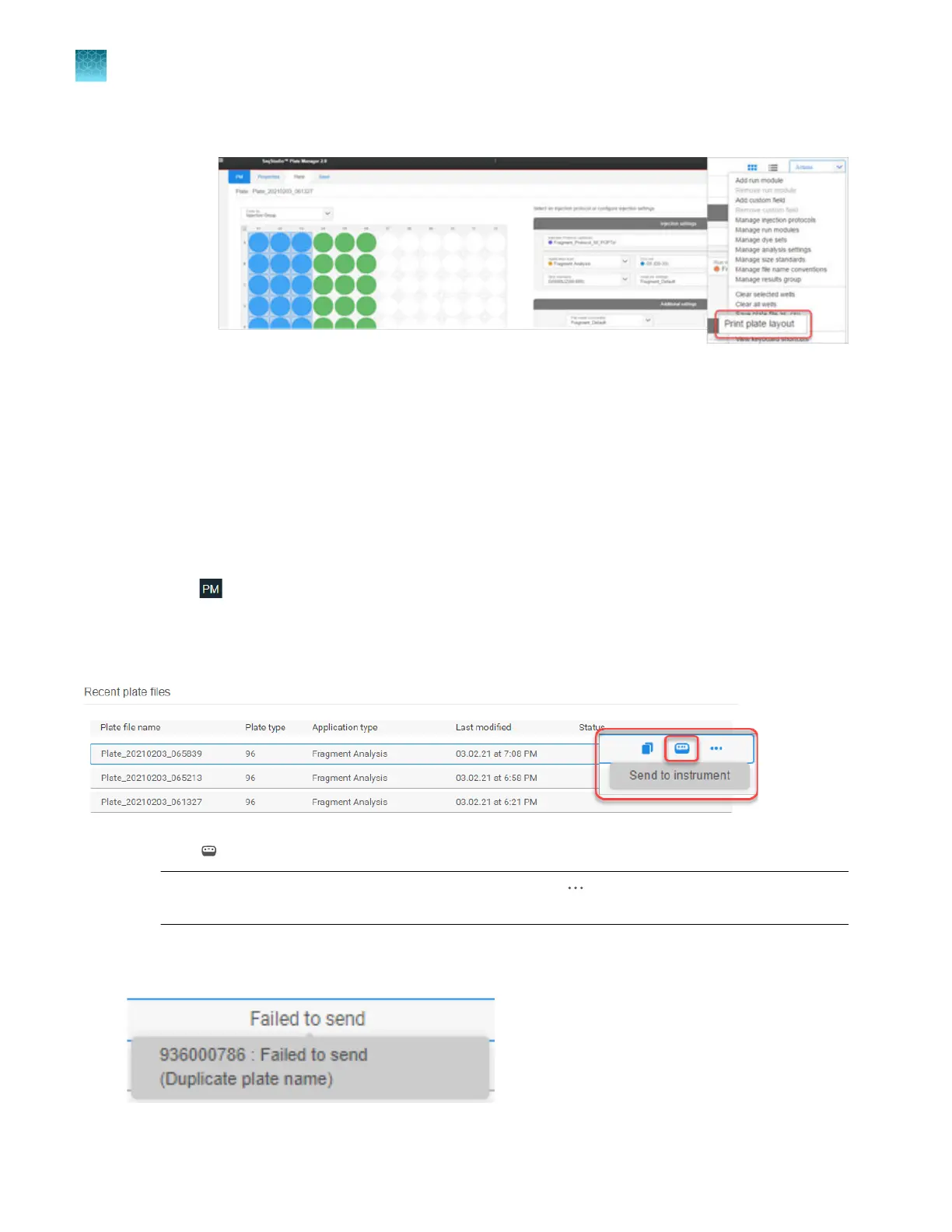
4.
Click Actions4Print plate layout.
A PDF file of the plat
e layout is downloaded.
Send a plate file to the Inbox on the instrument
If you do not send a plate file to an instrument when you save the plate file, you can send it from the
Recent plate files list in the Plate Manager software.
For information on the plate files that are accepted by Inbox, see “About the Inbox on the instrument”
on page 42.
1.
Click
to display the home screen of the Plate Manager software.
2.
At the far right of the Recent plat
e files list, place the cursor on a plate file in the Recent plate
files list.
3.
Click (Send to instrument).
Not
e: To cancel the Send to instrument command, click
(Actions)4C
ancel send to
instrument.
If a failed message is displayed, place the cursor over the message to display the reason. For
suggestions t
o address the issue, see “About the Inbox on the instrument” on page 42.
Chapter 5 Create a plate file in the Plate Manager software
Send a plate file to the Inbox on the instrument
5
126
SeqStudio
™
Flex Series Genetic Analyzer with Instrument Software v1.0 User Guide













 To Next Page