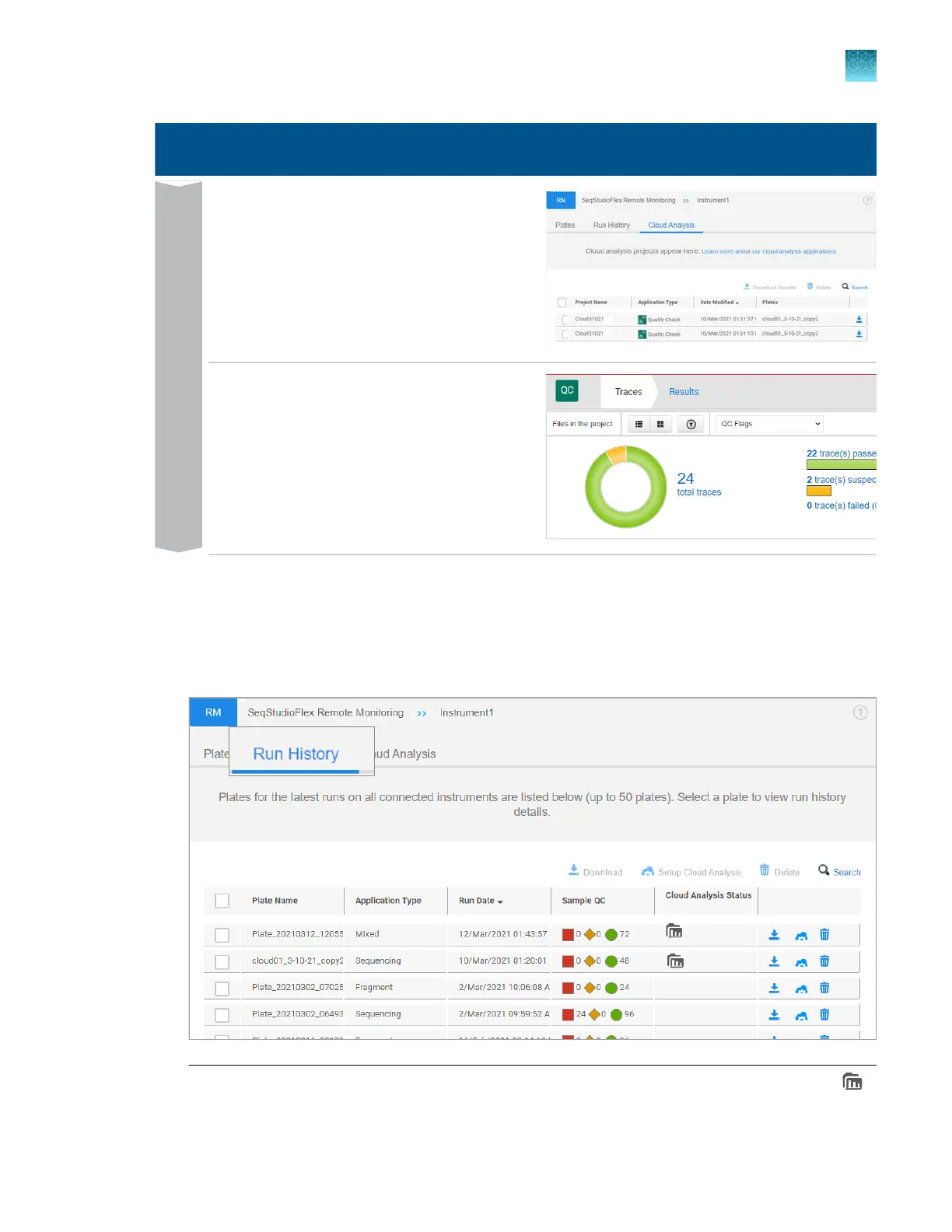
Cloud analysis
Click the Cloud Analysis tab t
o display the list
of projects that have been generated by cloud
analysis.
Results
Double-click a project row to open the project
and results in the secondary analysis software.
This example shows Quality Check (QC)
software.
Set up cloud analysis for a completed run in the Remote Monitoring software
1.
In the Remot
e Monitoring software, click the Run History tab.
If a plate is not listed in the Run History tab, it indicates that the results were not saved to the
Connect platform.
Note: The Cloud Analysis S
tatus field indicates the status of the plate file. The field displays
(data folder) if cloud analysis is enabled in the plat
e file.
Chapter 8 Use the Remote Monitoring software to monitor runs, view results, and use cloud analysis
Use cloud analysis in the Remote Monitoring software
8
SeqStudio
™
Flex Series Genetic Analyzer with Instrument Software v1.0 User Guide
205













 To Next Page