3.
If you observe bubbles, see “Remove bubbles from the polymer pump (wizard)” on page 377.
4.
If you observe debris, see “Wash the pump chamber and channels (wizard)” on page 379.
Additional troubleshooting procedures
Export troubleshooting logs
1.
In the home scr
een, tap
Actions4Suppor
t4Export logs.
2.
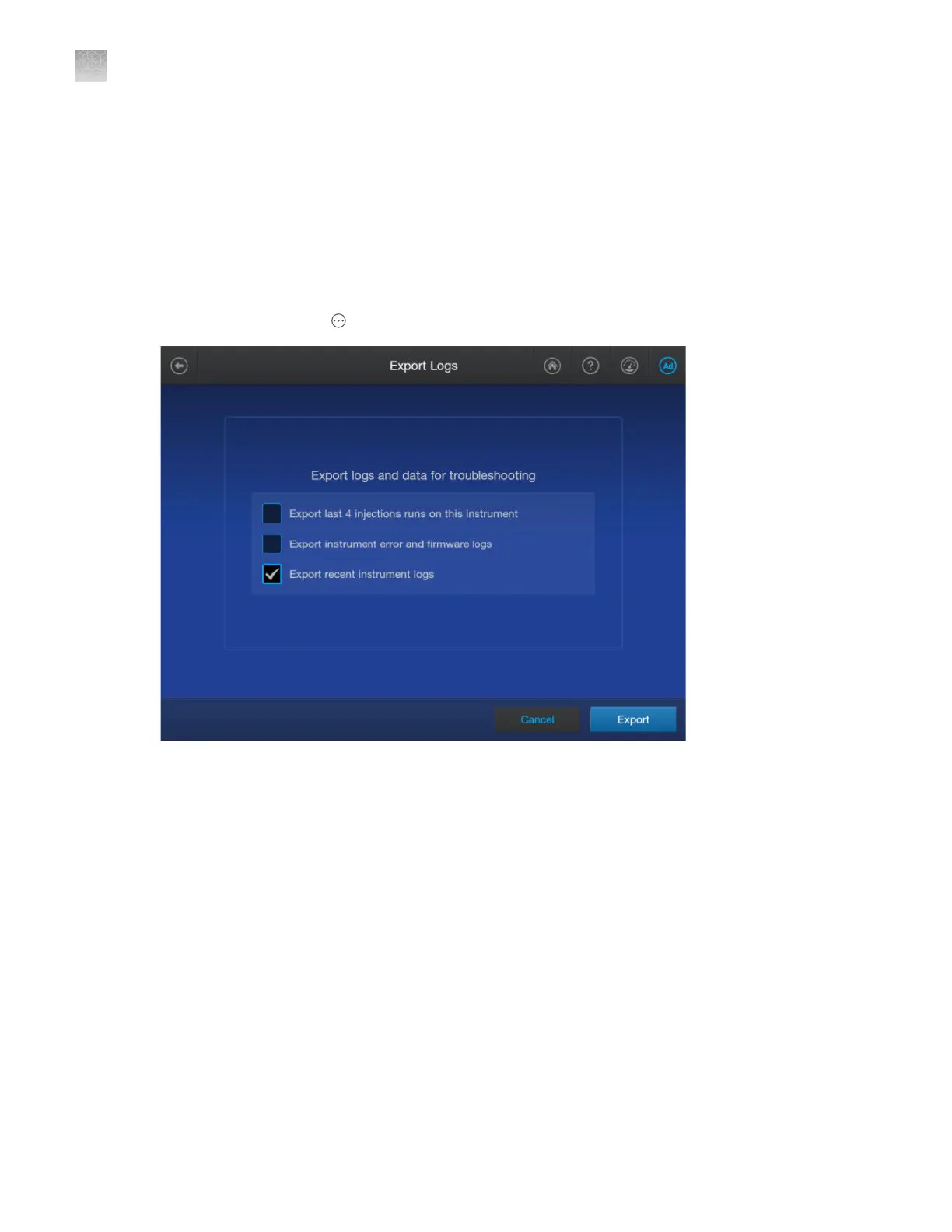
Select the it
ems to export.
•
Export last 4 injections run on this instrument (injection log)—File name format:
InstrumentName_InjectionLog_Date_Timestamp.zip
•
Export instrument error and firmware logs (error log)—File name format:
InstrumentName_ErrorLog_Date_Timestamp.zip
•
Export recent instrument logs (instrument log)—File name format:
InstrumentName_InstrumentLog_Date_Timestamp.zip
3.
Tap Export, tap the export location, then tap Next.
A message is displayed when the export is complete.
Appendix A T
roubleshooting
Additional troubleshooting procedures
A
482
SeqStudio
™
Flex Series Genetic Analyzer with Instrument Software v1.0 User Guide













 To Next Page