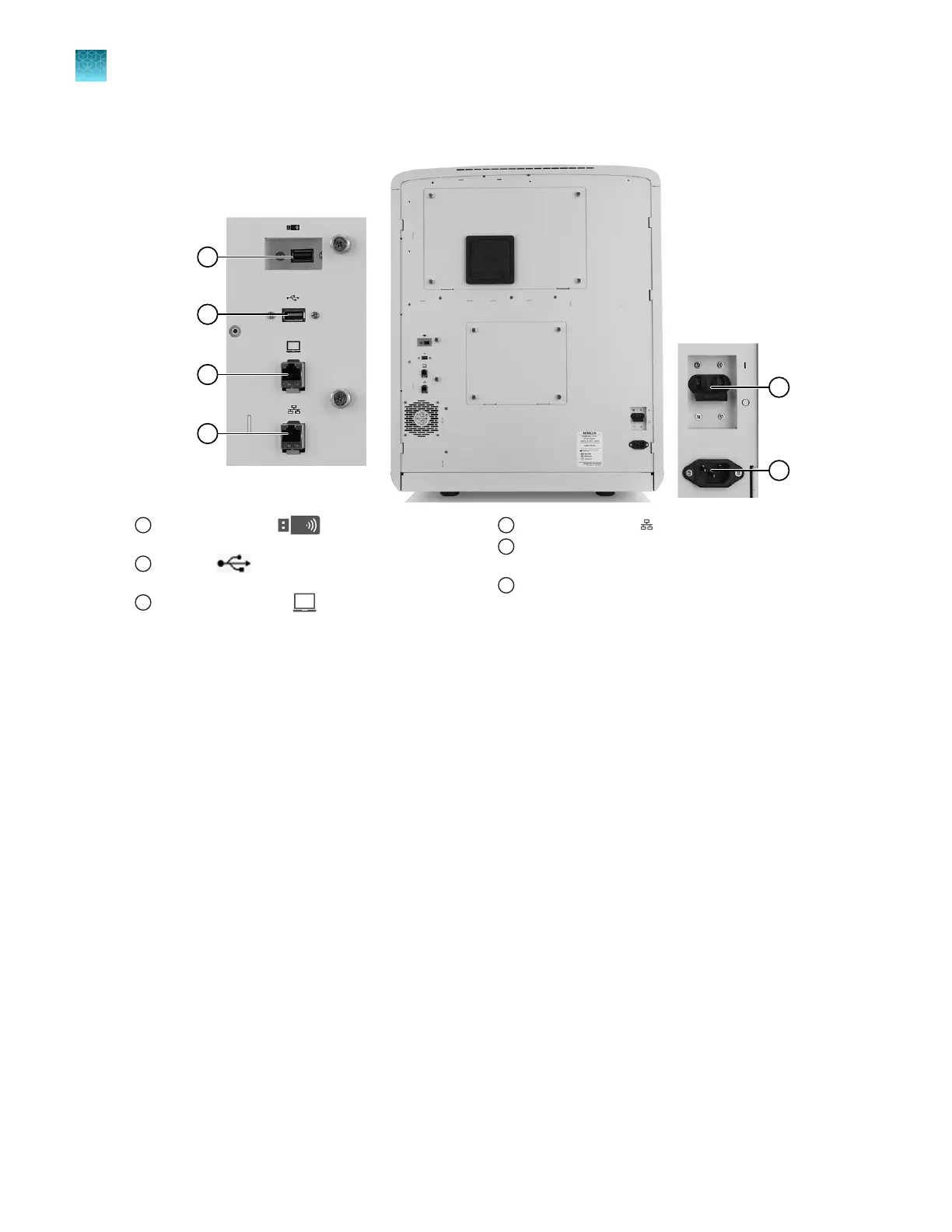
Wired and wireless network connections on the instrument
1
Recessed USB port (for use with the wireless
network adapter; adapter not shown)
2
USB port (for optional USB barcode scanner
connection)
3
Direct connection port (to allow computer
connection without a network)
4
Wired network port
5
Circuit breaker (rear power switch; use the power
switch on the front panel for normal operation)
6
Power receptacle
Antivirus recommendations for direct connection of the computer to the
instrument
Before you connect a computer to the instrument, install antivirus software on the computer, then
perform a virus scan.
The following antivirus software applications have been tested for use with an optional computer:
•
Symantec
™
Endpoint Protection
•
Norton
™
Internet Security
•
Microsoft
™
Defender antivirus software
Chapter 14 Manage the software (instrument)
Connect the instrument to a computer or network (hardware connections)
14
440
SeqStudio
™
Flex Series Genetic Analyzer with Instrument Software v1.0 User Guide













 To Next Page