Note: It can take up to 15 seconds for the instrument to recognize a USB drive after the drive is
inserted in a USB port. exFAT-formatted USB drives are recommended.
A message is displayed when the file is exporting. If you are exporting many files, see “Configure,
check status, and cancel background exports and backups” on page 465.
Sample QC and quality alerts
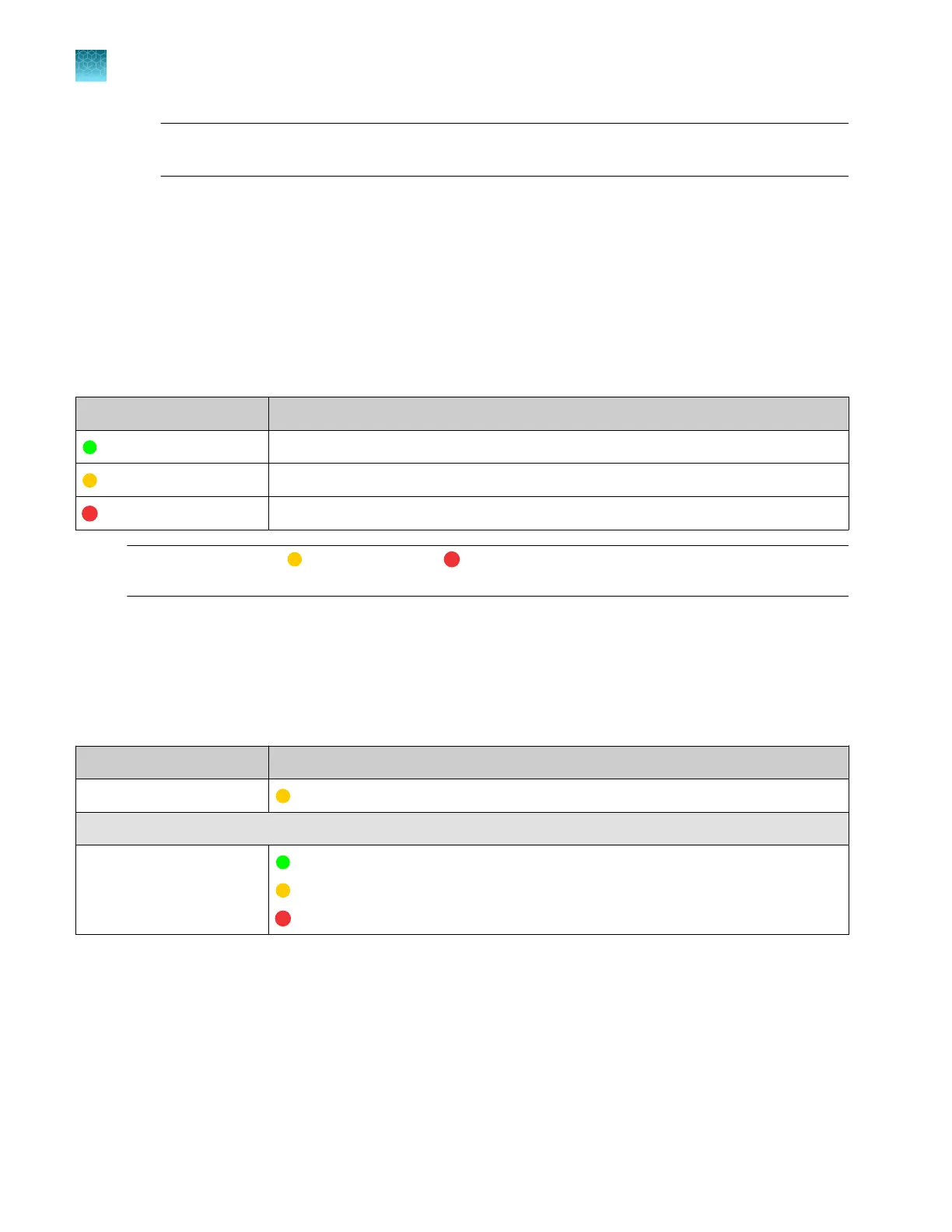
The color-coded Sample QC results are listed below. These results are shown in several locations:
home screen, Run Queue screen, plate view, electropherogram screen, and well details.
Table 1 Sample QC results that are displayed in the software
Color code Description
(green, good) All QC thresholds passed.
(yellow, caution) At least 1 caution quality alert was triggered.
(red, error) At least 1 error quality alert was triggered.
Note: For results with
(yellow, caution) or (red, error) sample QC, view the analyzed data and the
raw data.
The QC thresholds and quality alerts that are used to determine Sample QC results are listed below.
Some quality alerts are not shown in the software. They are used only to determine the Sample QC.
See also “QC errors—Fragment analysis” on page 490 and “QC errors—Sequencing” on page 490.
Table 2 QC thresholds and quality alerts that are used to determine Sample QC (these tests and alerts are
not shown in the software)
QC tests Quality alert
Oscale data
(yellow, caution)—Oscale signal is detected.
Sequencing QC tests
Trace score
(green, good)—≥30
(yellow, caution)—≥15 and <30
(red, error)—<15
Chapter 7 View results on the instrument
Sample QC and quality alerts
7
172
SeqStudio
™
Flex Series Genetic Analyzer with Instrument Software v1.0 User Guide













 To Next Page