4.
Store the plate on ice until you prepare the plate assembly and load the plate in the instrument.
5.
Prepare the plate assembly as described in “Prepare the plate assembly” on page 77.
Perform a spectral calibration
Note: The first time you per
form a spectral calibration (required for each dye set/polymer
configuration), you may notice pull-down peaks (or mirror image peaks). While the run is in progress,
these pull-down peaks will eventually correct themselves. When the run is complete, the pull-down
peaks disappear.
1.
L
oad the calibration plate in the instrument. See “Load a plate into the instrument” on page 136.
2.
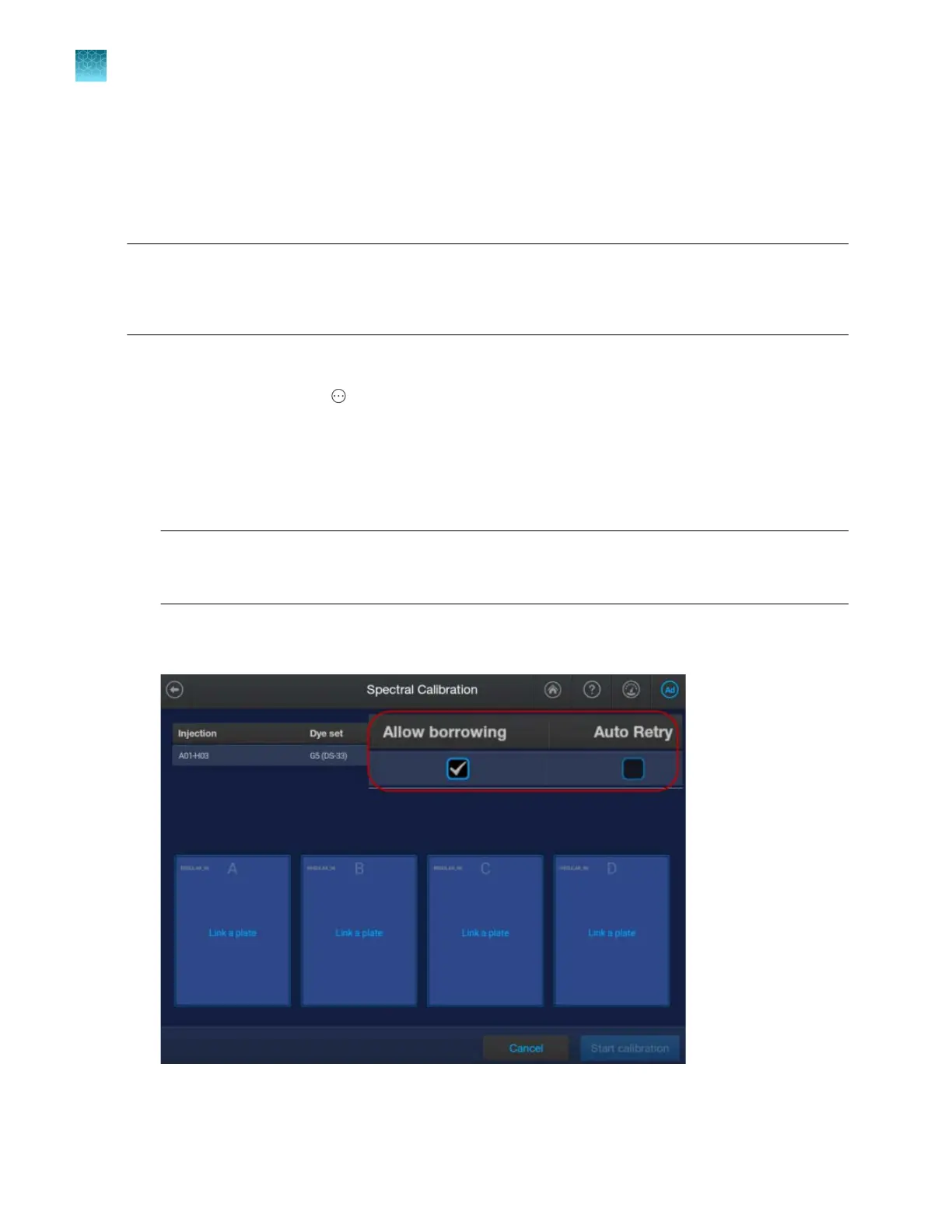
In the home screen, tap
Actions4Maint
enance4Calibration4Spectral Calibration.
3.
Tap the screen to select the plate type you are using for calibration.
4.
Tap the injection group for the dye set in the plate, then tap Dye set.
5.
Tap Sequence Standard or Matrix Standard, then tap the appropriate calibration standard.
Note: If you use the BigDye
™
Direct Cycle Sequencing Kit, perform the install run with select
BDT v3.1. For more information, see “Using BigDye
™
Direct Cycle Sequencing Kit chemistry” on
page 312.
6.
T
ap Next.
The home screen is displayed with capillary information sharing settings.
Chapter 12 Run calibrations and install checks
Run a spectral calibration
12
316
SeqStudio
™
Flex Series Genetic Analyzer with Instrument Software v1.0 User Guide













 To Next Page