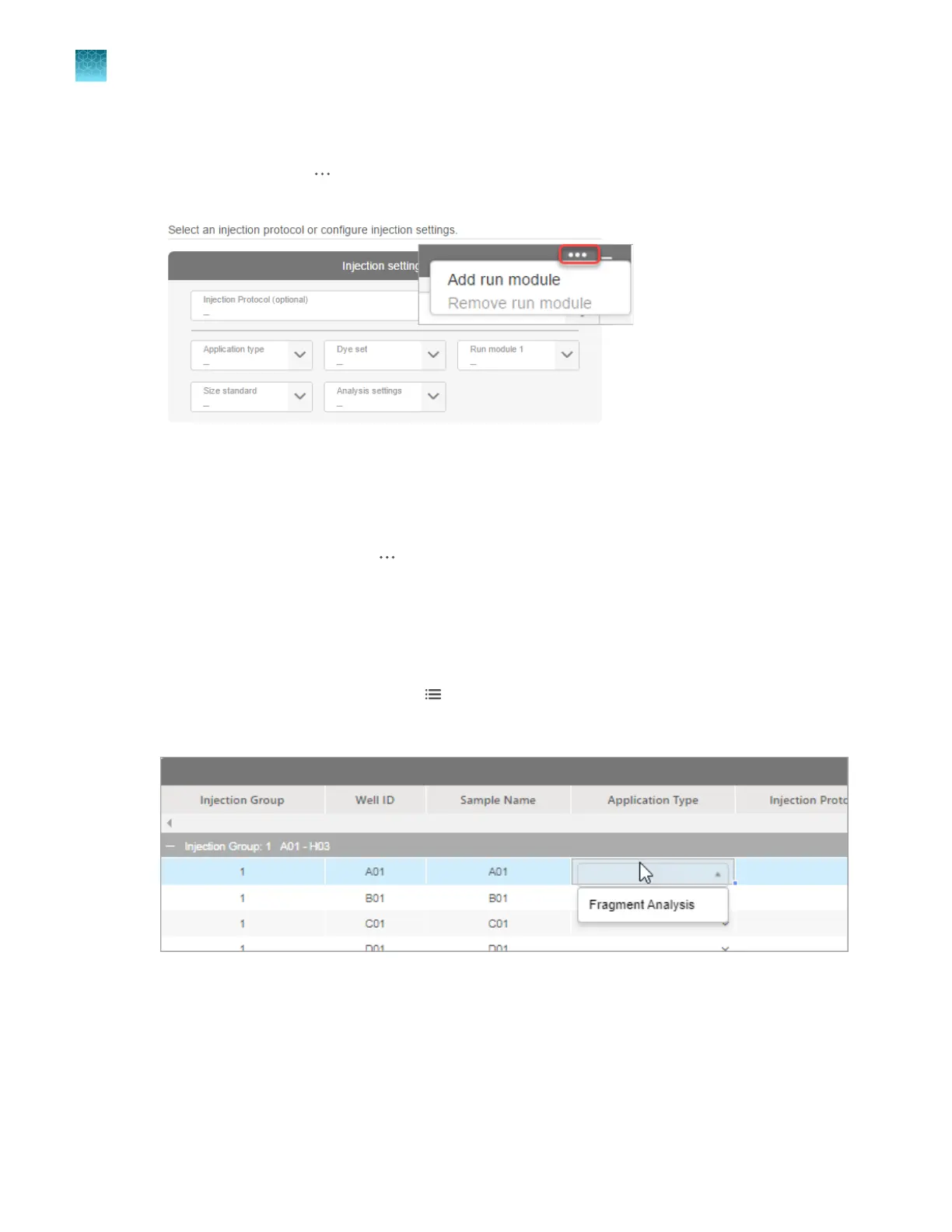
Specify replicate injections (Add run module function)
1.
In the Plate tab, click (Actions) at the top right of the Injection settings table, then select Add
run module.
2.
Select one or mor
e injection groups, then select a run module for the replicate injection.
You can add up to 5 dierent run modules (for a total of 6 injections). Run module 1 is used for the
first injection you specify. Additional run module fields are added for replicate injections.
To remove replicate injections, click
(Actions) at the t
op right of the Injection settings table, then
select Remove run module. The last added injection/run module is deleted.
Use the list view in the Plate tab
The list view displays a larger view of the Injection table.
1.
At the top-right of the Plate tab, click
(List).
2.
Double-click the first cell in the Application T
ype column, then select the application type.
If you are creating a mixed plate, sequencing and fragment analysis options are available. For other
plat
es, only the option that you selected in the Properties tab is available.
Chapter 5 Cr
eate a plate file in the Plate Manager software
Additional functions in the Plate Manager software
5
128
SeqStudio
™
Flex Series Genetic Analyzer with Instrument Software v1.0 User Guide













 To Next Page