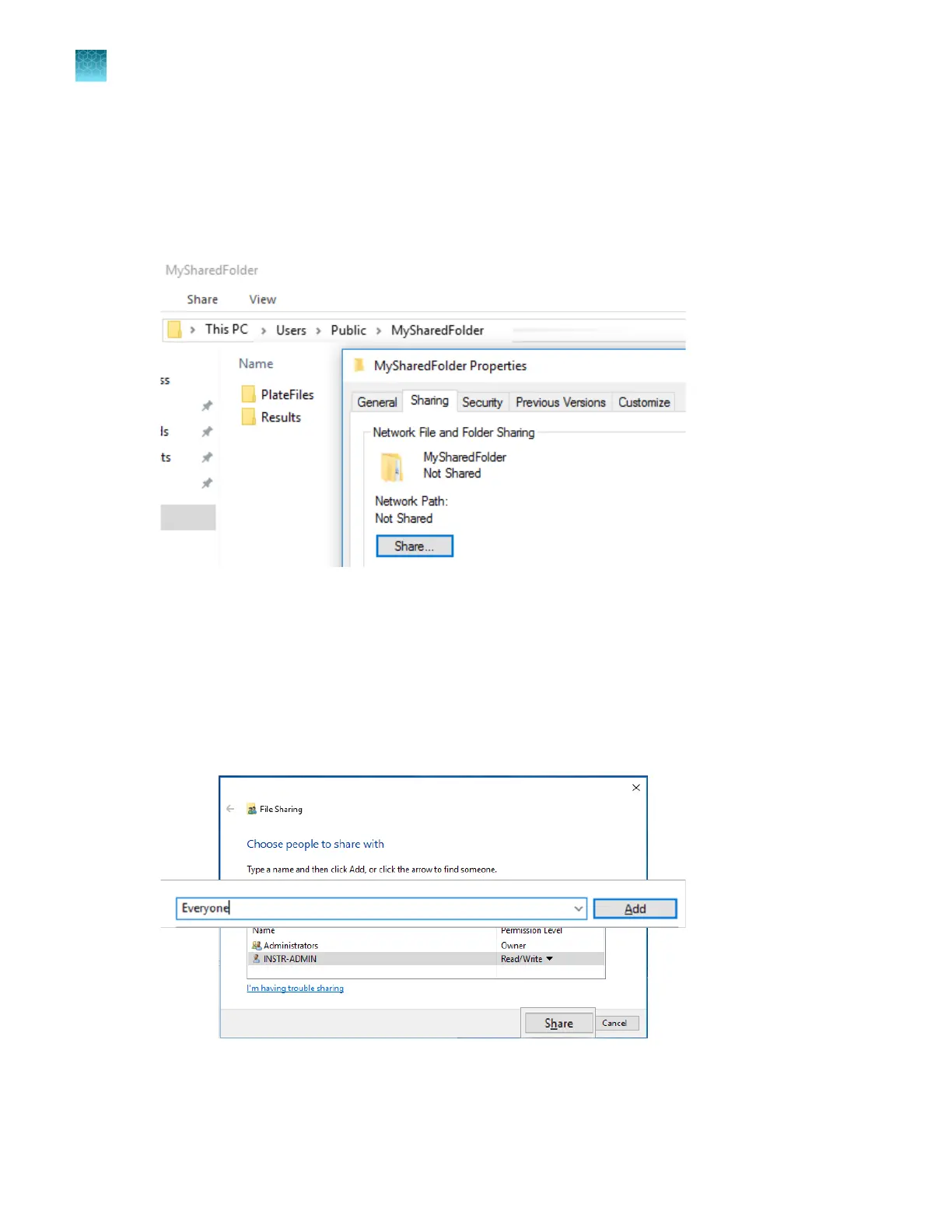
Create folders and enable network folder sharing
1.
On a Windows
™
computer, server, or network drive, create a folder to store your plates and results.
Example: C:/Users/Your Name/MySharedFolder.
2.
Create subfolders in the MySharedFolder folder. Example: PlateFiles and Results.
3.
Open the folder
, then right-click.
4.
Select Customize this folder.
5.
Select the Sharing tab.
6.
Click Share.
7.
In the Type a name field, type Everyone, click Add, then click Share.
Chapter 14 Manage the software (instrument)
Connect the software to a network drive (software settings)
14
444
SeqStudio
™
Flex Series Genetic Analyzer with Instrument Software v1.0 User Guide













 To Next Page