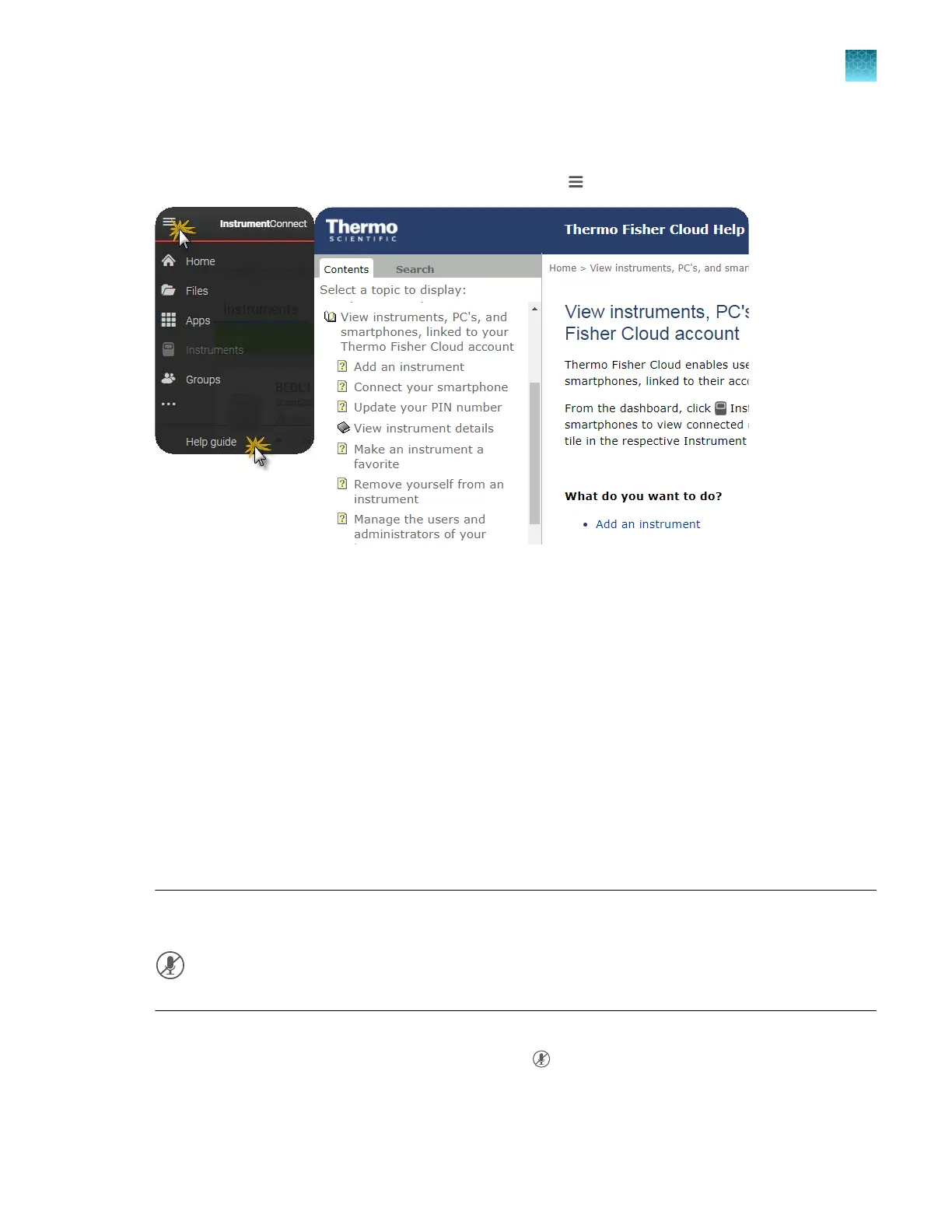
For more information on using Thermo Fisher
™
Connect
In the top left of any Thermo Fisher
™
Connect screen, click , then select Help guide.
Use voice commands
V
oice commands use Amazon
™
Alexa
™
for Business.
You must be signed in to the instrument with a cloud profile to use voice commands. See Chapter 9,
“Use the instrument with Thermo Fisher
™
Connect”.
Enable (register) the voice command function
This procedure is required the first time each user signs in t
o an instrument with a cloud profile. If
access to Thermo Fisher
™
Connect is disabled for the instrument after the voice command function is
enabled, the voice command function is unregistered (disabled) for all users.
Before you perform this procedure, ensure that the instrument time is set to Automatic. See “Manage
date and time settings” on page 462.
Note: In this section, an icon is referred to as disabled if it displays a forward slash. The gray, disabled
microphone is shown below.
1.
Sign in t
o the instrument with a cloud profile.
The home screen displays the gray disabled icon
.
Chapter 9 Use the instrument with Thermo Fisher
™
Connect
For more information on using Thermo Fisher
™
Connect
9
SeqStudio
™
Flex Series Genetic Analyzer with Instrument Software v1.0 User Guide
231













 To Next Page