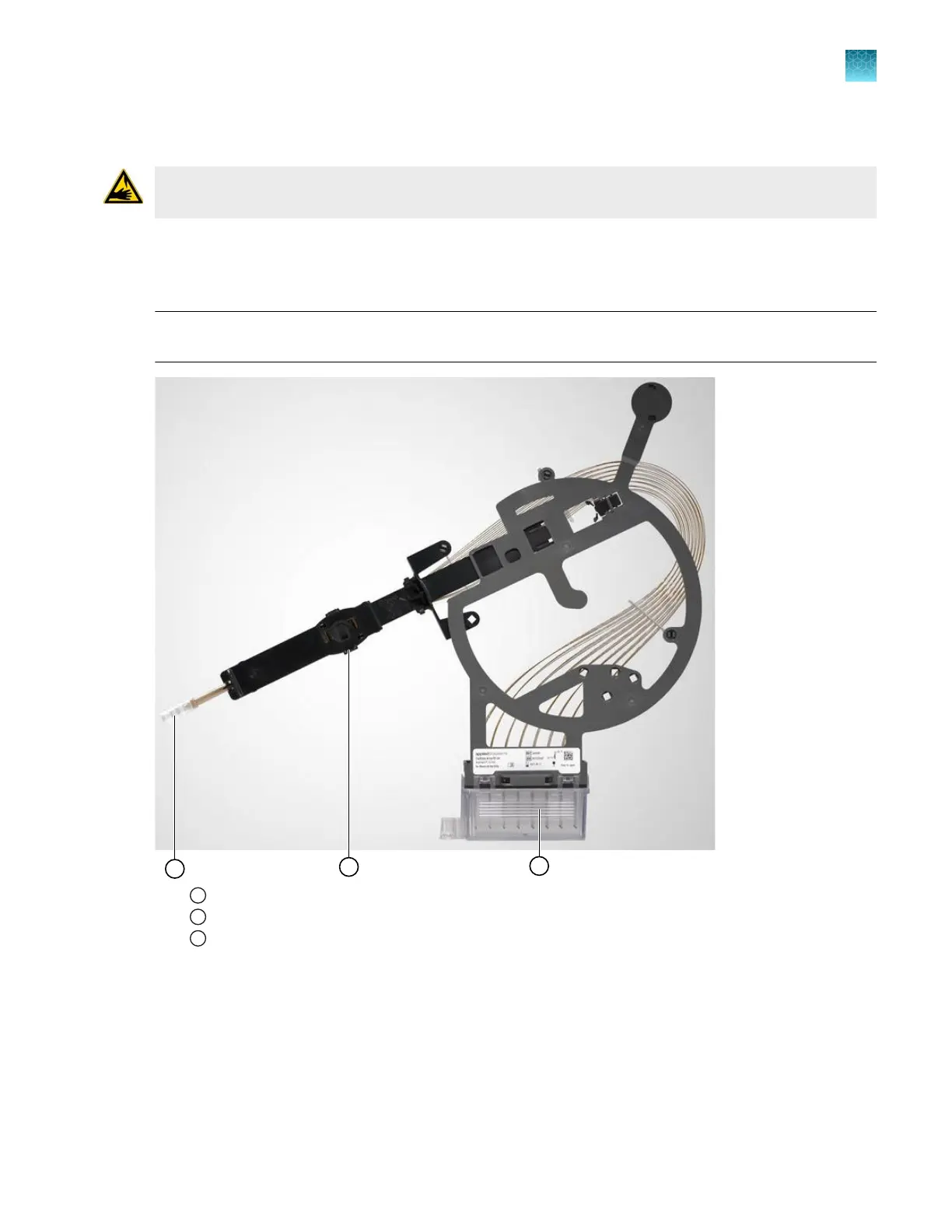
Store a capillary array
WARNING! SHARP The electrodes on the load-end of the capillary array have small, blunt ends that
can lead to piercing injury.
If you remove a capillary array for storage, insert the loading-end of the capillary array and the array tip
in distilled wat
er to prevent the polymer from drying in the capillaries.
Check periodically and add distilled water as needed.
IMPORTANT! If the loading-end of the capillary array and the array tip are not kept submerged in
distilled water, residue can dry and block the capillaries.
1
Array tip cover
2
Detection cell cover (on the back of the assembly)
3
Array electrode cover with capillary tips submerged in distilled water
Chapter 13 Maintain the Instrument
Change and store a capillary array (wizards)
13
SeqStudio
™
Flex Series Genetic Analyzer with Instrument Software v1.0 User Guide
375













 To Next Page