Troubleshooting resources
Document
Pub. No.
Troubleshooting Sanger sequencing data User Bulletin MAN0014435
DNA Sequencing by Capillary Electrophoresis Chemistry Guide Second
Edition
4305080
DNA Fragment Analysis by Capillary Electrophoresis User Guide 4474504
See also:
•
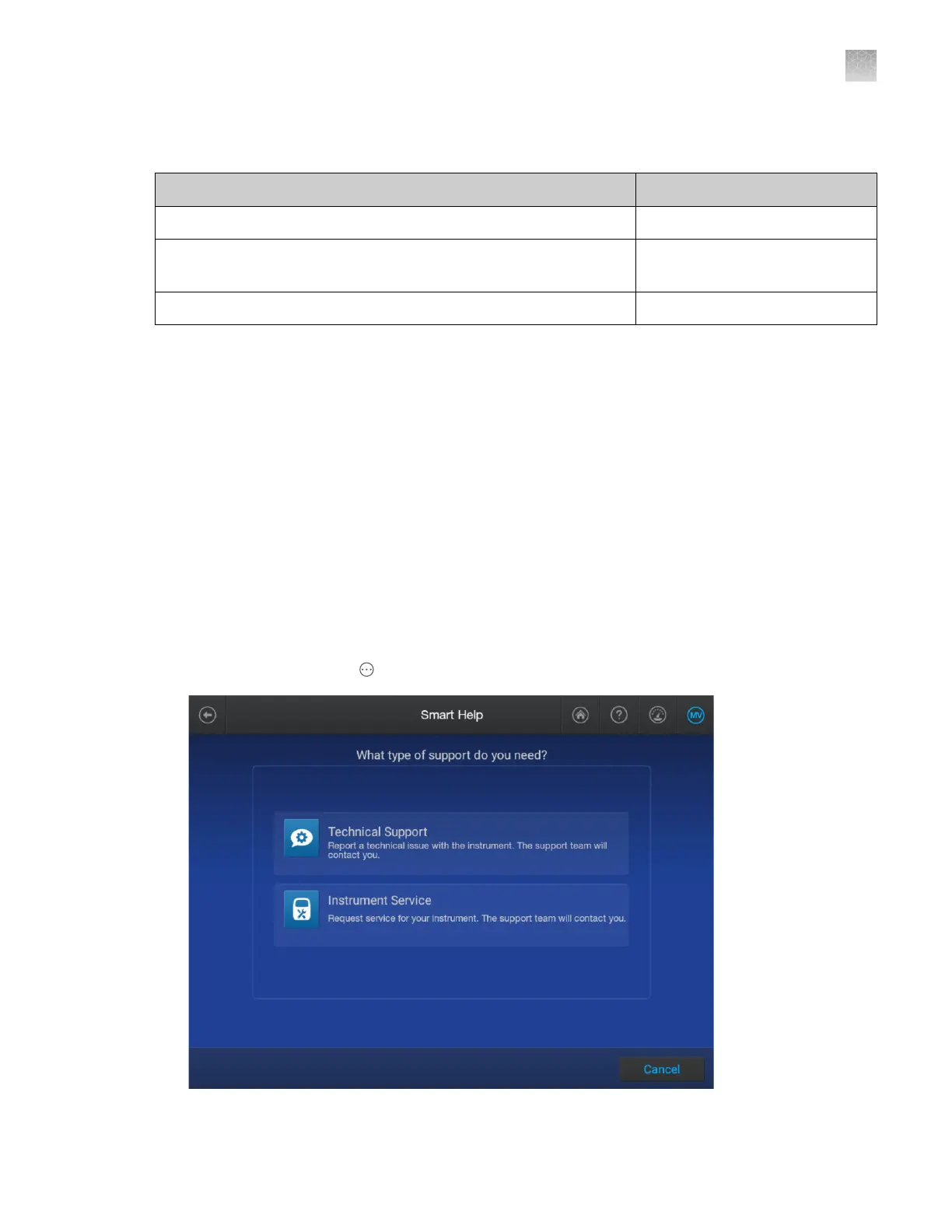
“Use Smart Help to request assistance from Technical Support or Instrument Service” on page 473
•
“Start a remote support session” on page 475
•
“Run self tests to check touchscreen, speakers, microphone, and proximity sensor” on page 485
Use Smart Help to request assistance from Technical
Support or Instrument Service
Access to Thermo Fisher
™
Connect must be enabled to use this function. For information, see “Enable
or disable Thermo Fisher
™
Connect access on the instrument (administrator only)” on page 228.
You can use this function when you are signed in with a local profile or a cloud profile. For more
information, see Chapter 9, “Use the instrument with Thermo Fisher
™
Connect”.
1.
In the home screen, tap Actions4Support4Smart help.
Appendix A Troubleshooting
Troubleshooting resources
A
SeqStudio
™
Flex Series Genetic Analyzer with Instrument Software v1.0 User Guide
473













 To Next Page