Set up cloud analysis in the Plate Manager software (cloud)
You can create a plate file that specifies automatic secondary analysis in a Thermo Fisher
™
Connect
application. See “Secondary analysis software” on page 50.
Before you set up cloud analysis, note the following:
•
Set up an analysis template in the secondary analysis software if you are using VA, NGC, or MSA
software for cloud analysis. Analysis templates are optional for QC and PS software.
•
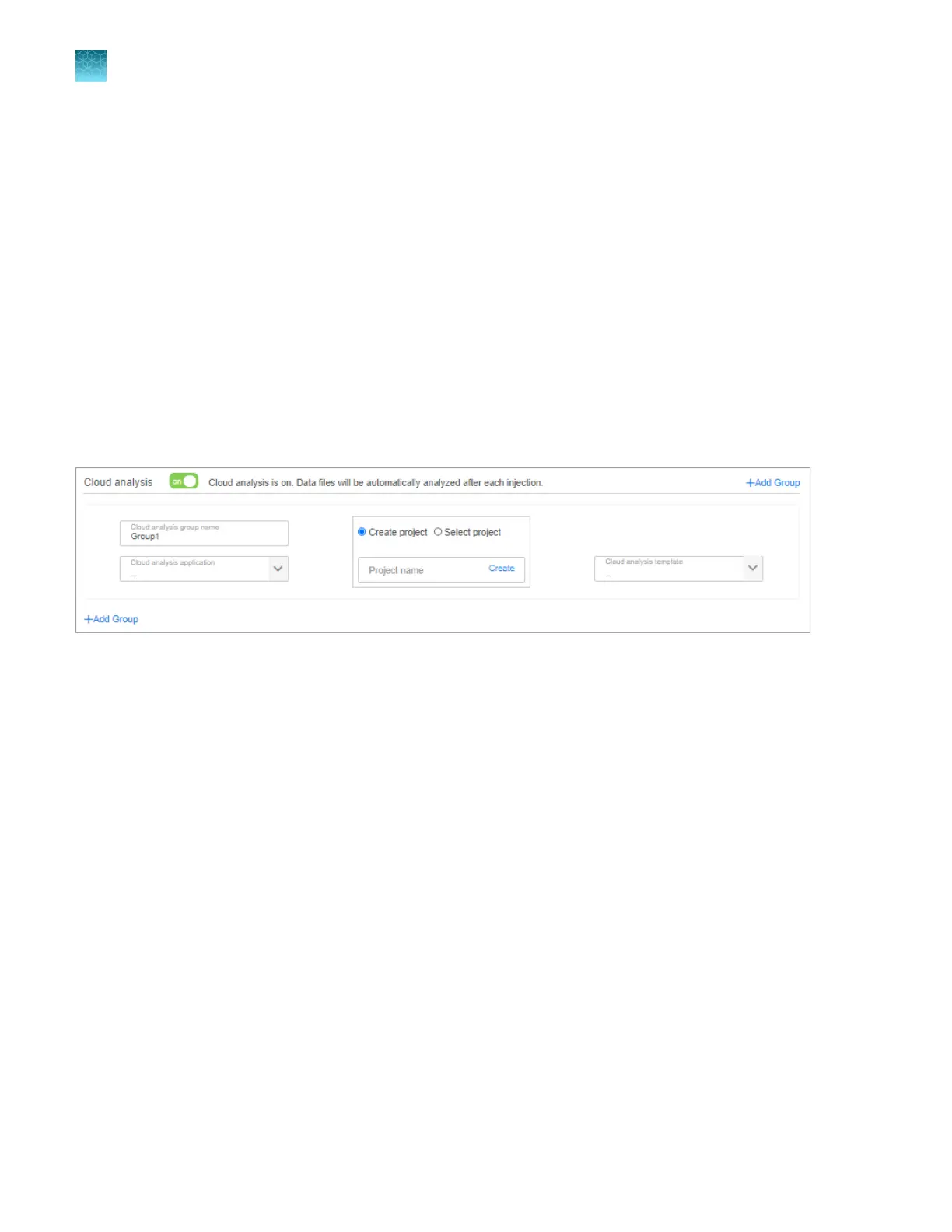
In the plate file, you must enable and set up cloud analysis on the Properties tab, and specify
cloud analysis groups on the Plate tab.
•
In the cloud analysis settings in the plate file, you can select an existing project or create a new
project for results in the secondary analysis software.
1.
In Plate Manager software (cloud) , create a plate file. See “Set up a plate file” on page 115.
2.
In the Properties tab, enable the Cloud analysis option.
3.
In the Cloud analysis application list, select the application.
The options displayed in the list depend on the Application type select
ed for the plate (above the
cloud analysis settings).
4.
Select the name of a project in the secondary analysis software or create a new project. Cloud
analysis results are added to the specified project.
Chapter 5 Cr
eate a plate file in the Plate Manager software
Set up cloud analysis in the Plate Manager software (cloud)
5
124
SeqStudio
™
Flex Series Genetic Analyzer with Instrument Software v1.0 User Guide













 To Next Page