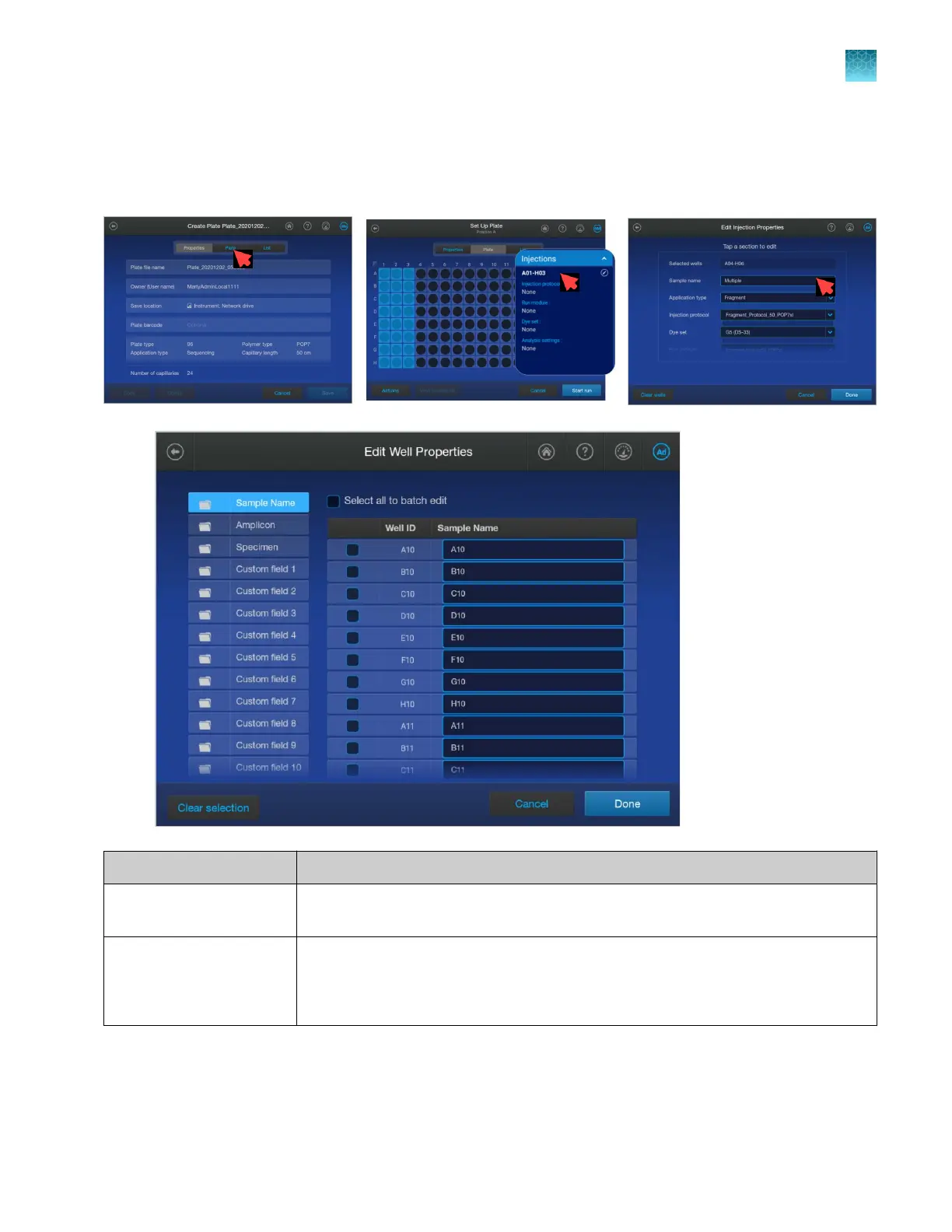
Plate file Edit Well Properties screen (sample name entry)
To display the Edit Well Properties screen, tap the Plate tab, tap under the Injections heading, then
tap the Sample Name field.
Attributes Settings
Sample name Names for samples. To assign the same name to multiple wells, select multiple wells
or all wells, tap the Sample Name field, then enter a name.
Sequencing only
Amplicon
Specimen
Text-only fields that can be used by secondary sequencing analysis software.
Chapter 11 Manage library resources on the instrument
Plate files library
11
SeqStudio
™
Flex Series Genetic Analyzer with Instrument Software v1.0 User Guide
271













 To Next Page