Filter library lists
1.
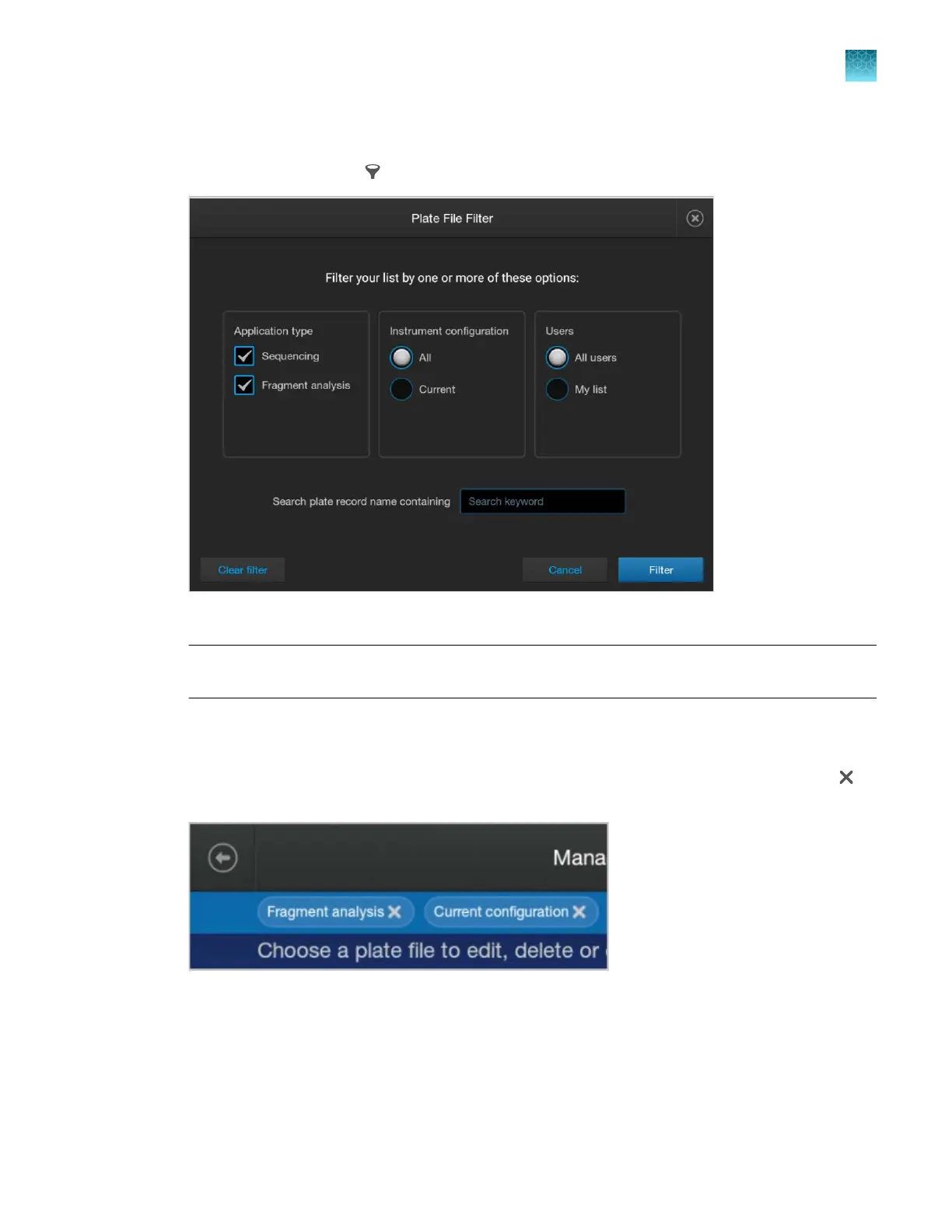
In any library screen, tap (Filter).
2.
Mak
e selections as needed.
Note: The Current setting under Instrument configuration refers to the polymer and capillary
length that are currently installed on the instrument.
My list r
efers to items that the signed-in user has created.
3.
Tap Filter.
The filtered library screen is displayed. The filter is listed at the top of the screen. You can tap
to
remove a filter.
Chapter 11 Manage library resources on the instrument
General library procedures
11
SeqStudio
™
Flex Series Genetic Analyzer with Instrument Software v1.0 User Guide
257













 To Next Page