Dye sets library
Dye set overview
A dye set defines the following for an injection protocol:
•
Dye color(s)
•
Order of the dye peaks in the standard
•
Spectral analysis parameters
For information on the Z_BigDye Direct dye set in the library, see “Using BigDye
™
Direct Cycle
Sequencing Kit chemistry” on page 312.
Create a new dye set
1.
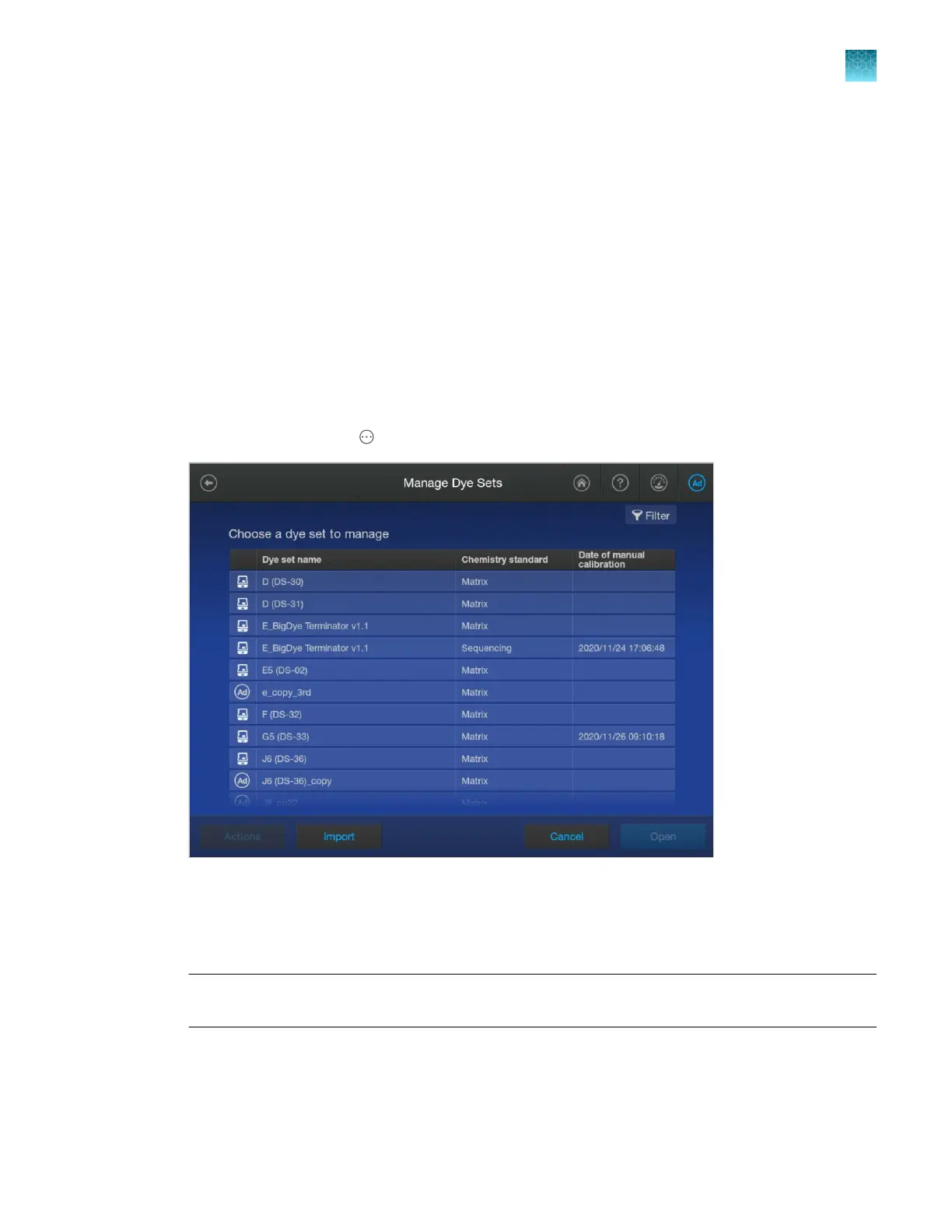
In the home screen, tap Actions4Library4Dye sets.
The Date of manual calibration column lists the date on which a spectral calibration was run (see
“Run a spectral calibration” on page 310). It does not refer to the autocalibration that is performed
with each run.
2.
Tap a dye set, tap Open, then tap Copy.
Note: You cannot copy dye sets created by other users. You can only copy factory-provided dye
sets.
3.
Enter a Dye Set Name.
Chapter 11 Manage library resources on the instrument
Dye sets library
11
SeqStudio
™
Flex Series Genetic Analyzer with Instrument Software v1.0 User Guide
285













 To Next Page