Check size standard quality (fragment analysis) in the Remote Monitoring
softwar
e
This procedure describes how to check the size standard quality in the Remote Monitoring software.
Note: To determine the size standard that was used for a sample, view the run history for the sample
on the instrument.
1.
In the Plat
es tab, select an injection group. Alternatively, you can click a row in the Run History
tab, then select a plate.
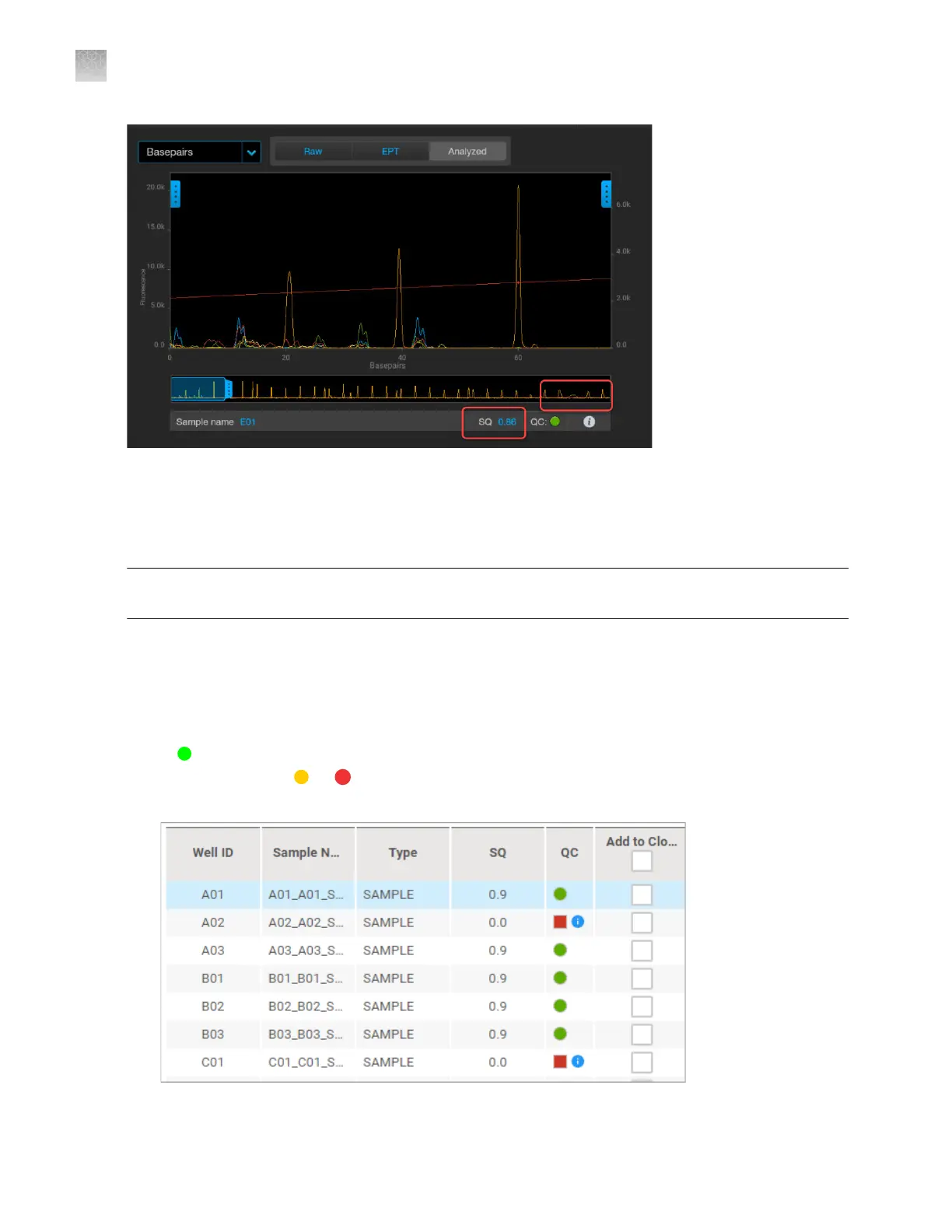
The electropherogram screen is displayed with the RAW tab selected.
The sample list displays QC and SQ values for each well. For information on how these values are
determined, see “Sample QC and quality alerts” on page 172.
A
QC status indicates all QC criteria were met. An SQ of >0.75 is a passing result.
If any wells have a
or QC status (indicating that a quality alert was triggered), or an SQ of
≤0.74, r
eview the data for the well as described below.
Appendix A Troubleshooting
Inspect the data—Troubleshooting procedures
A
478
SeqStudio
™
Flex Series Genetic Analyzer with Instrument Software v1.0 User Guide













 To Next Page