2.
(If you are using a SeqStudio
™
Flex instrument) Click an instrument in the Monitor runs pane in the
Plate Manager software home screen.
The Remote Monitoring software home screen is displayed. See “Parts of the Remote Monitoring
software home screen” on page 184.
Note: (If you are using a SeqStudio
™
instrument) See SeqStudio
™
Genetic Analyzer Instrument and
Software User Guide (Pub. No. MAN0018646 for v1.2 software or MAN0016138 for v1.1 software).
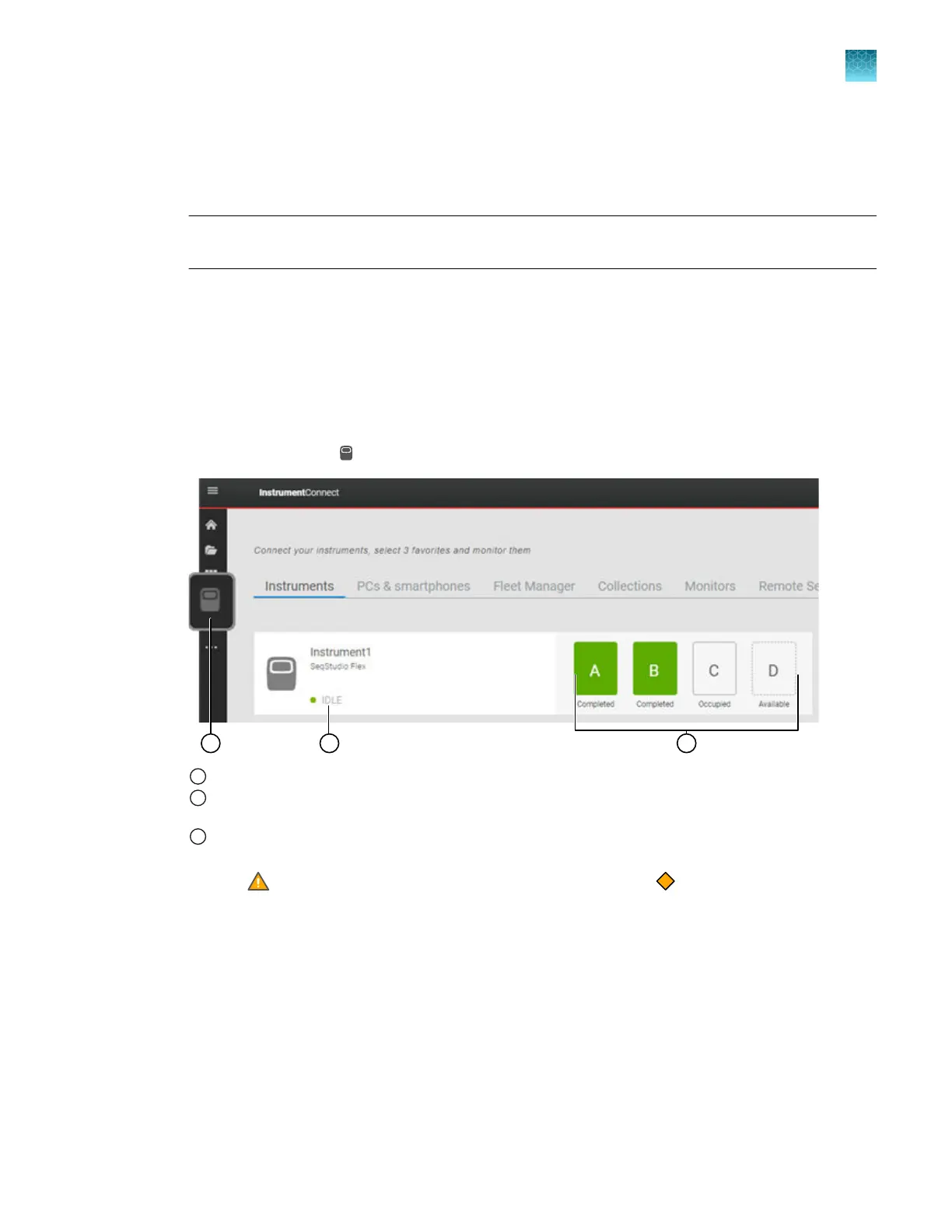
Open the Remote Monitoring software from the InstrumentConnect software
The InstrumentConnect main screen lists all instruments that are linked to your Thermofisher.com
account.
1.
Sign in to apps.thermofisher.com. See “Sign in to apps.thermofisher.com and access the
InstrumentConnect software” on page 215.
2.
In the left pane, click
(InstrumentConnect).
1
InstrumentConnect
2
Instrument status. Possible statuses are: Idle, Running, or UNKNOWN (the instrument has been idle for ≥24
hours).
3
Plate positions
•
Plat
e positions are color-coded to reflect Sample QC. See “Sample QC and quality alerts” on page 172.
•
A
(Warning) icon indicat
es that at least one well on the plate has a
C
aution Sample QC status.
3.
If no instruments ar
e listed, perform the following steps. For information, see Chapter 9, “Use the
instrument with Thermo Fisher
™
Connect”.
a.
Ensure that Thermo Fisher
™
Connect is enabled on the instrument.
b.
Link the instrument to your Thermofisher.com account.
4.
Click a SeqStudio
™
Flex instrument in the InstrumentConnect screen.
The Remote Monitoring main screen is displayed. See “Parts of the Remote Monitoring software
home screen” on page 184.
Chapter 8 Use the Remot
e Monitoring software to monitor runs, view results, and use cloud analysis
Monitor a run from the Remote Monitoring software
8
SeqStudio
™
Flex Series Genetic Analyzer with Instrument Software v1.0 User Guide
183













 To Next Page