Desktop secondary analysis software
IMPORTANT! Older versions of the deskt
op secondary analysis software cannot analyze data files
generated by the SeqStudio
™
Flex Series Genetic Analyzer. Contact Technical Support for information
on obtaining the latest versions of software.
Analysis Software Minimum version required
Sequencing Sequencing Analysis Software 7.1
SeqScape
™
Softwar
e 4.1
Variant Reporter
™
Software 3.1
Minor Variant Finder Software 1.2
MicrobeBridge Software 1.2
Fragment analysis GeneMapper
™
Software 6.1
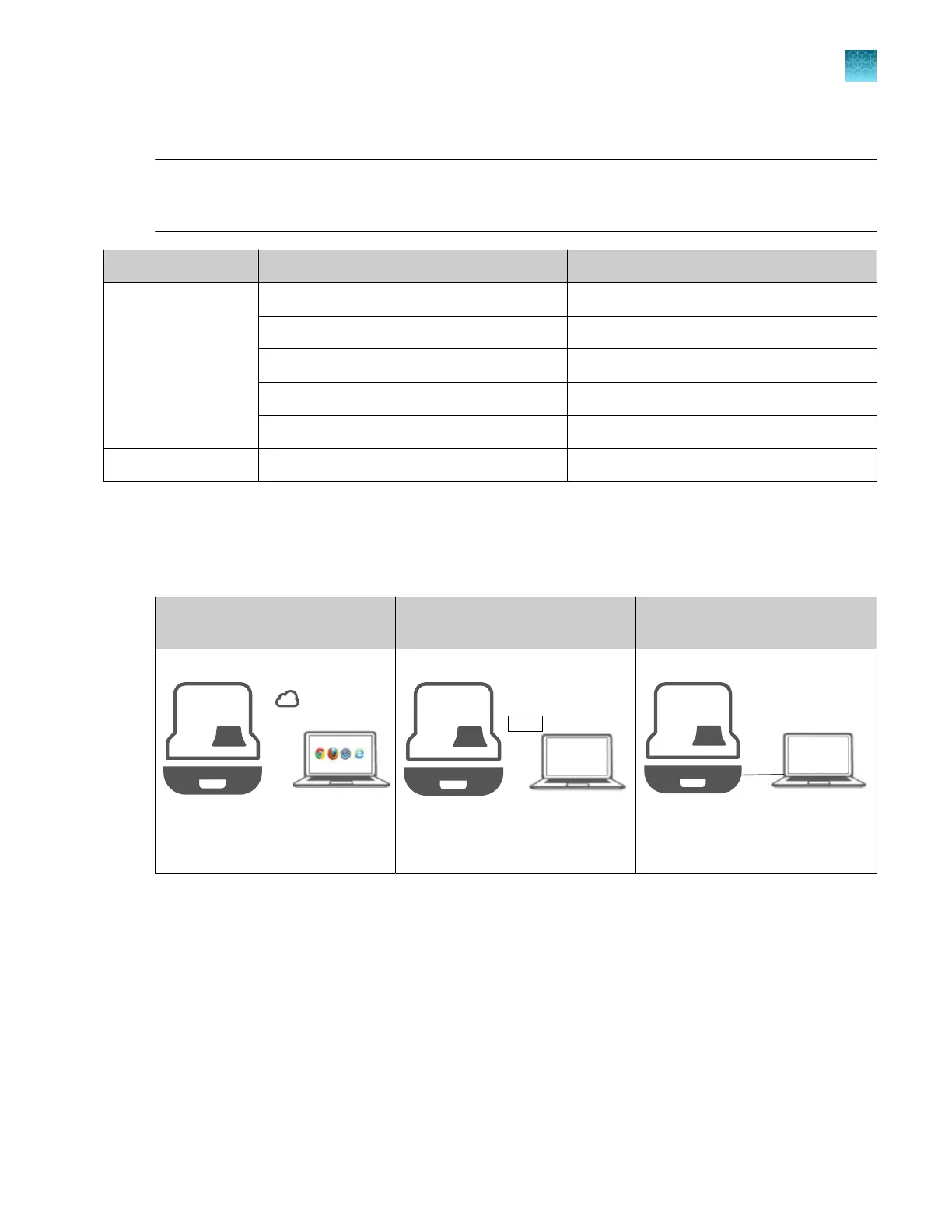
Network connection options
The instrument can be connect
ed to a network or computer in the following configurations.
Thermo Fisher
™
Connect
connection
Local area network (LAN)
connection
Direct connection
Wired or wireless
Benefits: Access t
o Thermo
Fisher
™
Connect features and
cloud storage
Wired or wireless
Benefits: Access t
o network
storage, no internet connection
required (but can be used)
Wired
Benefits: No int
ernet connection
required
For more information, see:
•
“Connect the instrument t
o a computer or network (hardware connections)” on page 439
•
“Connect the software to a network drive (software settings)” on page 443
Chapter 1 P
roduct information
Network connection options
1
SeqStudio
™
Flex Series Genetic Analyzer with Instrument Software v1.0 User Guide
51













 To Next Page