3.
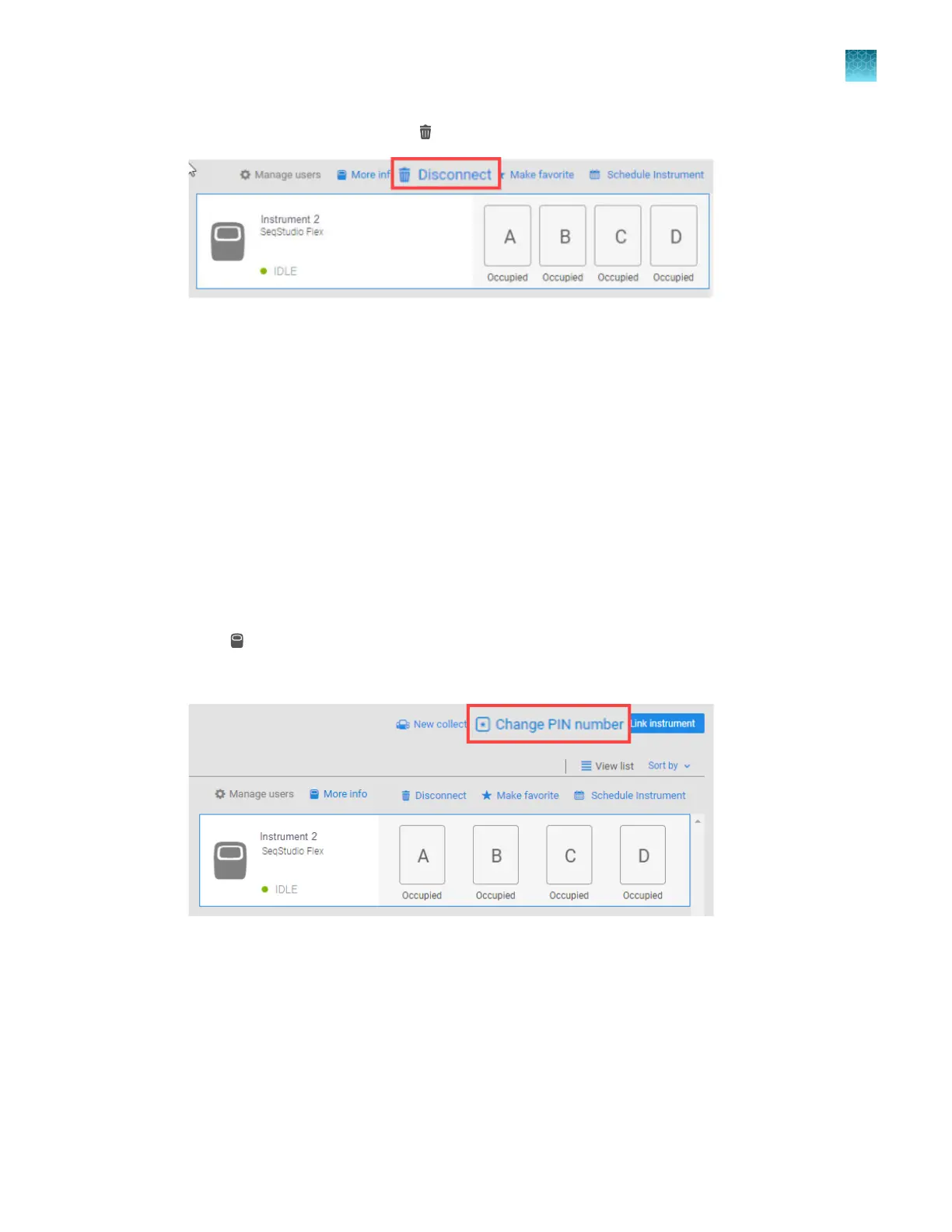
Select the instrument, then click Disconnect.
4.
T
ap Confirm.
Change your cloud profile PIN
A cloud profile PIN is associated with your profile, not with an instrument.
When you update your PIN from any location, it is automatically updated in other locations. For
example, if you update your cloud profile PIN using the InstrumentConnect screen as described below,
it updates the PIN you use to sign in to any instrument. If you update your cloud profile PIN on an
instrument, it updates the PIN that you use when you link to an instrument in the InstrumentConnect
screen.
1.
Access InstrumentConnect (see “Sign in to apps.thermofisher.com and access the
InstrumentConnect software” on page 215).
2.
Click
(instrument) t
o display the InstrumentConnect screen.
3.
Click Change PIN number, then enter a new PIN.
Chapter 9 Use the instrument with Thermo Fisher
™
Connect
Change your cloud profile PIN
9
SeqStudio
™
Flex Series Genetic Analyzer with Instrument Software v1.0 User Guide
225













 To Next Page