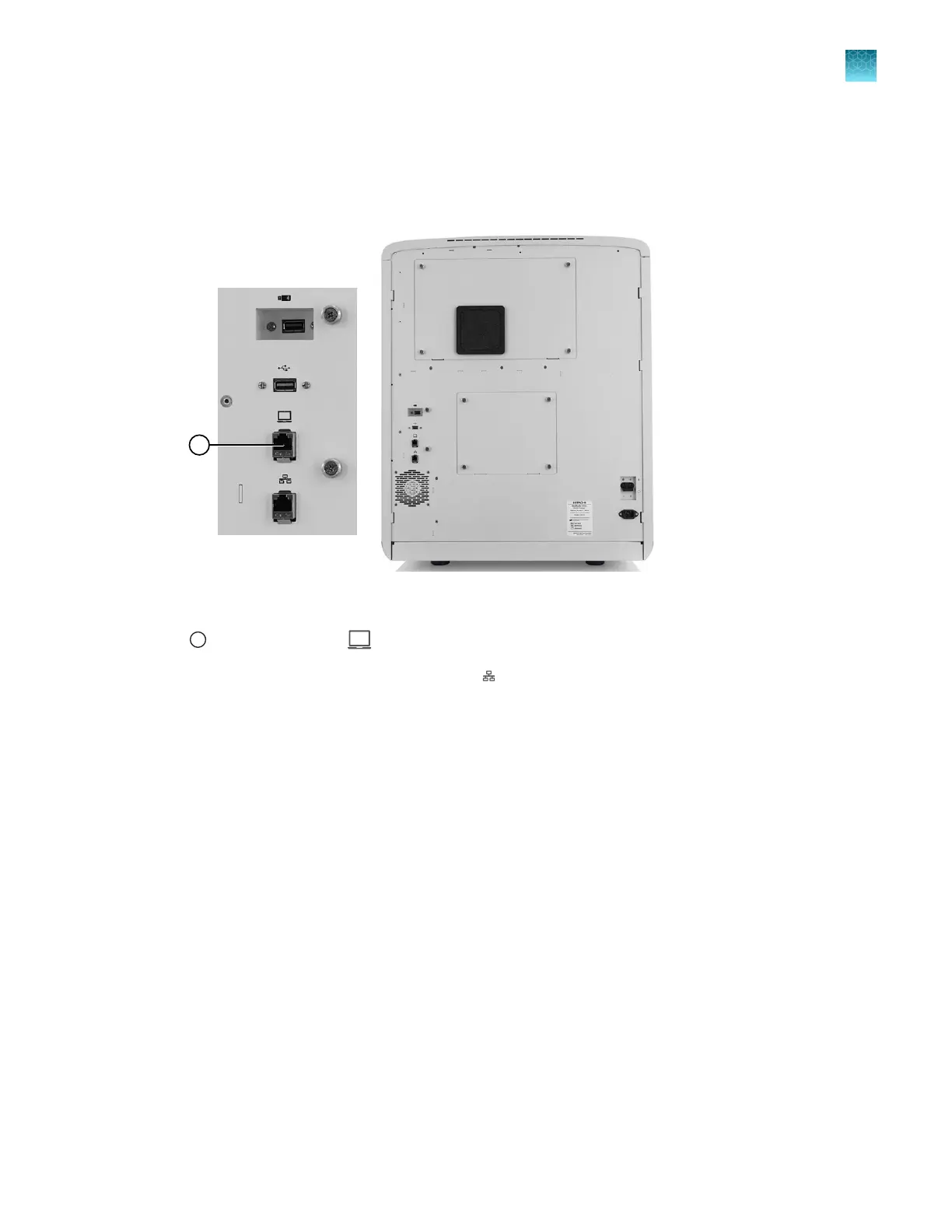
Connect the instrument directly to a computer
1.
Perform a virus scan on the computer before connecting it to the instrument.
2.
Connect a cable to the direct connection port on the instrument.
IMPORTANT! Ensur
e that you use the correct ports for direct connection (#2 in the figure). The
default configuration of the ports is dierent and ports cannot be used interchangeably.
1
Direct connection port
3.
Connect the other end of the cable t
o the
network port on the computer.
Chapter 14 Manage the software (instrument)
Connect the instrument to a computer or network (hardware connections)
14
SeqStudio
™
Flex Series Genetic Analyzer with Instrument Software v1.0 User Guide
441













 To Next Page