Observation Possible cause Recommended action
Instrument failed message is
displayed
The connection between the
instrument and the firmware
has been interrupted.
Restart the instrument (see “Power o or
power on the instrument” on page 485).
Contact Technical Support.
Unable to pull open the
instrument drawer
The plate autosampler (the
internal mechanism that moves
plates into position for
sampling) is in a position that
is preventing the drawer from
opening.
Restart the instrument. See “Power o or
power on the instrument” on page 485.
Repeat if the drawer still cannot be opened.
If the drawer still cannot be opened, contact
Technical Support.
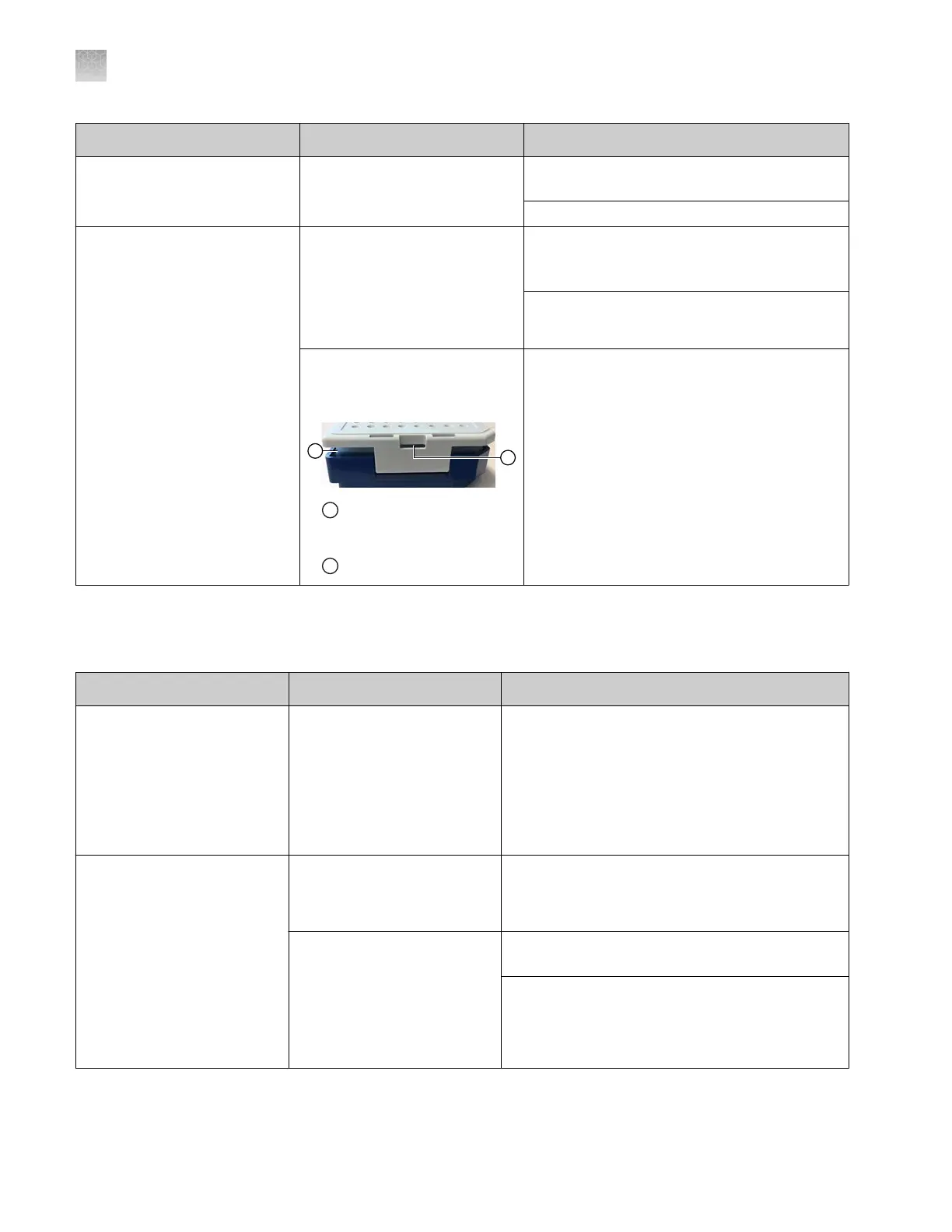
The plate retainer (cover)
is separated from the plate
assembly.
1
Plate retainer (cover) is
separ
ated from the plate
assembly
2
Slot
Open the drawer as far as possible. Insert a
long, flat head screwdriver into the slot (red
circle) in the retainer, then press the retainer
back on to the assembly.
IMPORTANT! T
o avoid injury, do not place
your hands into any empty spaces in the
drawer.
IMPORTANT! T
o avoid injury, keep your
hands away from any empty spaces in the
drawer when you push the drawer closed.
Library troubleshooting
Observation Possible cause Recommended action
In the dye set library, the
Copy butt
on is inactive
You are viewing a dye set
that was created by another
user. Only factory-provided
dye sets can be copied.
Note: Other libraries do
allow copying of user-created
items.
Select a factory-provided dye set to copy.
Error deleting records
message is displayed when
you delete a library entry
Details: At least one of
the selected item(s) is
factory-provided, locked,
or owned by another user.
Item is owned by another
user.
Check the initials that are displayed for the entry,
or open the entry to see the owner. Have the
owner delete the entry.
Item is locked. Check the initials that are displayed for the entry,
to see if the locked icon is displayed.
If you own the item, open the item, unlock it, then
delete the item.
If you do not own the item, have the owner
unlock, then delete the entry.
Appendix A Troubleshooting
Library troubleshooting
A
500
SeqStudio
™
Flex Series Genetic Analyzer with Instrument Software v1.0 User Guide













 To Next Page