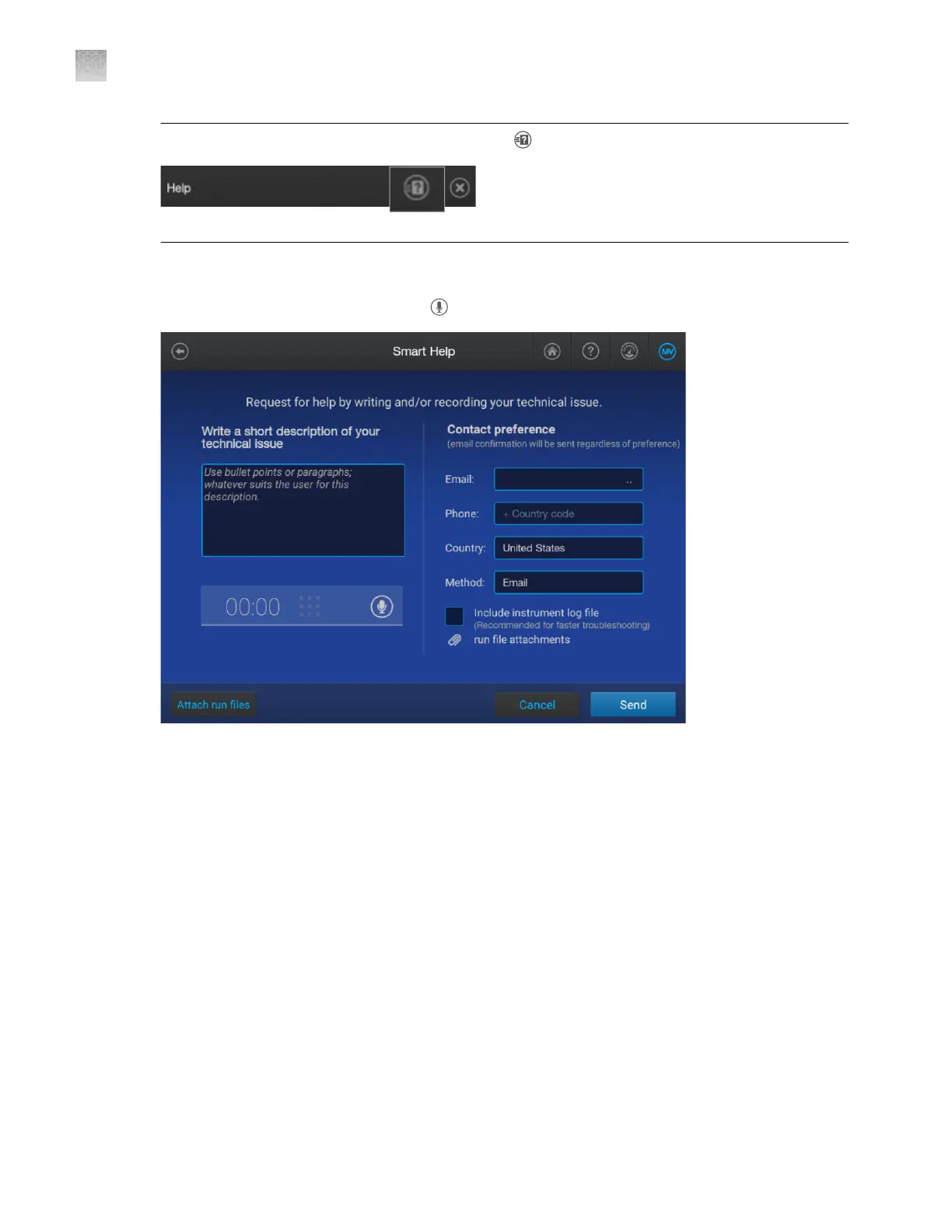
Note: You can also access this screen by tapping (Smart Help) at the top of a help window.
2.
Select a suppor
t option.
3.
Enter a description of the issue, or tap
(microphone) and record a description.
4.
Fill in the contact information.
5.
(Recommended) Select the Include instrument log file checkbo
x to automatically attach the
instrument log file to this request.
6.
If appropriate, tap Attach run files, then select files for a regular run, install run, or calibration run.
Appendix A T
roubleshooting
Use Smart Help to request assistance from Technical Support or Instrument Service
A
474
SeqStudio
™
Flex Series Genetic Analyzer with Instrument Software v1.0 User Guide













 To Next Page