Cloud analysis
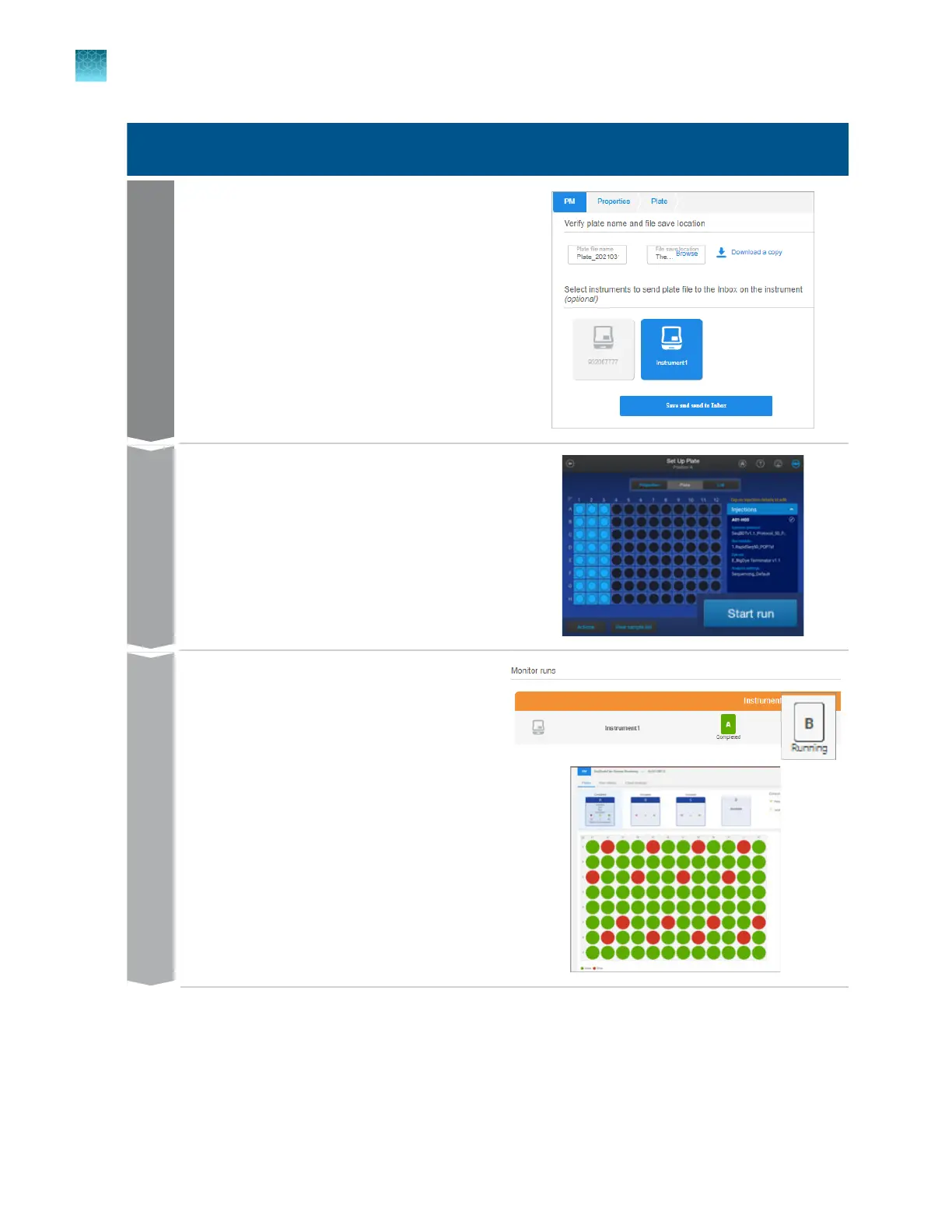
In the Save tab, save the plate file and optionally
send it to the Inbox on the instrument.
Start the run.
Run
In the Plate Manager software (cloud), click the
running plate position to display the SeqStudio
™
Flex Remote Monitoring software main screen.
Monitor
Chapter 8 Use the Remote Monitoring software to monitor runs, view results, and use cloud analysis
Use cloud analysis in the Remote Monitoring software
8
204
SeqStudio
™
Flex Series Genetic Analyzer with Instrument Software v1.0 User Guide













 To Next Page